• Some users have recently had their accounts hijacked. It seems that the now defunct EVGA forums might have compromised your password there and seems many are using the same PW here. We would suggest you UPDATE YOUR PASSWORD and TURN ON 2FA for your account here to further secure it. None of the compromised accounts had 2FA turned on.
    Once you have enabled 2FA, your account will be updated soon to show a badge, letting other members know that you use 2FA to protect your account. This should be beneficial for everyone that uses FSFT.

Linux gaming thread, what games are you currently playing?

Mazzspeed

Supreme [H]ardness
Joined
Dec 27, 2017
Messages
4,687
I thought we needed a thread where us Linux users can discuss Linux gaming, advancements regarding Linux gaming, and post screenshots of game's we're currently playing.

As a thread starter, I've been getting back into Battlefield Bad Company 2, it's just so cool how the users were able to keep the game running long after EA shut all the official servers down. I love BF3 and BF4, but BFBC2 has an awesome atmosphere, especially with war tapes enabled under sound settings. I also prefer the somewhat smaller maps of BFBC2.

Here's the results of my latest round. 76 kills = Not too shabby for an old bloke:
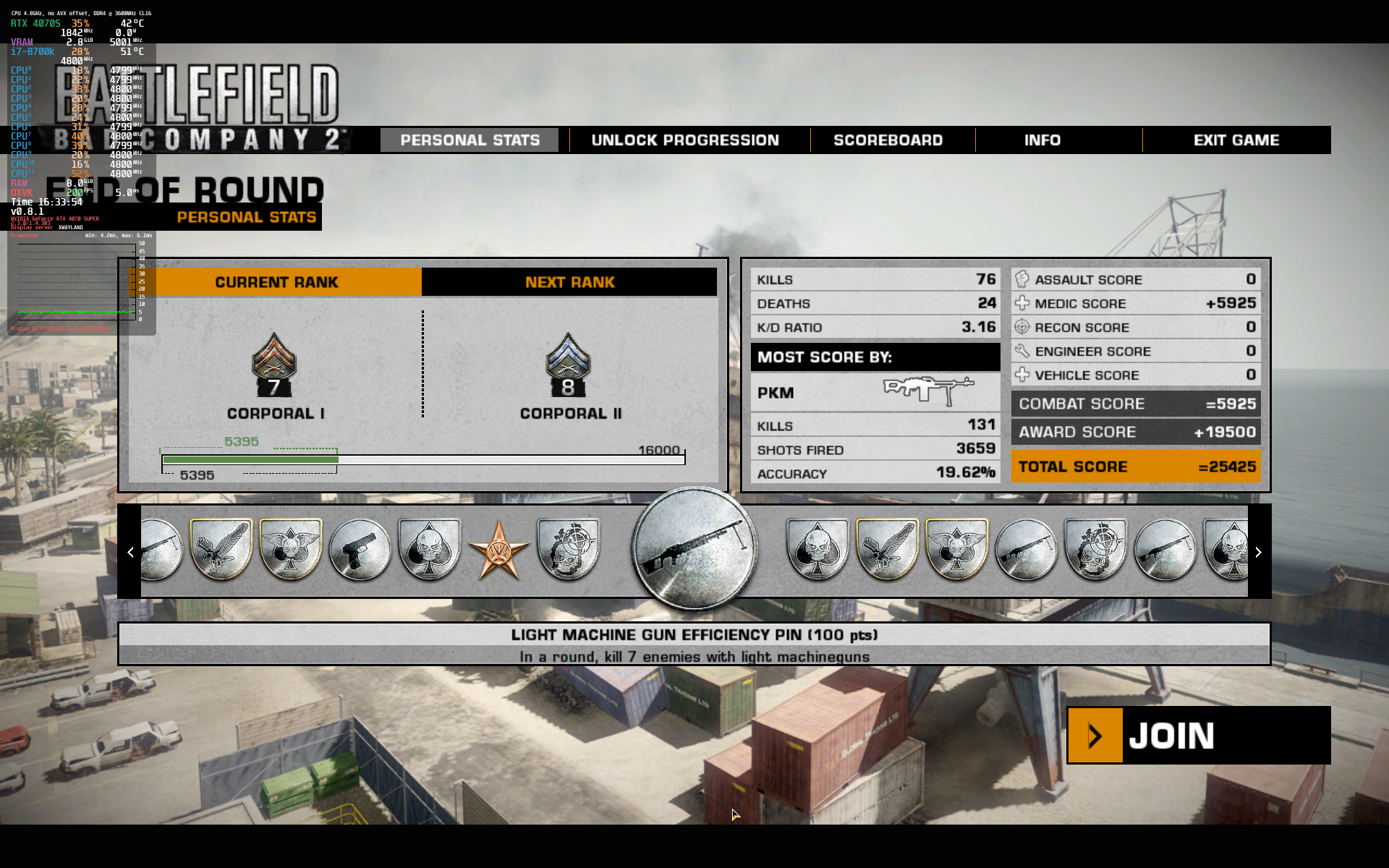
BFBC2 Project Rome.png


Feel free to post screenie's of games you're playing, discuss the latest Proton variants...Anything to with Linux and Linux gaming.
 
Can you install games if you have the CD/DVD and not use Steam? I still have several dozen stored in a box in my closet and was wondering if it was possible to install those in Linux without using Steam.
 
Can you install games if you have the CD/DVD and not use Steam? I still have several dozen stored in a box in my closet and was wondering if it was possible to install those in Linux without using Steam.

I haven't tried myself but Lutris should allow you to run some of those games. Kinda making me want to dig out my old CD/DVD collection and give it a try (stupid work today is getting in the way of that.)

Also, currently downloading the Shin Megami Tensei V demo for my Linux Mint desktop and ROG Ally (Bazzite). I want to see how it runs on both systems before committing to purchase the game (it's currently on sale for PS, so might just buy it there).
 
I just finished Borderlands 2 ($3 sale).. well, now I'm doing all the side missions. And not ready for the Terramorphous. I only have one legendary weapon and I'm still at like level 37, I think. But, I do have many achievements that less than 10% of steam players have.
 
  • Like
Reactions: ChadD
like this
POE 2 on a Manjaro box. Mostly.

Not a lot of time to play this summer
 
  • Like
Reactions: ChadD
like this
Can you install games if you have the CD/DVD and not use Steam? I still have several dozen stored in a box in my closet and was wondering if it was possible to install those in Linux without using Steam.
You can install whatever you want. Yes you can install it via many of launcher options such as Bottles, Heroic game launcher, Lutris... or you can just use wine yourself. You can use proton yourself but it is far easier to use a launcher like Heroic or Lutris if you want to do that. You can even download files from GOG and install that way... though Heroic does interface with the GOG store for downloads and updates which is the more logical way to use GOG.
 
https://github.com/CachyOS/proton-cachyos/releases

Cachys latest version of proton... 10.0-20250714 updated a few hours ago.
Proton (SLR and Native)
Added downloader for DLSS dlls (version 310.3.0), similar to the FSR4 downloader. Use PROTON_DLSS_UPGRADE=1 environment variable to enable it.
Added PROTON_DLSS_INDICATOR=1 environment variable to enable DLSS hud.
Reverted PROTON_FSR4_UPGRADE=1 downloader to install version 4.0.0 of amdxcffx64.dll.
Imported wayland related commits from Proton-EM.

They now have included both PROTON_DLSS_UPGRADE and PROTON_FSR4_UPGRADE.

If your not on Cachy already.... you should be able to download the Tar and install it. If your not up on Cachy their are 2 versions in the git a standard x86-64 and a x86-64V3 (V3 should work with anything Intel Haswell or newer and all AMD Ryzen and I believe Extractor if you should still have one of those going strong. lol
tar -xf proton-cachyos-10.0-20250714-slr-x86_64_v3.tar.xz -C ~/.steam/steam/compatibilitytools.d/
 
Last edited:
Currently playing fallout 4, but I have cb77, rdr2 and Elden ring partially started.. can never find the time lol

Edit: I use Endeavour OS (arch), which I avoided like the plague and always used Ubuntu as the "easier distro"...turns out my arch experience has been near perfect but I had nothing but configuration problems on all the Ubuntu distros I tried (around 6)..
 
Last edited:
  • Like
Reactions: ChadD
like this
Can you install games if you have the CD/DVD and not use Steam? I still have several dozen stored in a box in my closet and was wondering if it was possible to install those in Linux without using Steam.
I install windows games all the time, from cd or archive. Wine rarely falters when I do. Only game I couldn't get going was Soldier of Fortune. Oh well.
 
I go the update to KDE Neon 6.4.3 last night, not too sure if there's any improvements that specifically affect gaming at all.

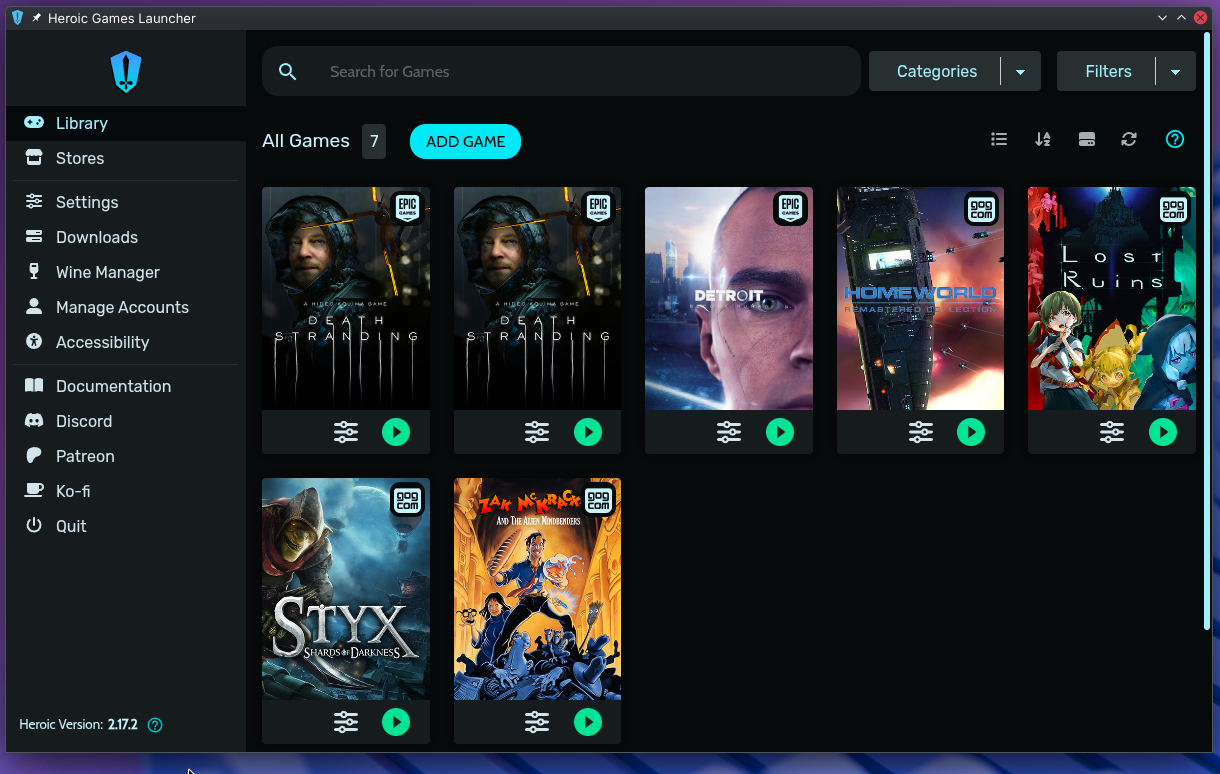
EDIT: And I finally installed Heroic Launcher for my GoG/Epic store games. No more mucking about with launcher updates:


Heroic Launcher.png
 
Last edited:
  • Like
Reactions: ChadD
like this
https://github.com/CachyOS/proton-cachyos/releases

Cachys latest version of proton... 10.0-20250714 updated a few hours ago.
Proton (SLR and Native)
Added downloader for DLSS dlls (version 310.3.0), similar to the FSR4 downloader. Use PROTON_DLSS_UPGRADE=1 environment variable to enable it.
Added PROTON_DLSS_INDICATOR=1 environment variable to enable DLSS hud.
Reverted PROTON_FSR4_UPGRADE=1 downloader to install version 4.0.0 of amdxcffx64.dll.
Imported wayland related commits from Proton-EM.

They now have included both PROTON_DLSS_UPGRADE and PROTON_FSR4_UPGRADE.

If your not on Cachy already.... you should be able to download the Tar and install it. If your not up on Cachy their are 2 versions in the git a standard x86-64 and a x86-64V3 (V3 should work with anything Intel Haswell or newer and all AMD Ryzen and I believe Extractor if you should still have one of those going strong. lol
tar -xf proton-cachyos-10.0-20250714-slr-x86_64_v3.tar.xz -C ~/.steam/steam/compatibilitytools.d/
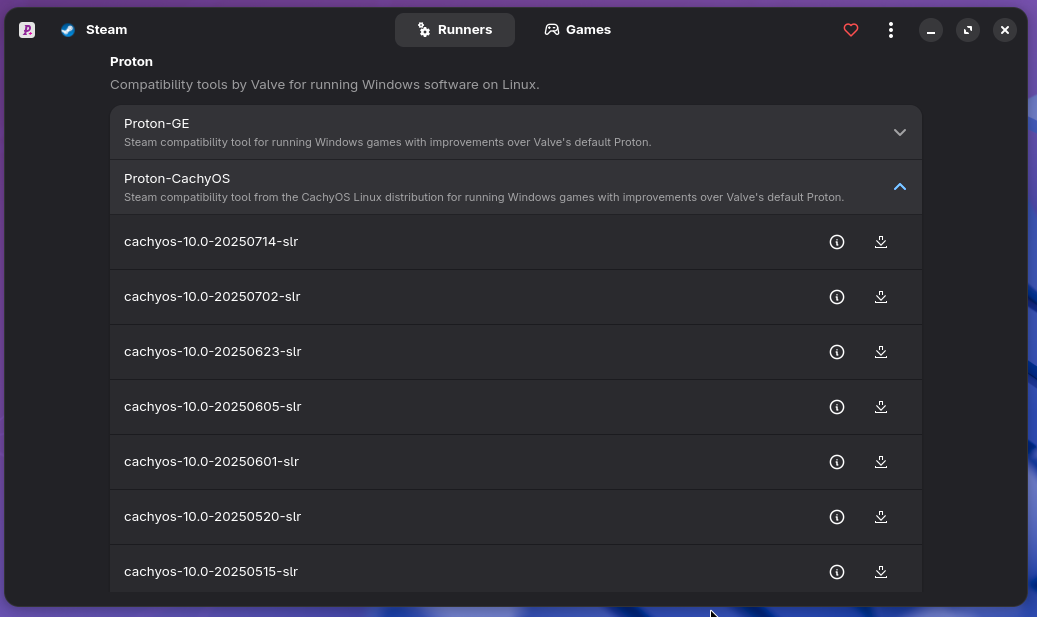
While adding Proton builds to steam/compatibilitytools.d/ isn't hard, you can always use ProtonPlus for convenience:

Proton Plus.png


https://github.com/Vysp3r/ProtonPlus
 
Updated very frequently I see how's it's state of fitness for a nix noob? I haven't tried a distro for years now and haven't a great deal of time to spend fussing with it myself these days.
 
Updated very frequently I see how's it's state of fitness for a nix noob? I haven't tried a distro for years now and haven't a great deal of time to spend fussing with it myself these days.
Cachy is a pretty painless install. Arch with performance tuned core packages. Solid installer, lets you install how you want boot manager DE. If your installing it to game just install the gaming meta package and off you go. The meta package pretty much hooks you up with everything you might need. The default settings on most things are highly tuned, which is nice shouldn't really be much need to tweak much of anything. You have access to everything in the arch repos, and the AUR if needed.
The default kernel is using the bore scheduler. Your pretty much set to go by default.
 
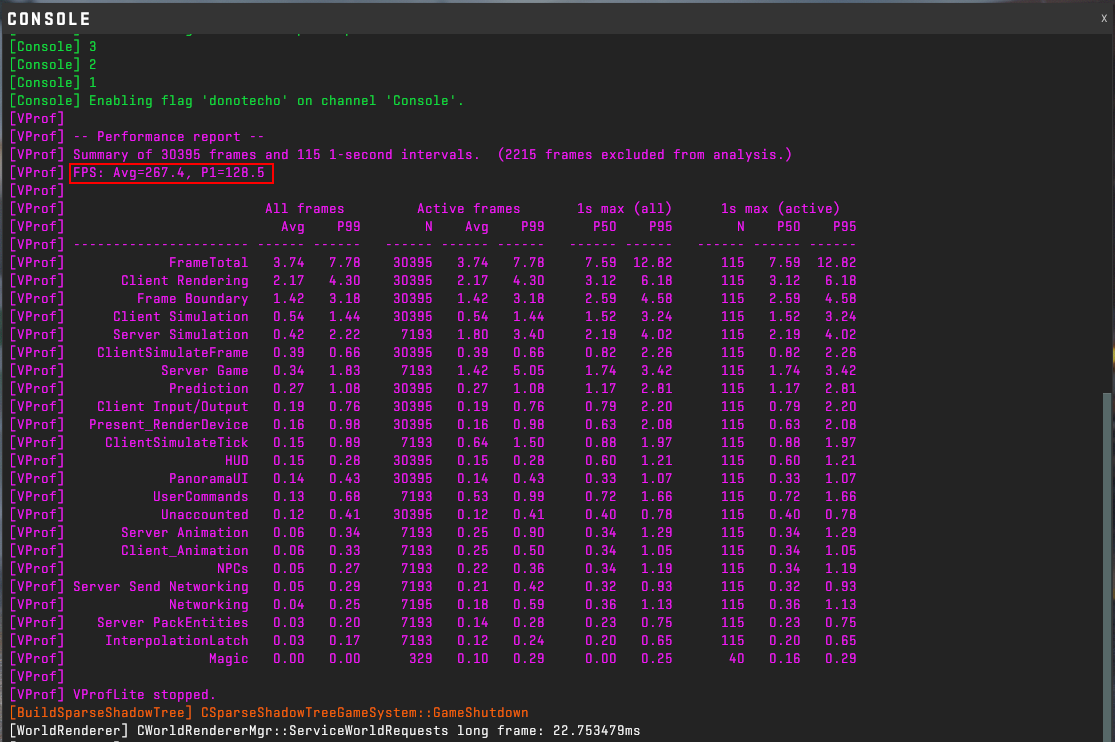
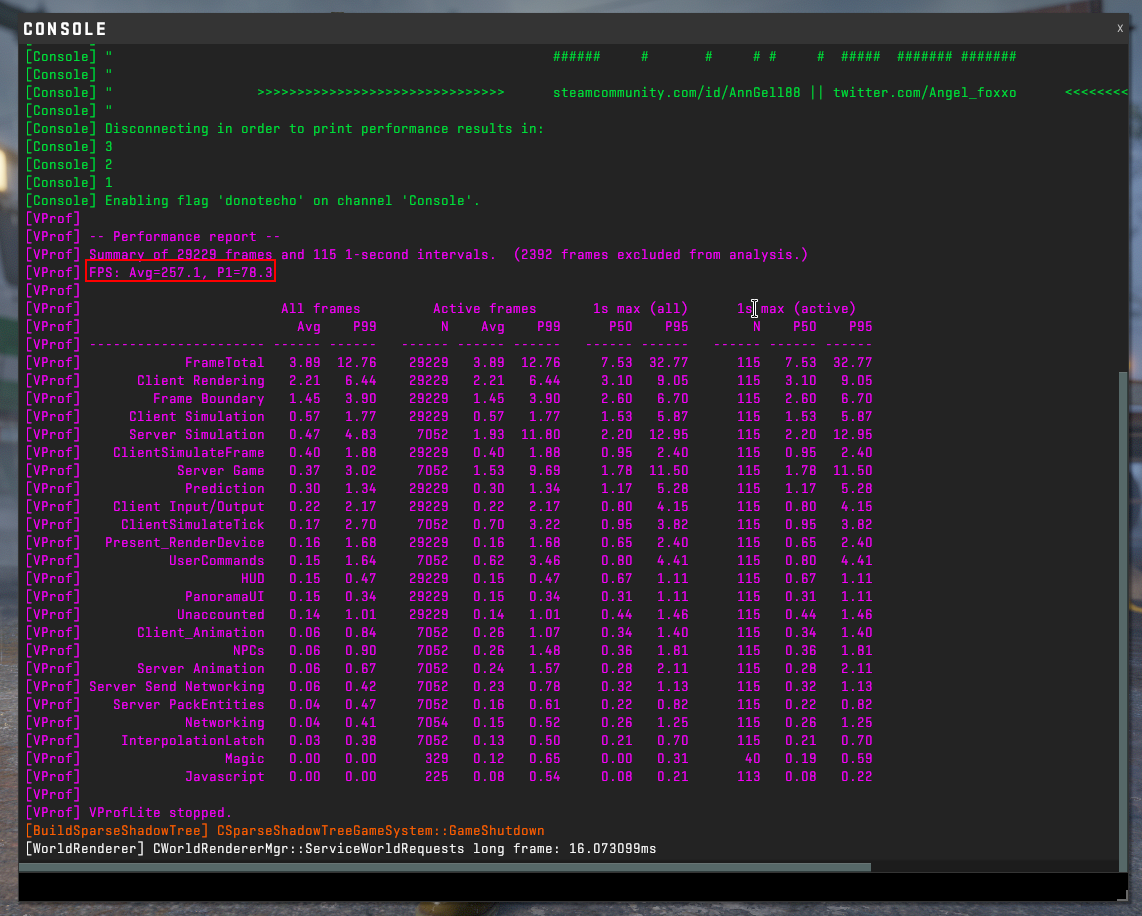
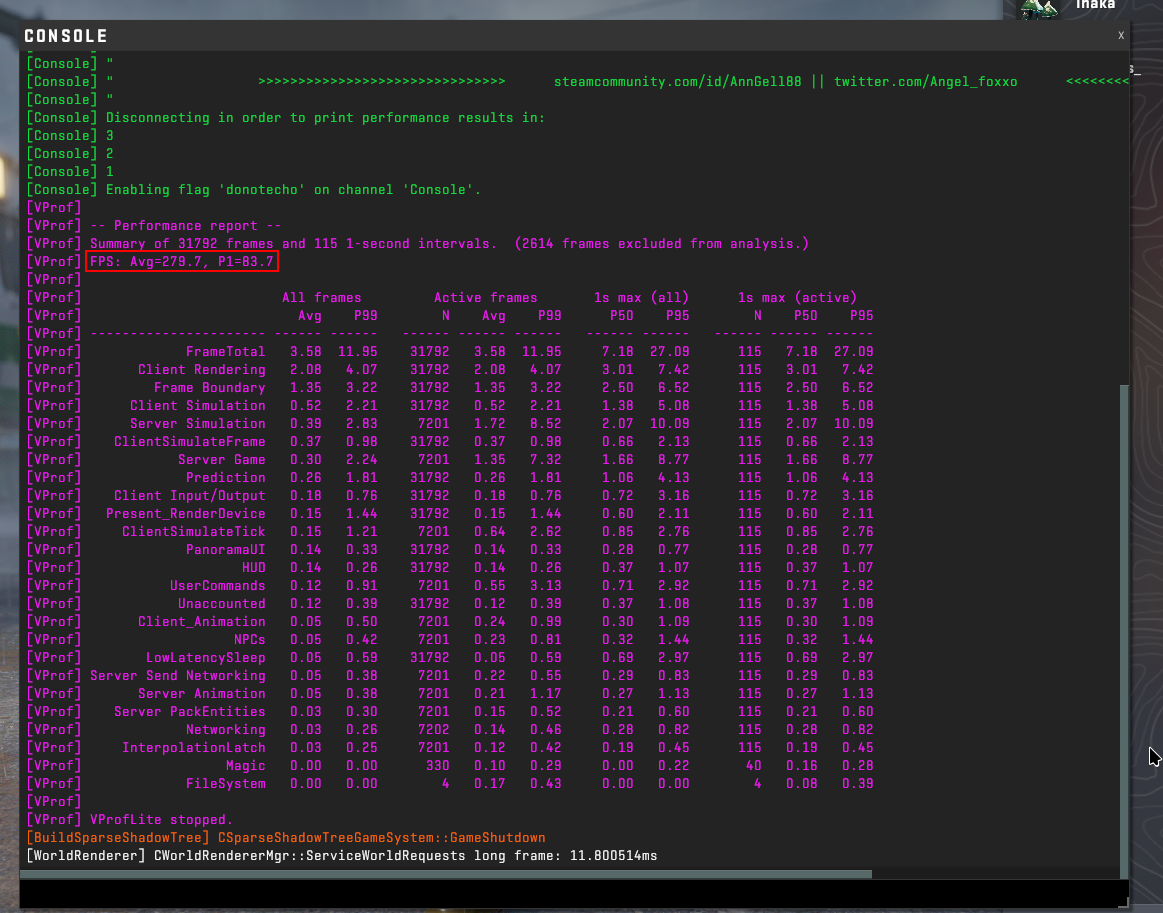
Since upgrading to kernel 6.14, I played a round of CS2 and noticed my GPU usage increased, it's now closer to the usage experienced under X11. I decided to run a benchmark on CS2, and Wayland performance has shot through the roof - Especially in the 1% lows. Very impressive to say the least.

Kernel 6.14 (Wayland):

CS2 Benchmark Wayland 2.png


Kernel 6.11 (Wayland):

CS2 FPS results Wayland.png


Kernel 6.11 (X11):

CS2 FPS results X11.png
 
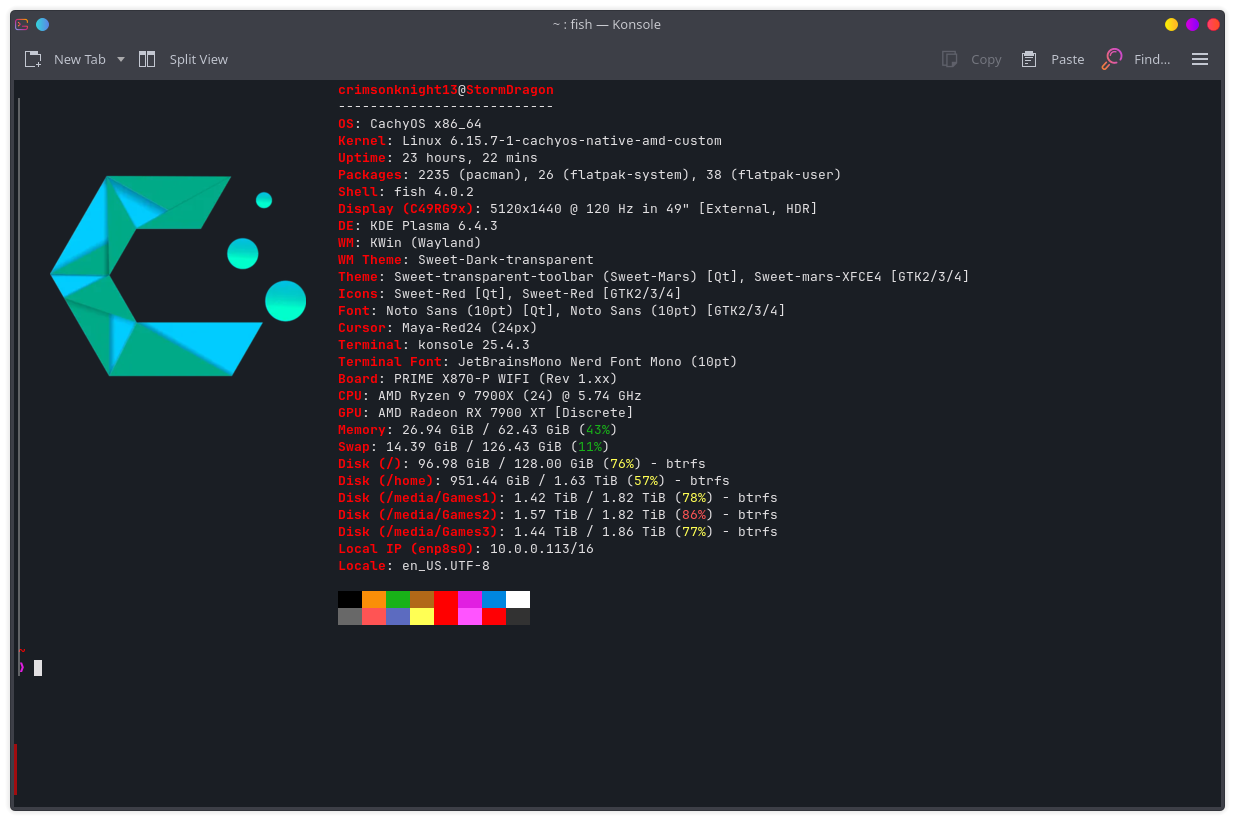
Thanks just spent an hour or so poking around you tube for opinions and commentary and Cachy looks really flexible/customizable for a noob that tends to be picky. Package management looks endlessly simple but somehow I'll screw it up though. What file system would you recommend for my hardware as it should handle some overhead without issue. Good to see wayland getting better performance along with the updated kernal hardware support. Linux gaming appears to be advancing more rapidly by the year and Windows 11 is just not appealing at all to me so searching for alternatives now and anxious to give linux gaming go as it's been the only draw back to moving away from windows. Hope I live long enough to see a distro support VR headsets. Thanks for any advice you have to offer.
 
Well to be fair 6.11 is almost a year old. Wayland, mesa and nvidia drivers have had a lot of fixes the last year.
6.14 is going on 5 months old now. ;)

6.15 I don't think had too much new for wayland that effected gaming anyway. If I remember right 6.15 added some low level wayland memory access that enabled faster shut downs. 6.15 shuts down faster if your on wayland... hey its minor but its something. :) 6.15 converted a bunch more core things to rust and did add a bunch of improvements for Linux IO. F2FS had a bunch of updates. Ext4 gained improved superblock write speeds. XFS was updated for larger atomic writes, and a few other minor teweaks round work was laid for atomic write buffs lined up for 6.16. XFS IO maps were also updated in 6.15. (XFS got faster)
https://www.phoronix.com/review/linux-615-filesystems/6
Micheal at Phoronix did run some file system comparisons on 6.15. Good to see btrfs basically catching up to ext4 overall. Its almost a margin of error difference now. Updates for both btrfs and ext4 in 6.16 coming as well, hopefully he rebenches. Ext4 is supposed to get a pretty nice performance bump with 6.16. 6.16 should also add better handling of race conditions in multi-threaded workloads

6.16 should be out of RC status in the next few weeks.
 
Thanks just spent an hour or so poking around you tube for opinions and commentary and Cachy looks really flexible/customizable for a noob that tends to be picky. Package management looks endlessly simple but somehow I'll screw it up though. What file system would you recommend for my hardware as it should handle some overhead without issue. Good to see wayland getting better performance along with the updated kernal hardware support. Linux gaming appears to be advancing more rapidly by the year and Windows 11 is just not appealing at all to me so searching for alternatives now and anxious to give linux gaming go as it's been the only draw back to moving away from windows. Hope I live long enough to see a distro support VR headsets. Thanks for any advice you have to offer.
File system really depends what your after.
If you want to be able to have Copy on write... for snapshots. btrfs is the way. This is the default option in the cachy installer, though you are free to do as thou will.
Ext4 is old reliable. It generally just works.
XFS is hands down the fastest file system at the moment, though of course their are specific workloads that favor other file systems. It is just as reliable as ext4 imo, it is now the default file system of distros like RHEL... so I think its safe to say your data is safe, though you do not have copy on write and snapshots as you would with btfs. (and I'm not saying to not backup your important files)

I would probably say just go do one drive. If you were to get fancy though you would create a 100-200gb partition for your / with btrfs so you could snap shot your system files. Then use a XFS part for your /home. Just a thought. You don't have to use just one file system. If you have a "games" drive or something you can run a btrfs on your system and still format a game drive XFS.
 
Personally, I use Ext4 as it's performant and it just works - However I'm running KDE Neon which is 'based' on (more like a fork of) Ubuntu LTS. If I was running CachyOS, I'd probably run a file system like btrfs that allows for snapshots so I can roll back in the instance something hits the fan. If you run a separate drive dedicated to games, use whatever performs the best.

Bear in mind that I have nothing against CachyOS, your odds of something 'hitting the fan' are minimal - The beauty of Linux is freedom of choice, and that's a great thing. Use what suits your use case and be happy.

Well to be fair 6.11 is almost a year old. Wayland, mesa and nvidia drivers have had a lot of fixes the last year.
6.14 is going on 5 months old now. ;)

Bear in mind: I'm running the latest Nvidia drivers, I'm not dependent on the latest bleeding edge kernel in order to run the latest versions of Vulkan/OGL - Especially considering I probably receive the latest KDE Plasma updates faster than you Arch users do. ;)

I can assure you, I'm running the latest Wayland, as well as the latest X11 (and by extension xwayland) due to the fact I'm running Plasma 6.4.3 - and I'm running the latest Vulkan and OGL as it's all included in the packaged Nvidia drivers. Running the latest bleeding edge kernel also comes with the reality that you encounter the latest bleeding edge regressions. Since KDE 6.4.2, my system has been running amazingly well, and it just keeps getting better.

There's honestly nothing post 6.14 that will benefit me in the slightest as an Nvidia user, and as evidenced by my Dawntrail benchmarks I'm definitely not lacking anything in relation to IO speed - Even running Ext4.
 
Last edited:
Thanks for the pointers gents I appreciate your guidance and will surely consider it carefully before jumping in again. Just need to get another drive before taking the plunge.
 
New version of Cyberpunk up added FSR3.1 frame gen and few other tweaks. See they added Intels actual xess2 frame gen, wonder if that is working for people with intel cards in Linux?
Anyway swapped out my p2dq scheduler for good old Bore, its just less maintenance. lol Just tweaked a few env variables... not sure mesa no error does much for programs that don't throw errors but it doesn't hurt.
RADV_PERFTEST=outoforder MESA_NO_ERROR=1 MESA_VK_WSI_PRESENT_MODE=fifo_latest_ready
1440p high textures. FSR balanced+FG Mix of mostly medium settings with a couple things on high.
169.07 Average
145.01 min
197.31 max
10864 Frames

Maybe now I'll stop messing with settings and just finish the play through I started. lol
 
Updated very frequently I see how's it's state of fitness for a nix noob?

I started distro-shopping last year with the latest gaming distros and settled on Nobara. I've said it before, I think it's the best, but I also think it's a placeholder until SteamOS gets its big debut. We'll see.
 
I'm trying to get into Death Stranding again. I'm sure this game is awesome, but damn I struggle to get into it.
 
  • Like
Reactions: ChadD
like this
I'm trying to get into Death Stranding again. I'm sure this game is awesome, but damn I struggle to get into it.

I recently finally got into this game (after holding off for years). It took me about 3 or 4 deliveries for the game to get its hooks into me - once it does, it becomes very enjoyable.
 
  • Like
Reactions: ChadD
like this
I'm trying to get into Death Stranding again. I'm sure this game is awesome, but damn I struggle to get into it.
I have had this one in my Library since they gave it away. I should install it. The idea of delivering things as a game seemed a bit odd, but I should give it a go.
 
I have had this one in my Library since they gave it away. I should install it. The idea of delivering things as a game seemed a bit odd, but I should give it a go.
I got it in the same giveaway. I also just downloaded Sid Meir's Civilization VI for free off the EGS, runs perfectly under Linux.

I recently finally got into this game (after holding off for years). It took me about 3 or 4 deliveries for the game to get its hooks into me - once it does, it becomes very enjoyable.
I keep getting lost! I set way points, and then struggle to follow the way points even when using my compass overlay. This game needs Google Maps.
 
Last edited:
Found a spare drive lying around put cachy on it and running it now. Wow it's quite snappy on my rig. Overall system runs circles around windoze for general purpose stuff so far. Just got it fired up awhile ago but so far very impressive for overall responsiveness. Gonna familiarize myself a bit more before moving into gaming but system is completely functional and fast with no fuss at all. Thanks again for the pointers fellas.
 
Found a spare drive lying around put cachy on it and running it now. Wow it's quite snappy on my rig. Overall system runs circles around windoze for general purpose stuff so far. Just got it fired up awhile ago but so far very impressive for overall responsiveness. Gonna familiarize myself a bit more before moving into gaming but system is completely functional and fast with no fuss at all. Thanks again for the pointers fellas.
Just wait until you see how much quicker OS updates are compared to Windows...
 
Just wait until you see how much quicker OS updates are compared to Windows...
I watched some video the other day of some newbie tech channel guy trying out Linux. He went to do updates and says oh 3gb ok this will take a bit I'll start it then I'll be right back. Clicked it. It FINISHED as he was yapping about taking a break. Then walks a way... his video cuts back to him saying ok that looks like it finished. LOL dude it finished before you turned the camera off. I can't remember what his terminal said I think it completed in like 30s or something. It just didn't compute for him that his terminal was at a prompt and it said complete 30s. I guess.

EDIT: Ok my history is short. I think someone actually posted this here and it wasn't updates it was the gaming meta package he installed.

View: https://youtu.be/ebQFlN23Kaw?si=dLhlpHwpjzR2RjMq&t=729
Made me laugh going to let this run and it was half done before he finished that line. Come back at 13:00 of his video and says he is going to walk away and let it finish. His terminal says 51s... it was done. haha
 
Last edited:
I watched some video the other day of some newbie tech channel guy trying out Linux. He went to do updates and says oh 3gb ok this will take a bit I'll start it then I'll be right back. Clicked it. It FINISHED as he was yapping about taking a break. Then walks a way... his video cuts back to him saying ok that looks like it finished. LOL dude it finished before you turned the camera off. I can't remember what his terminal said I think it completed in like 30s or something. It just didn't compute for him that his terminal was at a prompt and it said complete 30s. I guess.
I did a Windows 11 update on a client's PC yesterday. The update failed twice stating 'files missing' (WTF?!), on the third try it finally worked. My internet isn't slow, and the device was of reasonable specification - Why the hell are updates so slow? It took 3/4 of the day to update.

Under Linux an update usually takes 5 mins tops 'with a reboot'!
 
  • Like
Reactions: ChadD
like this
I did a Windows 11 update on a client's PC yesterday. The update failed twice stating 'files missing' (WTF?!), on the third try it finally worked. My internet isn't slow, and the device was of reasonable specification - Why the hell are updates so slow? It took 3/4 of the day to update.

Under Linux an update usually takes 5 mins tops 'with a reboot'!
Indeed even the slowest updating distros... things like SUSE take a min or two to do gigabytes of updates, including the package downloads if your on decent modern internet.
I dump on MS about all the ancient windows NT era things they still use... I barely ever mention the terrible update process.
 
I need to give CachyOS a run
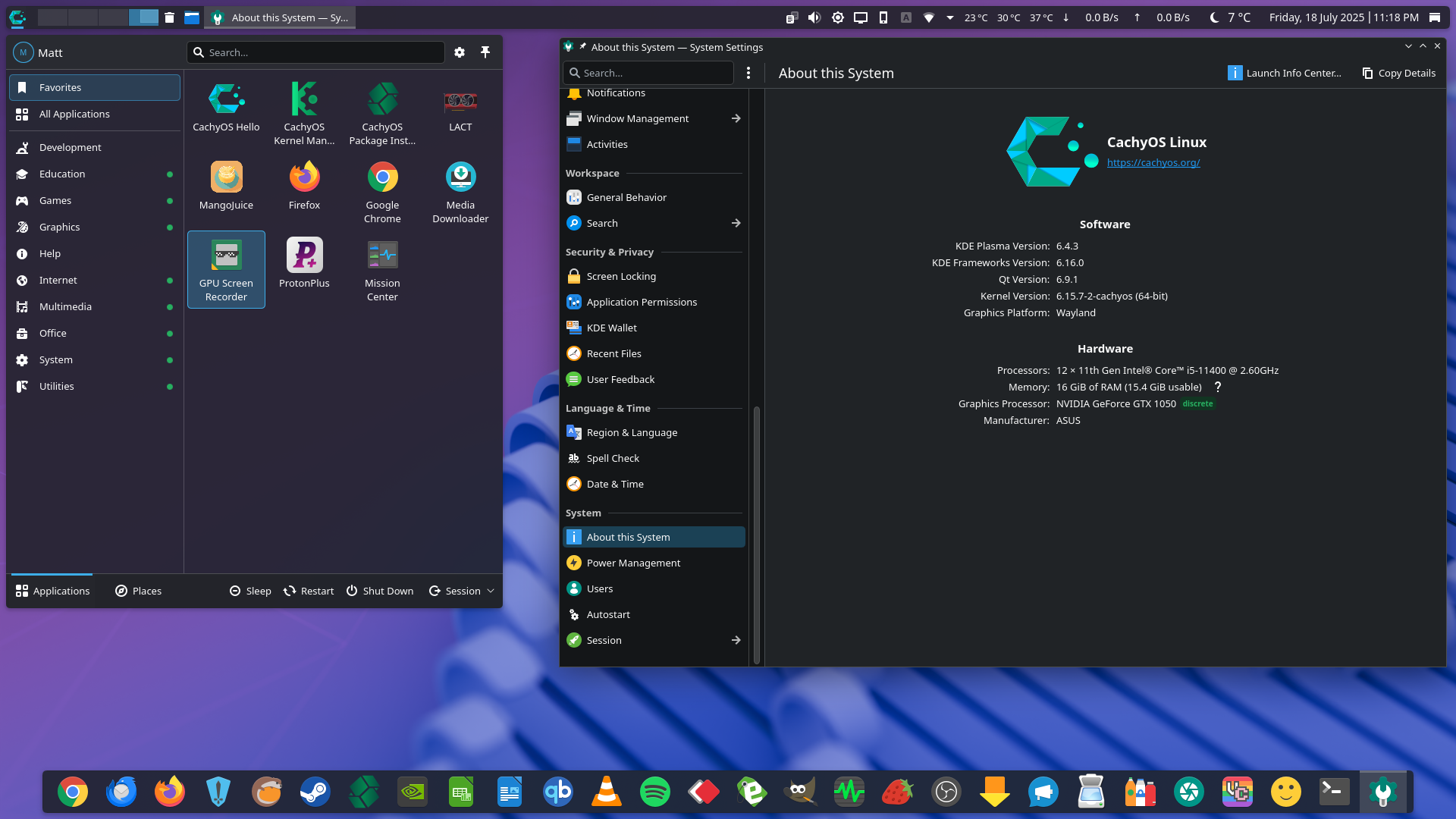
I've set it up on a little i5-11400, GTX 1050, some m.2 nvme SSD, 16GB of DDR4 system I have here for a tinker. From the onset everything was smooth sailing, I installed all my commonly used software via the official Arch repo's as well as the AUR, two items of software I installed via Flatpak as I simply prefer two of my software packages as Flatpaks.

Btrfs snapshots work great. I didn't 'need' to use them, but I wanted to familiarize myself with them using Brfs Assistant.

One thing I am struggling with is setting up Samba shares via Dolphin, I can't remember things being this hard to configure under KDE Neon. I installed samba, I installed avahi, and I installed kdenetwork-filesharing. I've started smb.service and confirmed it's running via sysemctl. I have an smb.conf file.

But no matter what I do, I get the following error. I don't recall ever getting this error under KDE Neon after following the same procedure. I don't want my user added to root, as it's just not a good idea - I'm still trying to nut his last issue out. If anyone has any ideas I'm open to advice:

Samba error.png

I won't be switching from KDE Neon anytime soon, but it's good to familiarize myself with an alternate OS as a fallback - Plus, I admit, I'm curious.

A screenie of my CachyOS desktop:

CachyOS Desktop.png
 
Last edited:
I've set it up on a little i5-11400, GTX 1050, some m.2 nvme SSD, 16GB of DDR4 system I have here for a tinker. From the onset everything was smooth sailing, I installed all my commonly used software via the official Arch repo's as well as the AUR, two items of software I installed via Flatpak as I simply prefer two of my software packages as Flatpaks.

Btrfs snapshots work great. I didn't 'need' to use them, but I wanted to familiarize myself with them using Brfs Assistant.

One thing I am struggling with is setting up Samba shares via Dolphin, I can't remember things being this hard to configure under KDE Neon. I installed samba, I installed avahi, and I installed kdenetwork-filesharing. I've started smb.service and confirmed it's running via sysemctl. I have an smb.conf file.

But no matter what I do, I get the following error. I don't recall ever getting this error under KDE Neon after following the same procedure. I don't want my user added to root, as it's just not a good idea - I'm still trying to nut his last issue out. If anyone has any ideas I'm open to advice:

View attachment 742335
I won't be switching from KDE Neon anytime soon, but it's good to familiarize myself with an alternate OS as a fallback - Plus, I admit, I'm curious.

A screenie of my CachyOS desktop:

View attachment 742336
Is the directory your attempting to share a system folder? If it isn't maybe check the permissions. Might be as easy a fix as chmod 777 the directory if its not system. Maybe it somehow got changed?
 
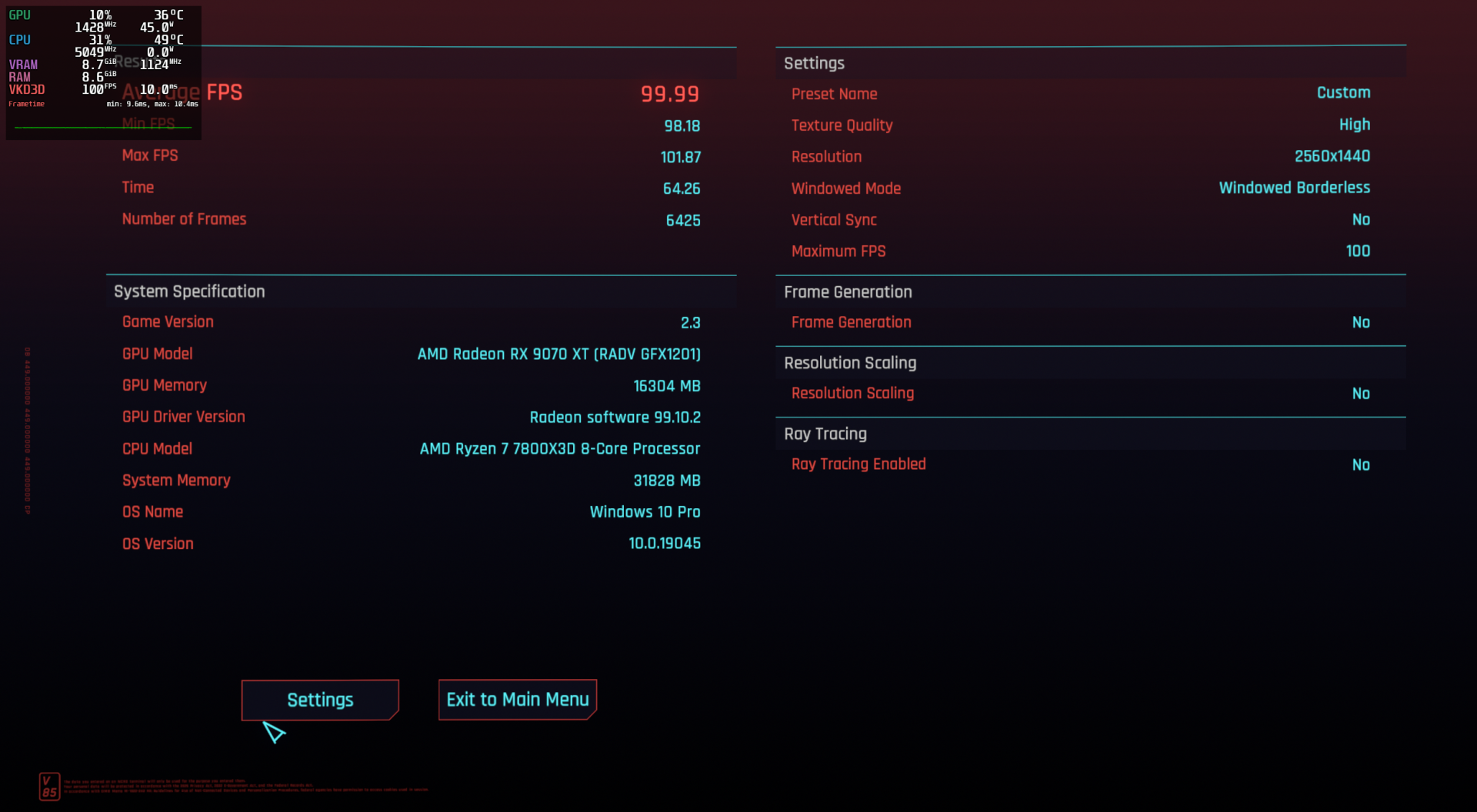
Never imagined it could be this easy for a dummy like me to get CP2077 running on a Nix distro and with better frametimes than win10 at the same or higher graphics settings.
Screenshot_20250718_120717.png
 
Never imagined it could be this easy for a dummy like me to get CP2077 running on a Nix distro and with better frametimes than win10 at the same or higher graphics settings.
View attachment 742414
That is a nice tight frame rate. 98.18 min 101.87 max. Damn that is smooth.
You should run one without the frame limiter just to see how high it runs. That consistent frame rate must be buttery smooth when your playing.
 
Yes it is I will be playing CP under cachy from now on. Gonna explore some more when I have time but am a little busy this weekend entertaining my grandson.
 
  • Like
Reactions: ChadD
like this
1752867525023.png


I've been playing Honkai: Star Rail through Lutris with The Honkers Railway Launcher. Here I'm showcasing Phainon, one of the newest characters, in his ultimate mode.

1752883696943.png

1752867229412.png

1752867275732.png


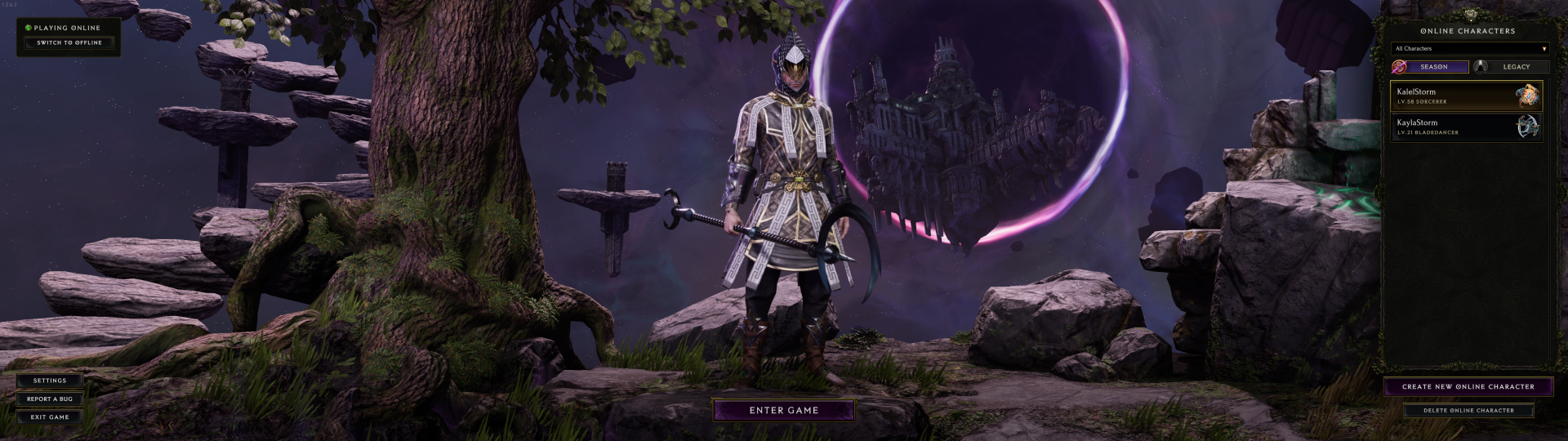
I also play Last Epoch with friends on Saturday nights.
1752867429991.png


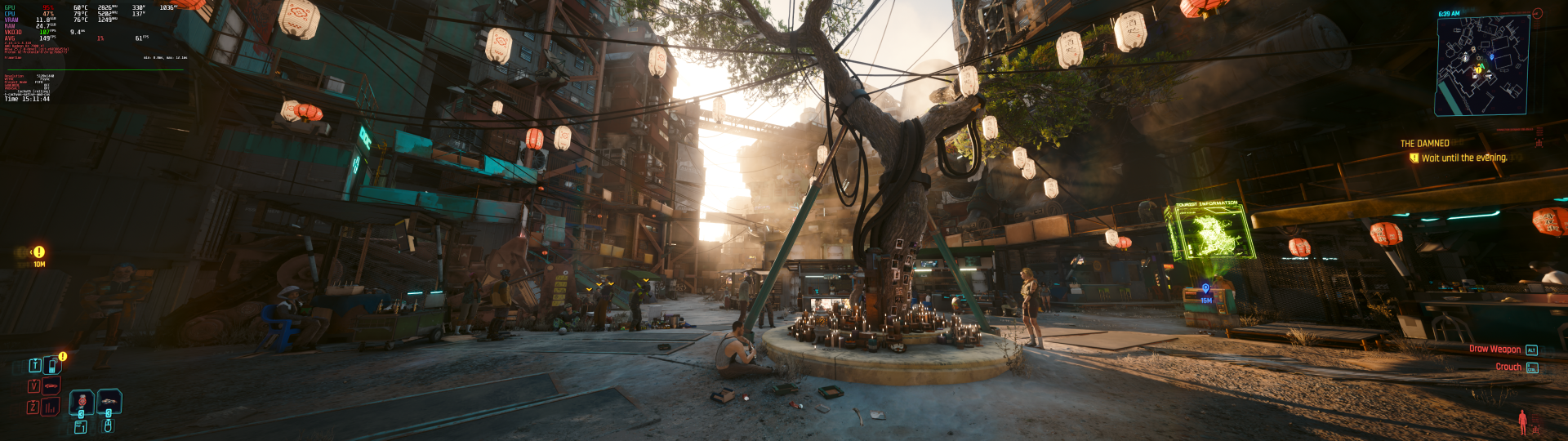
Cyberpunk 2077 v2.3
1752869540041.png
 
Last edited:
Back
Top