Alienware AW3926QW Glossy 39" 5K2K 165Hz w/ RGB Stripe

It's so hard to find these in store for pickup. Best Buy has them available for shipping but no local pickup near me. My concern is having one shipped and dealing with another cracked monitor like my first.

Does anybody know if the "ship to store" option is safer in terms of handling than having it shipped to home? Or is it going to be manhandled by UPS / FedEx either way?
Checked my area and see the same, they likely have it at a central location vs onsite for easier distribution.
I've had 3 UW panel monitors delivered over the years and luckily no cracks thought he boxes sometimes showed they should have.

If you got bit with unlucky cracked panel then go ahead and try the ship to store for luck.

The other thing is that Best Buy is charging full price whereas you can get a $100 discount on dell.com just by asking a chat agent.

So if it's going to go through standard carriers no matter where I order from, I guess I might as well try dell.com again.

I also wish I could see the damn thing before purchasing. I went to Best Buy yesterday to check out the display model but it was broken. Every monitor in the aisle worked except for this one.
 
It's so hard to find these in store for pickup. Best Buy has them available for shipping but no local pickup near me. My concern is having one shipped and dealing with another cracked monitor like my first.

Does anybody know if the "ship to store" option is safer in terms of handling than having it shipped to home? Or is it going to be manhandled by UPS / FedEx either way?
Mine was shipped fedex. The box was dragged on the corners a little and one corner was a little smashed. The monitor was perfect. Packaging is just molded cardboard.
 
The other thing is that Best Buy is charging full price whereas you can get a $100 discount on dell.com just by asking a chat agent.

So if it's going to go through standard carriers no matter where I order from, I guess I might as well try dell.com again.

I also wish I could see the damn thing before purchasing. I went to Best Buy yesterday to check out the display model but it was broken. Every monitor in the aisle worked except for this one.
Definitely get it now via Dell if you can. Honestly such a good deal, check to see if any of your cards have any promos. Amex had something when the monitor released for additional $100
 
This monitor's claim to fame is the glossy finish and the price. The LG 39" evo has come down 200 for the holidays and at only 500 more becomes very interesting.

This monitor size is great for productivity / gaming at 24-30" max. Beyond that distance, the pixel density advantage over 1440K is lost, so it doesn't make much sense. Also beyond 30" it no longer fills your peripheral vision.

For all of you who can't see the aw3926 in person, it will not compare well when sitting next to the LG, especially for productivity or applications where large swaths of the screen are the same color. You very likely won't see it on showroom floors for this very reason. LG is not going to build a panel for a competitor who plans to sell it at 60% of your own panel, unless there are substantial quality differences. (Which you will see in person.)

I am convinced that for a close seating position, 5K2K is goated resolution. Spending 1000 on the AW3926 to get this is worth it if you cant swing the LG, but the LG is absolutely in another tier of picture quality. I know that TimUnboxed is using the AW as his main gaming monitor, but if you do any productivity, pay the extra $500 for the LG.
 
Last edited:
Have had both and AW39 clears the LG especially for the price. That gloss coating feels so DIRTY once you experience the AW39 gloss. This monitor is used for everything and my gawd that 3 year warranty is undefeated. Dell has replaced my monitors without issue is priceless. Plan is to extend the warranty and finally when it gets burn-in is use the plan to likely get the 240hz version by then.
 
Have had both and AW39 clears the LG especially for the price. That gloss coating feels so DIRTY once you experience the AW39 gloss. This monitor is used for everything and my gawd that 3 year warranty is undefeated. Dell has replaced my monitors without issue is priceless. Plan is to extend the warranty and finally when it gets burn-in is use the plan to likely get the 240hz version by then.
That is true. I read that LG warranty is a horry story, like Samsung. The Dell warranty is superior and at the lower price it is a good buy.

I would rather matte finish because of lamps in room, but to each their own.
 
The RGB stripe layout is an interesting change, especially for text clarity and color reproduction. I'd also be curious about how uniformity and near-black performance look in real-world use. Testing solid colors and gray screens can help reveal issues that aren't obvious from specifications alone.
 
The RGB stripe layout is an interesting change, especially for text clarity and color reproduction. I'd also be curious about how uniformity and near-black performance look in real-world use. Testing solid colors and gray screens can help reveal issues that aren't obvious from specifications alone.
I think it has less real world text clarity than oled with a white subpixel.

Whites don't have as much contrast as you would expect, so if you are working with white text on dark background, the text doesn't pop. On a good QD-oled, you can run a really small font on dark background and the contrast makes it highly legible. I wasn't getting that effect with the aw3926. Also large white backgrounds did not look clear/crisp, but washed out. ymmv.
 
Finally decided to try this out. Here's my quick review after a few hours:

-It's pretty darn good.
-Very uniform... outside of the green off-axis color shift.
-It's bright enough but I would love for it to be a bit brighter.
-The glossy finish is just amazing
-The RGB stripe subpixel layout plus the high PPI makes for super sharp text.
-165Hz is good enough but I wish it was higher.
-Gaming on this is amazing.
-Color vibrance appears to be just as good as qd-oled.

So far, I think it's a keeper but the green color shift is a bit annoying as you have to be in a sweet spot to not notice it if you're sensitive to small variance in colors. If it goes back, this is the reason. I don't think it's a big deal if you're mostly gaming on it but if you're going to view apps with white/light gray backgrounds for extended periods of time, it may be a deal breaker if you're sensitive to it. I bet most people won't be.
I was sensitive to it. If you take a small white colored window, (or a grey colored window), and drag it around the screen, do you see variations in uniformity? I know monitors unboxed tested this, and the results they showed were not ideal. However, the quadrants they used are quite large and takes an average over a large area; I believe the situation is worse than their tests would indicate. I was seeing vertical banding or undulations where the color was not quite as intense. That was in addition to the CPC vignetting around the edges (which I was ok with because I knew that it could be turned off).

In gaming you aren't going to see it at all. In productivity you would see it every time you open MS word or a browser window. Perhaps my panel wasn't great, or more likely this is a new manufacturing tech and they haven't perfected it.
 
Finally decided to try this out. Here's my quick review after a few hours:

-It's pretty darn good.
-Very uniform... outside of the green off-axis color shift.
-It's bright enough but I would love for it to be a bit brighter.
-The glossy finish is just amazing
-The RGB stripe subpixel layout plus the high PPI makes for super sharp text.
-165Hz is good enough but I wish it was higher.
-Gaming on this is amazing.
-Color vibrance appears to be just as good as qd-oled.

So far, I think it's a keeper but the green color shift is a bit annoying as you have to be in a sweet spot to not notice it if you're sensitive to small variance in colors. If it goes back, this is the reason. I don't think it's a big deal if you're mostly gaming on it but if you're going to view apps with white/light gray backgrounds for extended periods of time, it may be a deal breaker if you're sensitive to it. I bet most people won't be.
Agree with everything minus the green tint as I thankfully am not sensitive to it lmao. Curious, how far do you have the monitor, I'm about 29-30", 74-76cm away with 135% scaling.
 
Agree with everything minus the green tint as I thankfully am not sensitive to it lmao. Curious, how far do you have the monitor, I'm about 29-30", 74-76cm away with 135% scaling.
1794598565310.png


At 30", you might as well be running a 1440p monitor, it will be difficult to tell the difference.

That is the problem with the 39" 5K2K format. To really get the benefit, you need to sit around 24". It also fills your peripheral at this distance. If you are using the aw3926 at anywhere beyond 30", you are essentially just burning gpu cycles for resolution your eyes can't see.
 

Attachments

  • 1794598552765.png
    1794598552765.png
    39.1 KB · Views: 0
Agree with everything minus the green tint as I thankfully am not sensitive to it lmao. Curious, how far do you have the monitor, I'm about 29-30", 74-76cm away with 135% scaling.
Distance from the monitor seems to dictate how bad the green shift appears. For me, if I sit ~28+ inches away, there is no green shift. I like to sit about 18-20 inches away when working and that’s where the green shift is annoying off-center for me. 30” seems very far to me for a monitor of this size.
 
Distance from the monitor seems to dictate how bad the green shift appears. For me, if I sit ~28+ inches away, there is no green shift. I like to sit about 18-20 inches away when working and that’s where the green shift is annoying off-center for me. 30” seems very far to me for a monitor of this size.
That's my "work/desk" distance that way I can see the entire screen without turning my chair/head for ergonomic reasons. I wear glasses but EVERYTHING is still clear and visible from this distance.

Now gaming, I'm basically inside the monitor lmao. About 18-20" to get the full immersive factor.
 
Best Buy discounted it to $999. I bit. I figure with the extended holiday return period it's a no brainer to try it out. Fingers crossed for not receiving a cracked screen this time🤞
 
I'm tempted to try it again now that a firmware update resolves the edge dimming. With Dell's Black Friday pricing plus employee discount it's $900 before tax.
 
I didn't realize it last week, but this is the largest RGB stripe display you can get. Apparently, the power requirements to create bright white from RGB is quite high, thus the larger LG oled panels all have a white subpixel. After having demoed the LG39GX950B, I learned that the white subpixel gives me eyeache, so I am waiting for this technology to expand.

Next year, the G95SJ will be 49" 32:9 RGB stripe, making that the largest rgb stripe, but lower pixel count than the AW.

That makes the AW3926 something of a unicorn. While I was harsh on its uniformity and the quality of its whites when I tried it last week, it didn't actually give me eye strain. The RGWB subpixel arrangement also creates some weird text inconsistencies. I dont think they created it to improve clarity, just to increase brightness for larger panels. RGWB is absolutely stunning on a large display, if it doesn't cause your eyeballs to explode.
 
Last edited:
Has anyone seen one on display in a store? Maybe I'm just SOL, I tried best buy and they don't have it sitting out.
 
Has anyone seen one on display in a store? Maybe I'm just SOL, I tried best buy and they don't have it sitting out.
Look closely at the LG39GX950B that every Best Buy has on display....

The AW is not as bright and eye popping as the RGWB LG39GX950B.
The panel uniformity is not great. CPC dimming firmware may have fixed some of this (but not all). You will stil see some vertical banding.
It uses RGB stripe and has better text clarity.
It doesn't have a white subpixel which may be easier on your eyes. (11 million white subpixels set my eyes on fire at the distance you would use this monitor.)
It costs alot less than the LG.

Going from 1440 to 4K oled at this pixel density is not going to make much difference. I think you buy this because you want better text for productivity or because RGWB causes your eyeballs to burn. It costs just a little more than good 21:9 1440 displays, so might as well get this.
 
  • Like
Reactions: Decko
like this
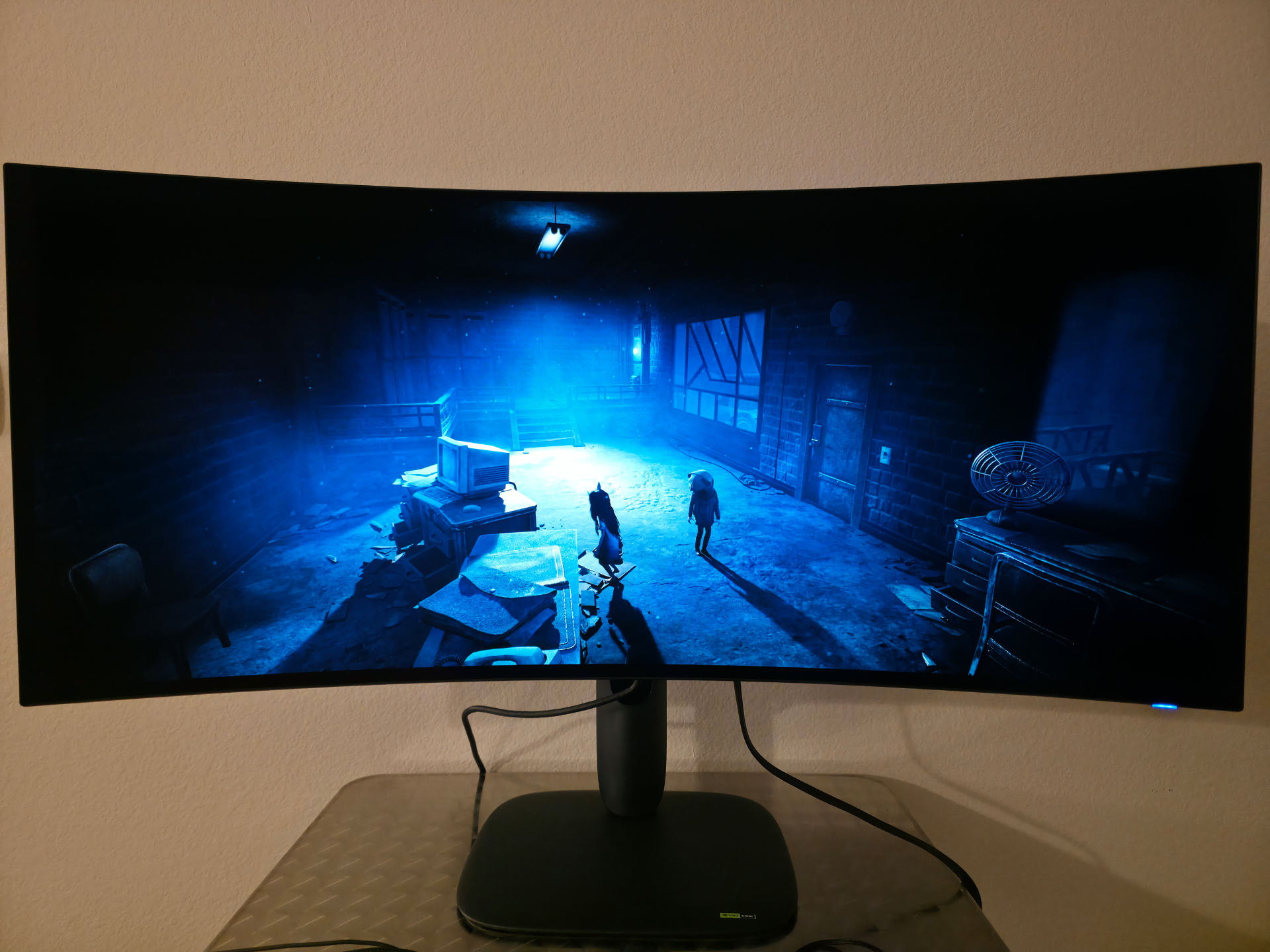
Received mine today. No cracks this time, huzzah!

And holy shit, this thing is blowing me away. I use a 48" 4k display on the daily so the bump in PPI was massive. It's so damn sharp!

This is so much more impressive than the 45" 5k2k IMO. That thing was grainy as hell with that matte coating and rather dull compared to this. I was initially concerned about the size drop having experienced the 45" but nope, not a concern at all. Still feels plenty big to me and the curve is so much better. The 45" was a satellite dish, it literally reflected your voice back at you when you spoke.

alienware.png
 
Received mine today. No cracks this time, huzzah!

And holy shit, this thing is blowing me away. I use a 48" 4k display on the daily so the bump in PPI was massive. It's so damn sharp!

This is so much more impressive than the 45" 5k2k IMO. That thing was grainy as hell with that matte coating and rather dull compared to this. I was initially concerned about the size drop having experienced the 45" but nope, not a concern at all. Still feels plenty big to me and the curve is so much better. The 45" was a satellite dish, it literally reflected your voice back at you when you spoke.

View attachment 838199
Congrats on getting a proper panel! The 45" is definitely the immersion king for displays but the 39" is a beast in it's own. If you haven't yet, make sure to do the Windows HDR calibration and use RenoDX for games that have support for it.
 
Back
Top