Good temp for quad q6600?

darkhunter139

Supreme [H]ardness
Joined
Mar 7, 2008
Messages
6,173
What is a good temperature for my CPU to run at? It runs at about 40C per core when I am just browsing the web/ not doing much. When gaming it reaches about 50C. Is that ok?
 
Can you give a little more info like your voltages and overclocked/non-overclocked? Cooling: stock/aftermarket?
40C sounds good for stock cooling but I bet it runs hotter at load.
 
40C at idle sounds too hot unless of course your ambient temperature is already high.
 
those temperatures are perfectly fine. when you get into the 70s you need to be worried. I bet if you boot up orthos you'll start running 55-60C.
 
So 40C is ok? And thats 40C isnt totally idle. I was listening to music and browsing the web.

And it was more like 37-40ish
 
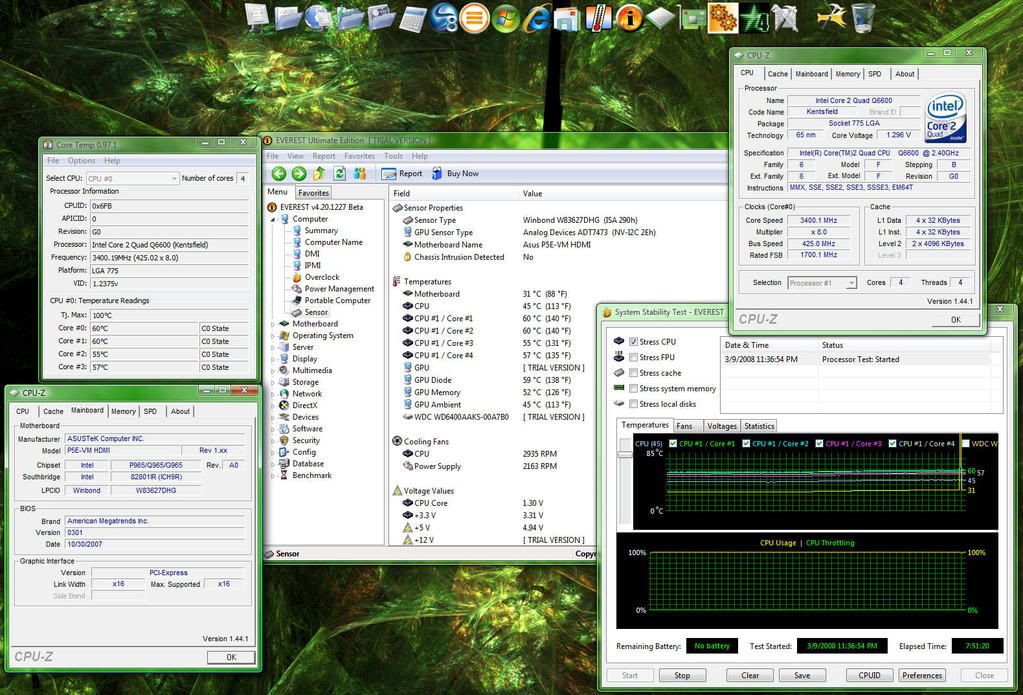
Just took a screen shot of my Q6600 at 3.4ghz (idle).. It's a 1ghz overclock and the vcore was set to 1.425v in the bios.. Of course, CPU-Z only reads it at 1.376v ..Under full load, the Vcore droops down to 1.296v :

Q6600Temps34ghzIdle.jpg


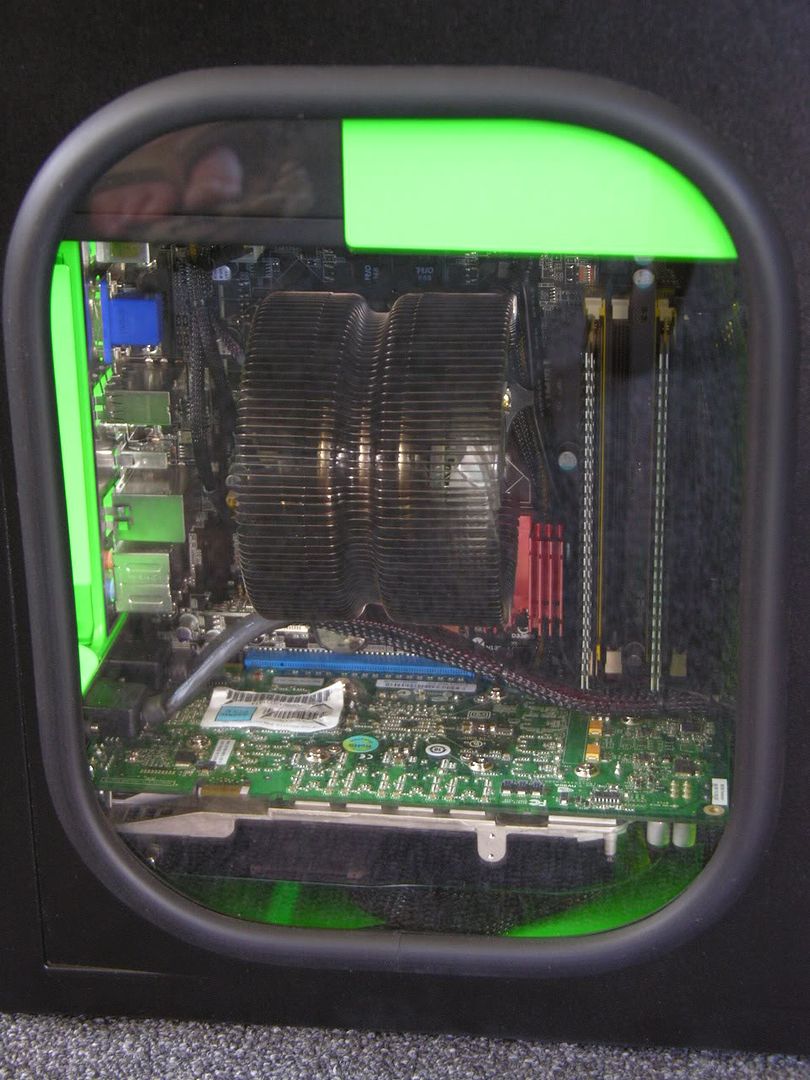
These temps are in my mATX home theater pc with the smaller Zalman CNPS 9500 AM2 CPU cooler..

DSCN9560.jpg
 
Just took a screen shot of my Q6600 at 3.4ghz (idle).. It's a 1ghz overclock and the vcore was set to 1.425v in the bios.. Of course, CPU-Z only reads it at 1.376v ..Under full load, the Vcore droops down to 1.296v :

That is a good idle temp for air on it, since i imagine your ambient is around that number as well.
 
wow martinez, Im running stock on my q6600 w a zalman9500AT and my temps are only 6c lower than yours.

nice flipflop btw : )
 
wow martinez, Im running stock on my q6600 w a zalman9500AT and my temps are only 6c lower than yours.

nice flipflop btw : )
He's also clocked a lot higher than a stock one though for air those are good temps
 
wow martinez, Im running stock on my q6600 w a zalman9500AT and my temps are only 6c lower than yours.

nice flipflop btw : )

Thanks! As for my FULLY LOADED temps, I hit right at 60c.. I stressed all 4 cores for about 8 hours as Core Temp and Everest Ultimate both read my CPU temps exactly the same (60c, 60c, 55c, 57c)..

StabilityTest34ghz.jpg


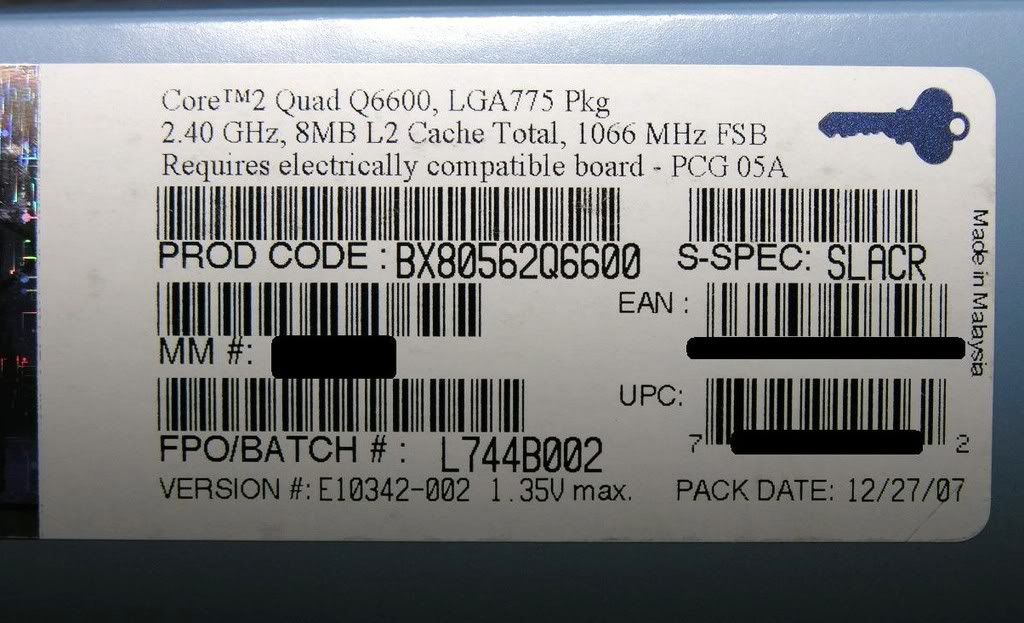
DSCN9378.jpg
 
Is there a way I can test what it will heat up to under load?

I kind of want to OC but I want to get my temp down a little.

I think I need add a fan to the front of my PC (will this help even if I have no front vent?)

And will that help my CPU temps go down?
 
Is there a way I can test what it will heat up to under load?

I kind of want to OC but I want to get my temp down a little.

I think I need add a fan to the front of my PC (will this help even if I have no front vent?)

And will that help my CPU temps go down?

Yes, use prime95. Just google prime95 quad and you will find a link to it. Adding a fan to the front of your pc will definitely lower your temps. I have 1 on the front, 2 exhaust, the cpu fan, and one for my hdd and psu in the lower bay. My q6600 is a b3 @ 3.2 w/ 1.4v in bios and it idles at around 38c and loads around 54c.
 
Yeah, I am going to add another fan. Might as well they are not that expensive.

What kind of fan should I get and where could I put it in my case? I have some empty drive bays I probably could throw it into (Under my disc drive) would that work?

I dont really have any fans up near the front of my PC and I dont think thats a good thing. The disc drive and hard drive are probably giving off pretty much heat up there
 
It could be cooler, but it's not dangerous or anything. I expect that if you ran Prime95 for longer it might creep up by a few more degrees, but it's not into the sort of temperatures you might worry about.
 
Id like to get them down a little more. what are a few things I could do? I am going to add a front fan for sure, is this enough?

And my side and rear fans built in my case dont speed up or down is this normal for case fans? (I dont even think they are attached to the motherboard, if they are suppose to be I cant find the cable to do this with)
 
I'd just switch out the default case fans for some higher cfm ones. I use scythe s-flex fans, but a cheaper option is to pick up some medium or low speed yate loons.
 
And what about a front fan? Is it worth it. I just found out there is a spot for one behind my hard drive
 
For my setup (in Sig), i am using the Thermalright Ultima-90 with a 92mm fan. Ambient temp is 20c.

Idle temps of cores is ~ 27c


Load temps ~ 42c
 
alright im going to start with adding a front fan.

And is it normal for case fans not to connect to the motherboard?
 
Some do, some don't - it depends if you have a fan with a Molex connector or a 3-pin fan header. Most motherboards have headers for a couple of chassis fans, and high-end boards may have more. Ones that plug into the motherboard may provide RPM sensing, but you also need to be wary about connecting too much, there's only so much power available. I think most people tend to avoid the fan headers for fans other than the CPU fan?
 
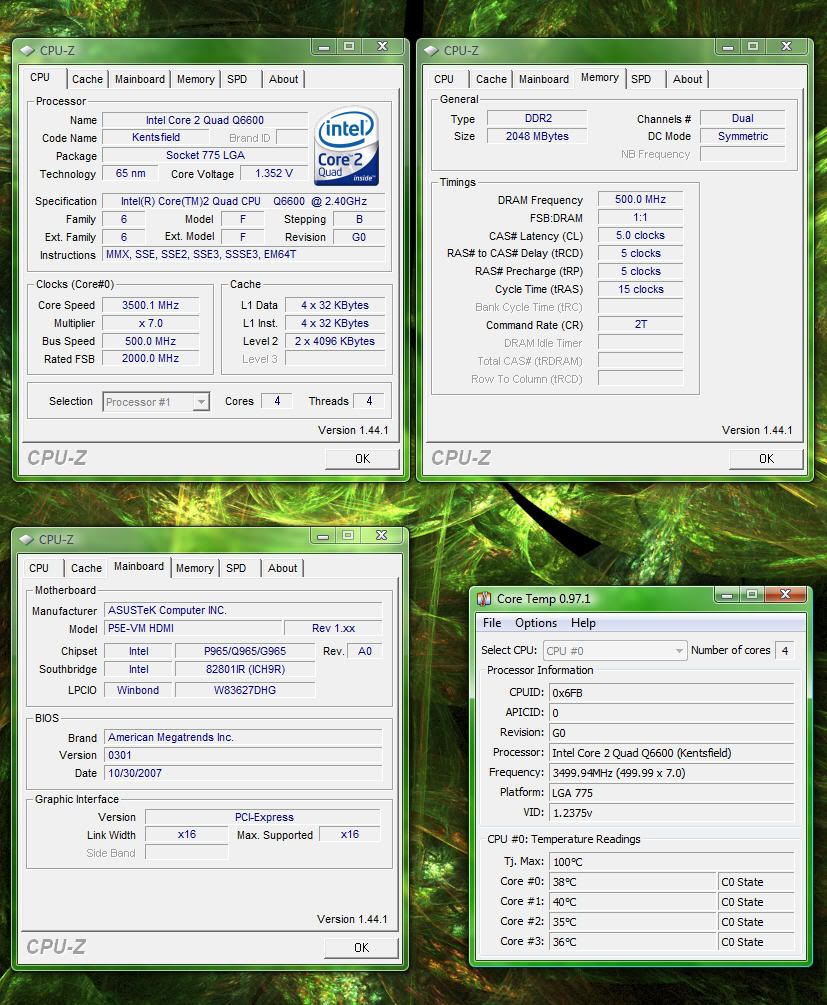
I've still been testing this new HTPC build on this Q6600.. I noticed that this board / processor combo can do a 500 FSB.. The board is an Asus P5E-VM HDMI mATX board. Is this normal for a quadcore to hit that high of a FSB? My temps seem good.. I have not stress tested it (yet) but I have done several passes on 3dmark06 and have been gaming for a few hours on COD4.. Works flawlessly. Any input would be appreciated.

35ghz500FSB.jpg
 
That's pretty unusual to see a 500 mhz FSB on a quad. That's a nice setup you got. Memory even at 1:1.


Congrats!
 
Ok I am going to order a front fan from Newegg and see how much it gets my temps down.

I am not really worried about them but I want to get them down before I try OCing
 
Back
Top