I saw this with 4.1 and now also 5.0. I have a quad-core xeon (e3-1230). In the health screen, I expand the temperature entry, and all I see is the mainboard temperature. Looking at the vsphere client hardware health PDF, I see examples showing CPU core temps. If I boot into the BIOS, the health screen there shows the cpu core temp. Any ideas? Thanks...
![[H]ard|Forum](/styles/hardforum/xenforo/logo_dark.png)
Navigation
Install the app
How to install the app on iOS
Follow along with the video below to see how to install our site as a web app on your home screen.
Note: This feature may not be available in some browsers.
More options
-
Some users have recently had their accounts hijacked. It seems that the now defunct EVGA forums might have compromised your password there and seems many are using the same PW here. We would suggest you UPDATE YOUR PASSWORD and TURN ON 2FA for your account here to further secure it. None of the compromised accounts had 2FA turned on.
Once you have enabled 2FA, your account will be updated soon to show a badge, letting other members know that you use 2FA to protect your account. This should be beneficial for everyone that uses FSFT.
You are using an out of date browser. It may not display this or other websites correctly.
You should upgrade or use an alternative browser.
You should upgrade or use an alternative browser.
No CPU temperature sensor?
- Thread starter danswartz
- Start date
Snowknight26
Supreme [H]ardness
- Joined
- May 8, 2005
- Messages
- 4,436
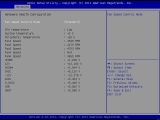
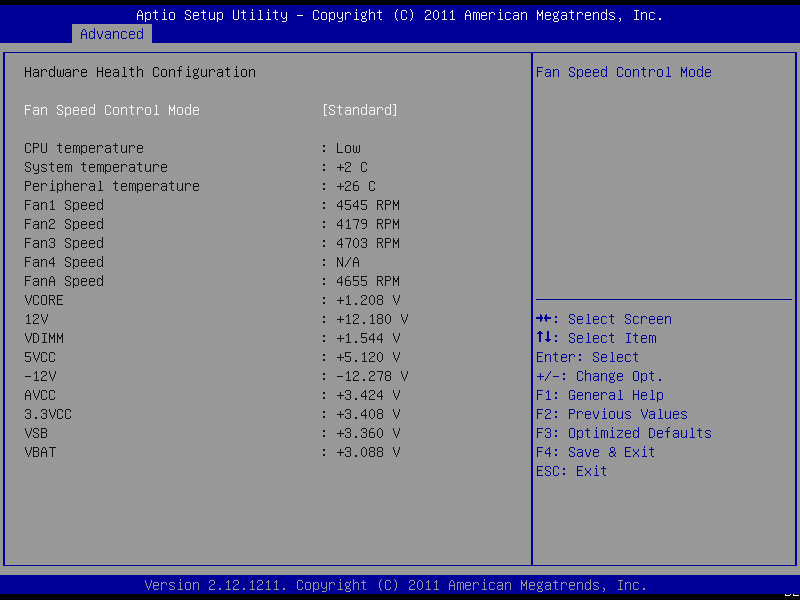
That's odd. The BIOS only shows the CPU temperature as 'low', 'medium' and 'high', but doesn't show individual core temperatures.
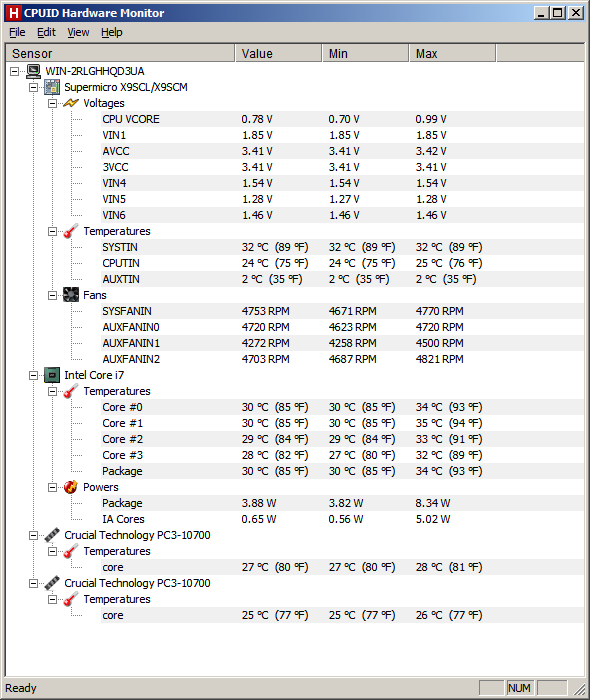
HWMonitor, on the other hand, shows everything:
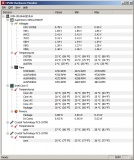
Don't mind HWMonitor, it's actually an E3-1230.
HWMonitor, on the other hand, shows everything:
Don't mind HWMonitor, it's actually an E3-1230.
Last edited:
Forgot to come back to this.
Supermicro hardware monitors rarely (in my experience) show the exact temperature of the CPU. It is possible that some tools can access the thermal sensor on the CPU itself, but for whatever reason Supermicro likes to dumb down that data for basic monitoring. All of my Supermicro boards only show the low/high temperatures for CPU even through the IPMI interface.
Supermicro hardware monitors rarely (in my experience) show the exact temperature of the CPU. It is possible that some tools can access the thermal sensor on the CPU itself, but for whatever reason Supermicro likes to dumb down that data for basic monitoring. All of my Supermicro boards only show the low/high temperatures for CPU even through the IPMI interface.