Some users have recently had their accounts hijacked. It seems that the now defunct EVGA forums might have compromised your password there and seems many are using the same PW here. We would suggest you UPDATE YOUR PASSWORD and TURN ON 2FA for your account here to further secure it. None of the compromised accounts had 2FA turned on.
Once you have enabled 2FA, your account will be updated soon to show a badge, letting other members know that you use 2FA to protect your account. This should be beneficial for everyone that uses FSFT.
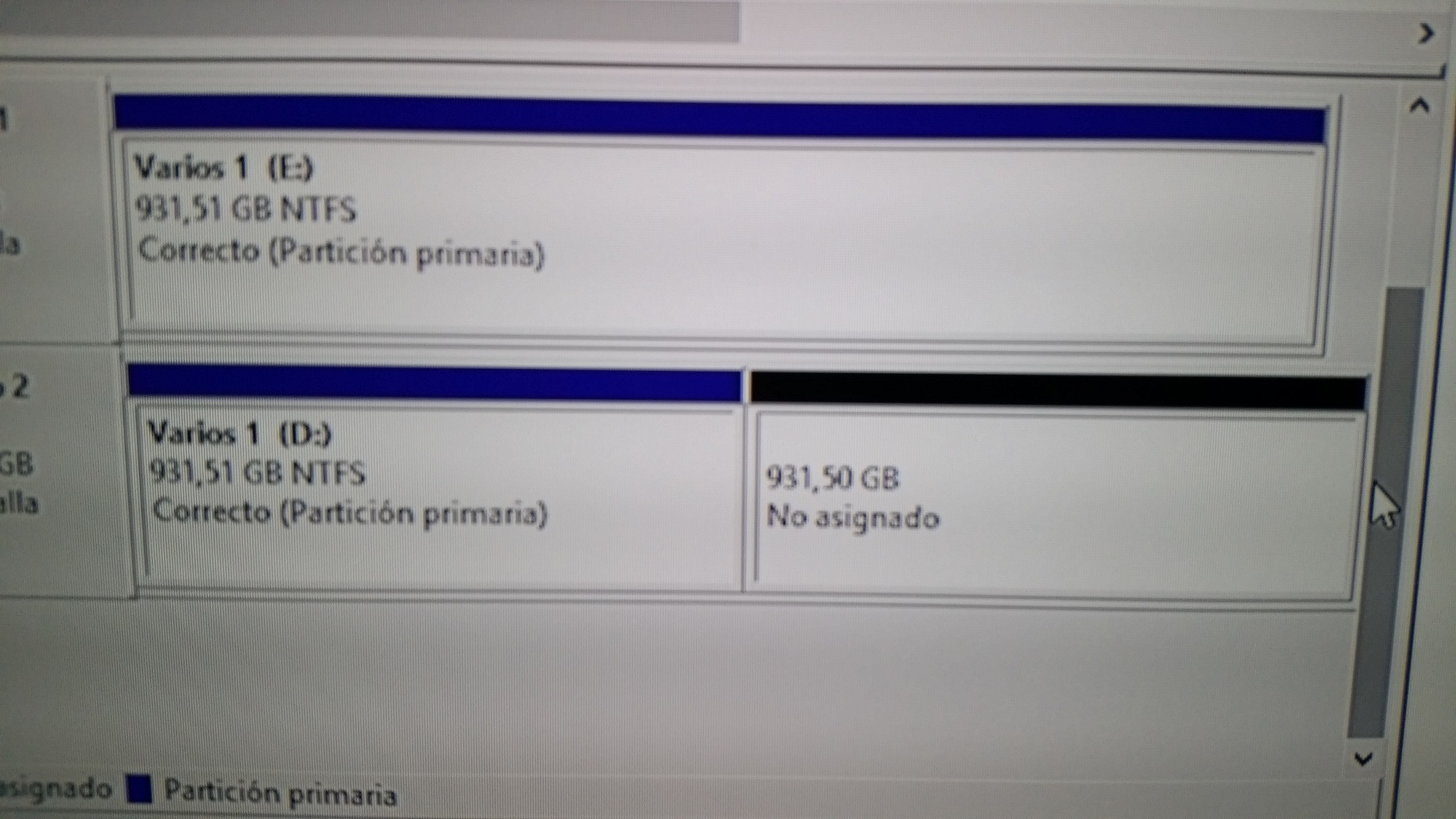
Hi all , I just cloned a 1tb drive onto a 2tb drive and it created a partition, I just want 1 drive 1 partition.
is there an easy way hopefully in windows , I don´t think I can clone it again as the drive is reported as bad.
Ok, first thing to do, is make a complete backup of all important data. Second, make a complete backup of all important data
You need to use the diskpart.exe utility. Which version of Windows are you running?
Here are the steps for diskpart (XP or later):
Run a Command Prompt (run cmd.exe)
diskpart.exe (starts the diskpart utility)
help (displays a list of commands, for reference only)
list volume (to list the volumes available and figure out the number of the volume you want to expand)
select volume # (# being the number of the volume you want to extend)
extend (this extends the selected volume to take up the available free space you have)
list volume (to make sure the volume is in fact bigger now)
exit (to exit partdisk)
Reboot your computer
If any of this does not go as expected, come back to chat more before you continue to minimize any potential nasties from getting worse.
Ok, first thing to do, is make a complete backup of all important data. Second, make a complete backup of all important data
You need to use the diskpart.exe utility. Which version of Windows are you running?
Here are the steps for diskpart (XP or later):
Run a Command Prompt (run cmd.exe)
diskpart.exe (starts the diskpart utility)
help (displays a list of commands, for reference only)
list volume (to list the volumes available and figure out the number of the volume you want to expand)
select volume # (# being the number of the volume you want to extend)
extend (this extends the selected volume to take up the available free space you have)
list volume (to make sure the volume is in fact bigger now)
exit (to exit partdisk)
Reboot your computer
If any of this does not go as expected, come back to chat more before you continue to minimize any potential nasties from getting worse.

![[H]ard|Forum](/styles/hardforum/xenforo/logo_dark.png)