• Some users have recently had their accounts hijacked. It seems that the now defunct EVGA forums might have compromised your password there and seems many are using the same PW here. We would suggest you UPDATE YOUR PASSWORD and TURN ON 2FA for your account here to further secure it. None of the compromised accounts had 2FA turned on.
    Once you have enabled 2FA, your account will be updated soon to show a badge, letting other members know that you use 2FA to protect your account. This should be beneficial for everyone that uses FSFT.

Diamond Radeon HD3870 "Ruby" Edition

blazemonkey

Limp Gawd
Joined
Apr 20, 2006
Messages
159
Anyone hear of this card? i can't find any reviews or much info on this card anywhere. i ordered it from ncix.com and the stock cooling seems to be a lot different from any other 3870's ive seen. it is a monstrous copper block with dual heat pipes and a 72mm fan. the hsf on this thing is just massive and looks very effective. here are some pics:


the one thing i notice is that not much air comes out the back of the card at all. most of it seems to be coming out of the slots in the plastic housing over the gpu. i did some testing with rivatuner and TF2. i left the fan speed control alone and just tested the stock behavior of temps and fan speeds. at idle the fan was at 30% duty cycle and the gpu was sitting around 42c. at load the fans duty cycle bumped up to 40% and the gpu was sitting at 61c. ambient room temp was 24c.

to work it i ran TF2 for an hour, max everything, and turned off the frame limiter and vsync to push it. i have yet to use rivatuner to control the fan speed, id rather find a better way to control this, perhaps in the firmware. even though the card isnt exhausting out of the back of the case as i'd wished, it seems to be very effective. but i'd like to bump the fan up to 50% at idle, and 80-100% at load to keep the temps down.

please share your experience with diamond products, and tell me what you think of the coolers performance. any tips on modifying the fans duty load without rivatuner would also be greatly appreciated.
 
I just received that same exact card yesterday. I ordered it from Newegg.

As for the fan duty cycle, I believe there is an XML file that you can edit in order to change the different steppings. They are based on temps however and not on GPU load.

On another note, I stuck the fan duty cycle up to 100% and was able to PC the card to 900/1400.

I did not try higher on the RAM and have found that the GPU itself tops out somewhere in between 930 and 945.

Edit: Upon further testing with 3dMark06, it looks like it maxxes out at about 891/1360 with the fan set at 100%.

I have also noticed that once you get the clocks over a certain point with RivaTuner, they don't correspond exacty to what you have them set at. For 891 on the GPU, I had to set it at 901 in RivaTuner. The RAM setting shows the same sort of behavior.

With this card set at 891/1368, my system scored 13.5k in 3dMark06. With it at the default of 777/1125, it scored 11.6k in 3dMark06
 
I only ever owned one Diamond product, and it kicked serious ass!

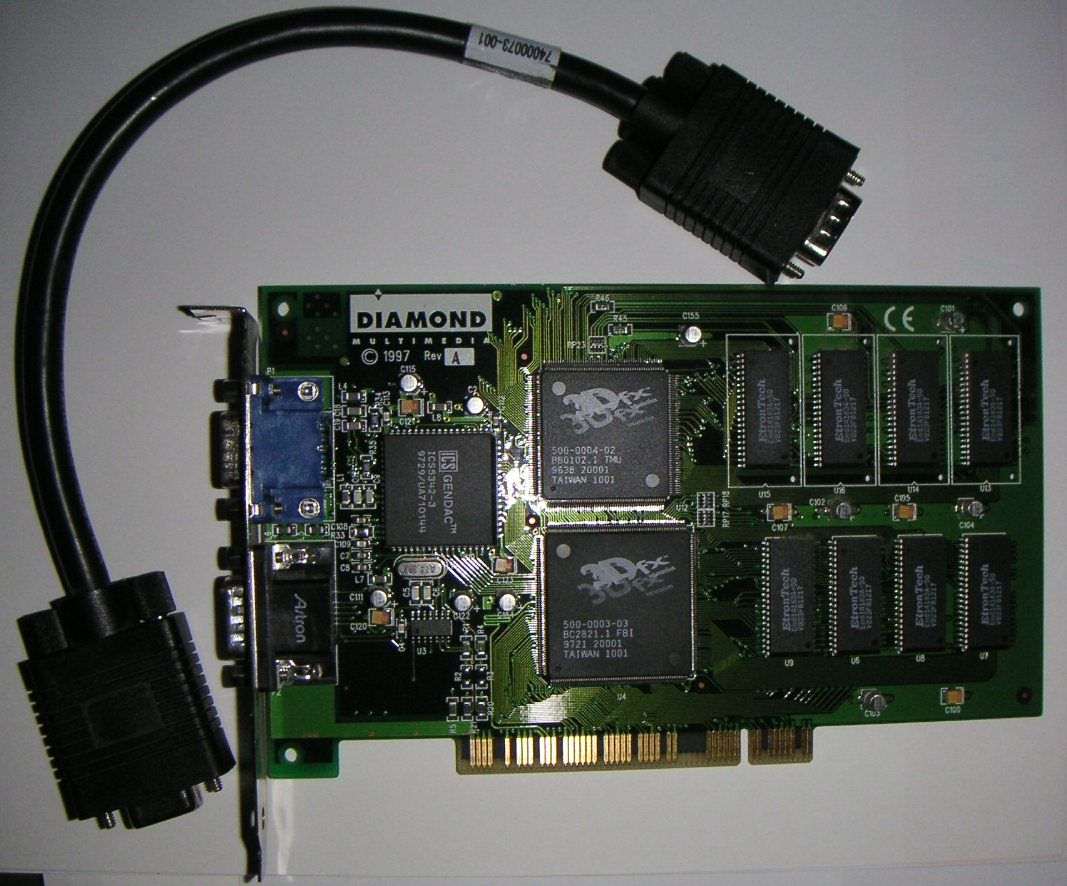
oct00_voodoo1_v1box.jpg


3dfxvoodoo1diamond.jpg
 
I recall reading on techpowerup that Diamond and Visiontek are switching over to this new cooler. The only concern for many was that:

A) Cosmetic: Didn't match the original look if they arleady owned one. Minor
B) Software Voltage Regulation: There is a discussion about missing components from the first run, to the later, and many are missing the components that may be necessary for software voltage regulation. Only comes into play if your interested in voltmodding without soldering. Still unknown on this point.
C) Heatsink Coverage: It appears the new design fails to cover one memory component properly. If I recall it's towards the PCI-E power plug on the card. It's arguable if they even need heatpads, but some people are annoyed all memory chips are covered minus one.


Personally I own the first run and having those temps without modification is pretty good. If you want to modify the duty cycle of the fan, without using software (ie rivatuner), I used this: http://forums.techpowerup.com/showthread.php?t=51337
The newer version has a setting to change the fan duty cycles. How I understand it the first field is the ideal temperature, the second is the range. Ie, I set mine to 50 degrees with 20 on the other. I noticed my when my temp never exceeds 70 degrees, where prior it was 80.
 
thanks, im taking a look at this tool. im not worried about modding the voltage or overclocking it at all. i mainly just want to keep the card as cool as possible without wearing the fan out too fast. since im only gaming 20 hours a week having the fan at 80-90% should be fine in the long run, im more worried about the gpu dieing than the fan. the system is plenty fast as it is for me and longevity is more important than overclocking.
 
I just lowered the idle temps at stock speeds by 7c on mine.

Edit: I spoke too soon. Stock idle at stock clocks and fan speed has now dropped even more since I loaded up the GPU for a bit. It is now idling in between 45-46c. When I got the card, it was idleing at 59c. So a 13-14c drop from just a few simple things :).

It now loads in WoW (50-60% GPU usage) at 56-57c. Lower than it was idleing before. /Edit

A little tape job on the shroud where it is made to clear a capacitor and also remounting the heatsink. It seems that the thermal goop pad they used didn't have quite enough paste to make correct contact. I used a small flat head screwdriver to collect the "extra" goop around the edges and deposited it all in the center of the GPU and then re-mounted it.

I'm still thinking about how to make a shroud that will actually send all the air out the back of the case as well as cool the heatsink even better.

I also want to get something so that the heatsink will also cool the one RAM chip that isn't being cooled.
 
I still have the one of the earliest batch of Diamon 3870 Rubys. Fan cycle was stuck at 30% by default and I was forced to change this with Rivatuner. I have it set at 50% now since the card kept overheating in the upper 80s to 90 at load. Now at load it only reaches around 60C.


I did notice very little hot air passes out from the back vent, but I have two fans on the upper and back side of my box that blows everything out.
 
i have this card, temps arent great as they get really high in crysis (i ordered an Accelero S1)
Overall this card is good and can play crysis all high 1440x900 with no flaws.

Does anyone know if this card has copper ramsinks already on them? I know the older diamond 3870 did does this one?
 
Back
Top