![[H]ard|Forum](/styles/hardforum/xenforo/logo_dark.png)
OK !!!
I cant bare it no more...
I keep on seeing people with new Ultrabooks, and they upgrading the HDD to SSD.
Which is fine and dandy, but some cases normal size HDD or SSD do not fit.
Reason is due to this new Half Height Style HDD. So some users start Taking the SSD out of its case (Void warranty at the same time) and inserting it into the Ultrabook.
This is totally acceptable,
BUT SOME DO NOT SECURE IT DOWN, so because the SSD with out a case is even slimmer, it will wiggle around. I saw one Wiggle itself defective. Other managed to short the Mobo and SSD. And one wiggled it self loose from the connector.
SO PLEASE IF YOU ADD SSD into an ULTRABOOK do 2 things.
-Find the correct Sized SSD like 830 and 840 SSD by Samsung.
Also some ADATA and Intel come in a Half Size.
-If your drive came dirt cheap and was a larger sized style SSD, please secure the SSD solid somehwere double sided tape or screws.
Below is a comparison of the SSD Thickneses soem come slimmer
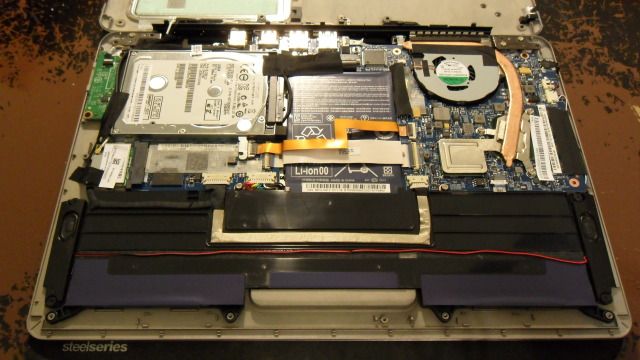
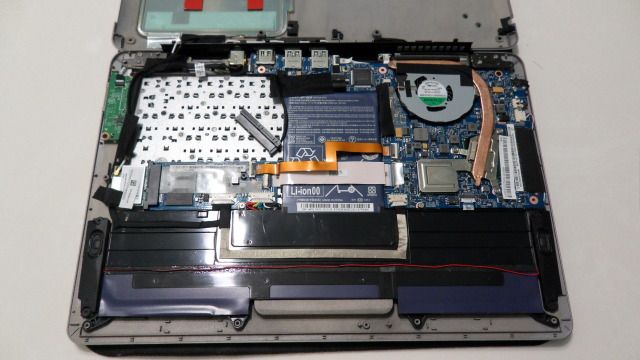


I cant bare it no more...
I keep on seeing people with new Ultrabooks, and they upgrading the HDD to SSD.
Which is fine and dandy, but some cases normal size HDD or SSD do not fit.
Reason is due to this new Half Height Style HDD. So some users start Taking the SSD out of its case (Void warranty at the same time) and inserting it into the Ultrabook.
This is totally acceptable,
BUT SOME DO NOT SECURE IT DOWN, so because the SSD with out a case is even slimmer, it will wiggle around. I saw one Wiggle itself defective. Other managed to short the Mobo and SSD. And one wiggled it self loose from the connector.
SO PLEASE IF YOU ADD SSD into an ULTRABOOK do 2 things.
-Find the correct Sized SSD like 830 and 840 SSD by Samsung.
Also some ADATA and Intel come in a Half Size.
-If your drive came dirt cheap and was a larger sized style SSD, please secure the SSD solid somehwere double sided tape or screws.
Below is a comparison of the SSD Thickneses soem come slimmer


