![[H]ard|Forum](/styles/hardforum/xenforo/logo_dark.png)
I posted this on HDD guru forum, but as I am a new member there, maybe it won't ever be posted. Hard forum mebmers, anyone have any experience?
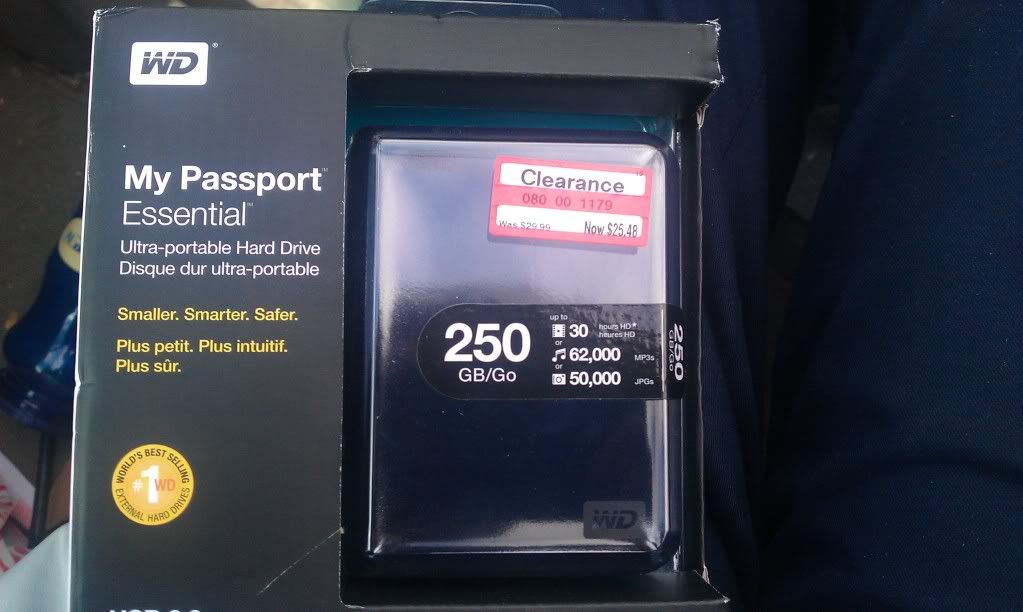
I have a brand new Western Digital my passport Essential Drive(actually 3 of them), see picture below.
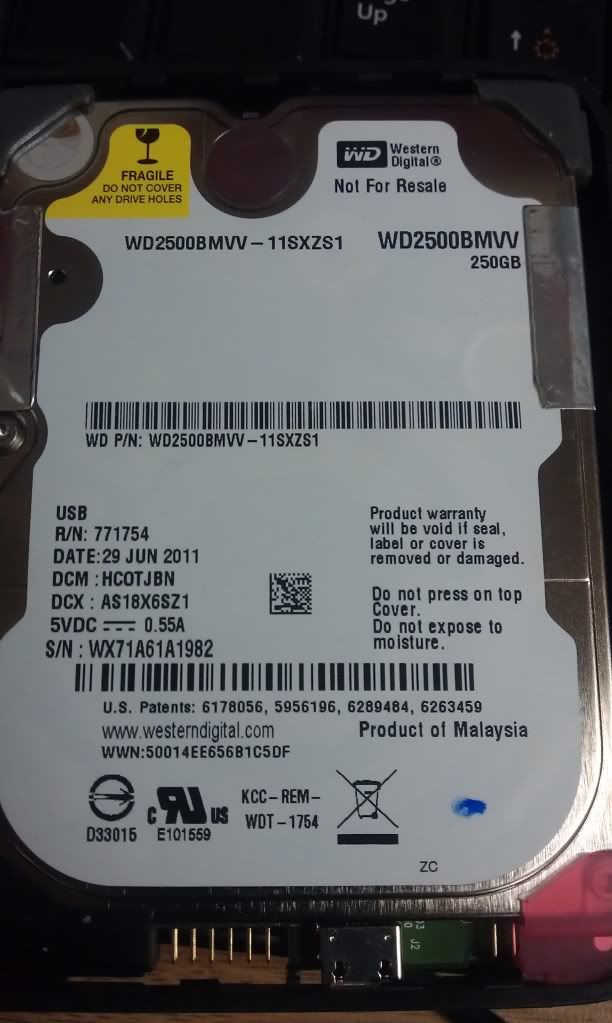
I plan on using them as internal drives though and got them for a great price. This is the first time I have ever bought a WD external drive and I was shocked to see no apparent sata connections on the PCB when I tore it apart. See this post to see what I am talking about if you are unfamiliar.
I have read many post on HDD guru forum already about people trying to get these drives to work on Sata, and there seems to be a good amount of misinformation mixed in there. I saw this guide from this post which had the most detailed information. Also can be seen on this website.
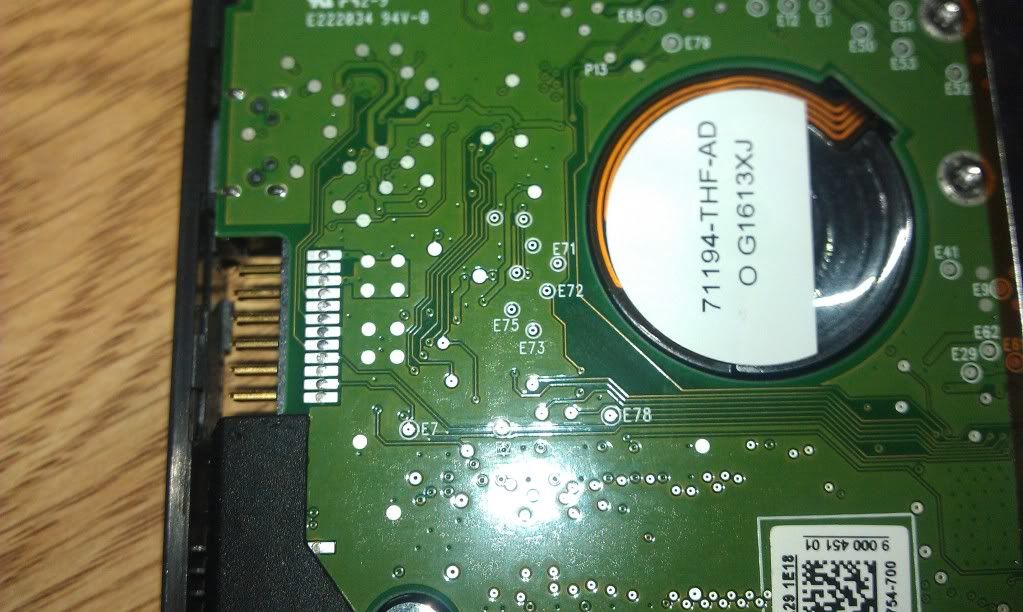
As for me, experience wise, I have a nice solder station, have made a custom working msata to sata adapter(etched my own board). I have lots of nice motherboard pin adapters that would fit perfectly over the 2x6 pin connecter coming off of this drive, so I would prefer to minimize soldering points directly on PCB(looks like I can get grounds from there). Does anyone know the exact Data port assignments, I am assuming(as this makes the most logical sense to me) that E71=A+ E72=A- E73=B- E74/75=B+ ???
My PCB is slightly different than the one from the guide. See picture below. Also, do I really need to remove all 4 capacitors as shown in the guide? Do have a heat gun for that as well.
I don't mind making a bunch of custom connects if it means I can use this as a speedier Sata drive, I am quite certain the USB is lagging the drive and capping my read/write to 25/20 MB/s. I bought these drives cause they were a steal at $25, would still like to use them rather than hock them on ebay. As for the USB power input, I got plently of Molex connects I could wire to it.
Now there has been a lot said about automatic/transparent encryption, Is this an issue I need to worry about, If I plug the right signals to the right wires, can I use the drive as I intend. I would like to use these as boot drives. These are going in a tower, FYI, so not concerned about added dimension after soldering.
Please educate me if I am wrong. This seems like a fun mod to me, any objections/pointers/ suggestions are appreciated.
I have a brand new Western Digital my passport Essential Drive(actually 3 of them), see picture below.
I plan on using them as internal drives though and got them for a great price. This is the first time I have ever bought a WD external drive and I was shocked to see no apparent sata connections on the PCB when I tore it apart. See this post to see what I am talking about if you are unfamiliar.
I have read many post on HDD guru forum already about people trying to get these drives to work on Sata, and there seems to be a good amount of misinformation mixed in there. I saw this guide from this post which had the most detailed information. Also can be seen on this website.
As for me, experience wise, I have a nice solder station, have made a custom working msata to sata adapter(etched my own board). I have lots of nice motherboard pin adapters that would fit perfectly over the 2x6 pin connecter coming off of this drive, so I would prefer to minimize soldering points directly on PCB(looks like I can get grounds from there). Does anyone know the exact Data port assignments, I am assuming(as this makes the most logical sense to me) that E71=A+ E72=A- E73=B- E74/75=B+ ???
My PCB is slightly different than the one from the guide. See picture below. Also, do I really need to remove all 4 capacitors as shown in the guide? Do have a heat gun for that as well.
I don't mind making a bunch of custom connects if it means I can use this as a speedier Sata drive, I am quite certain the USB is lagging the drive and capping my read/write to 25/20 MB/s. I bought these drives cause they were a steal at $25, would still like to use them rather than hock them on ebay. As for the USB power input, I got plently of Molex connects I could wire to it.
Now there has been a lot said about automatic/transparent encryption, Is this an issue I need to worry about, If I plug the right signals to the right wires, can I use the drive as I intend. I would like to use these as boot drives. These are going in a tower, FYI, so not concerned about added dimension after soldering.
Please educate me if I am wrong. This seems like a fun mod to me, any objections/pointers/ suggestions are appreciated.