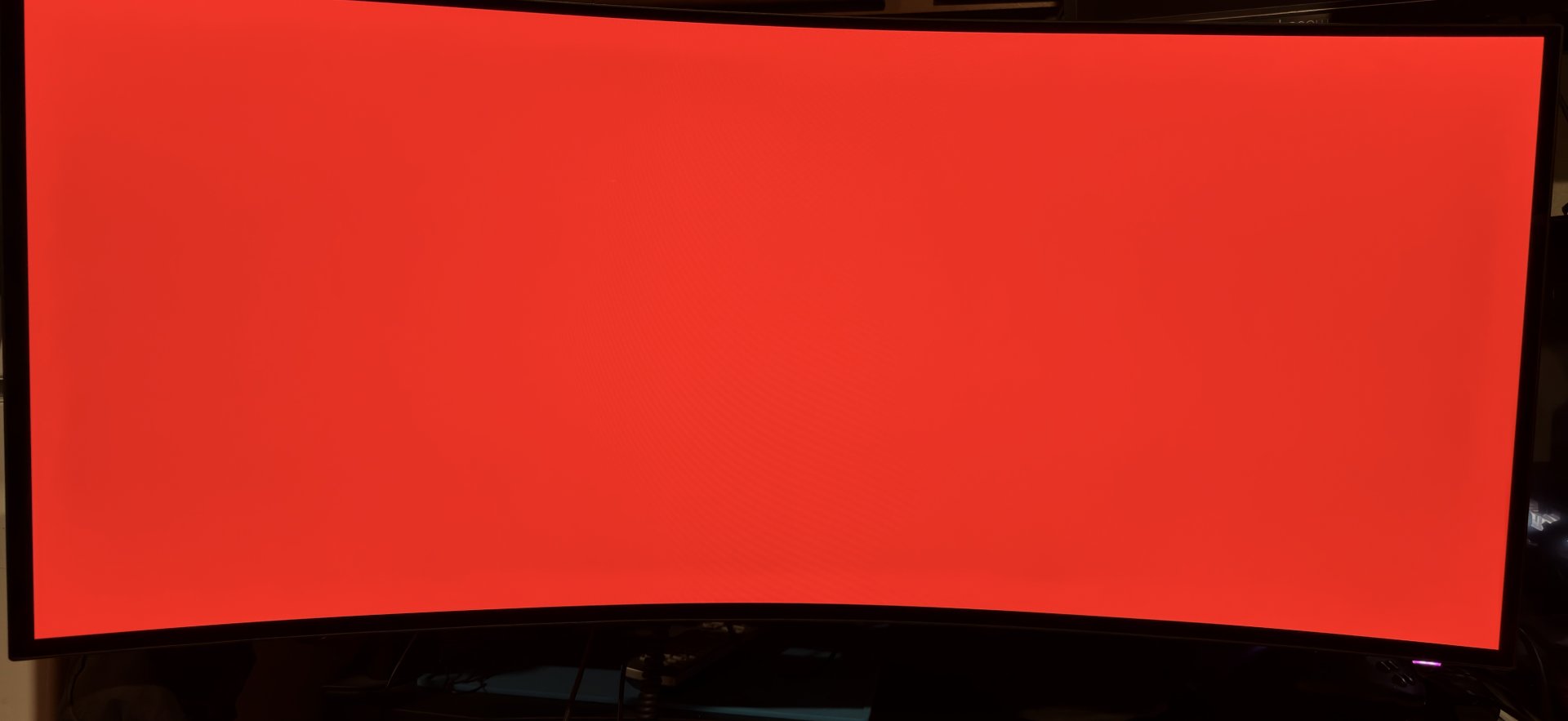
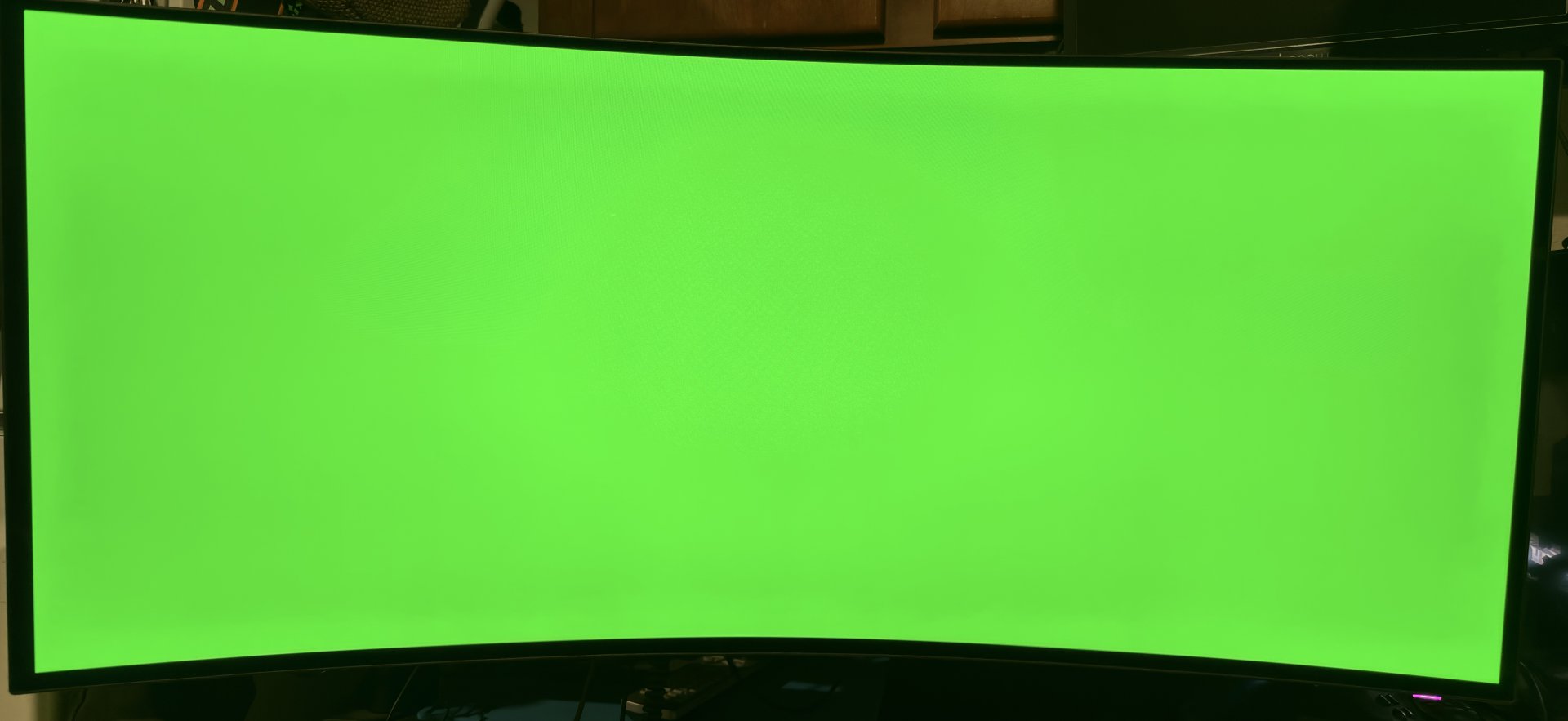
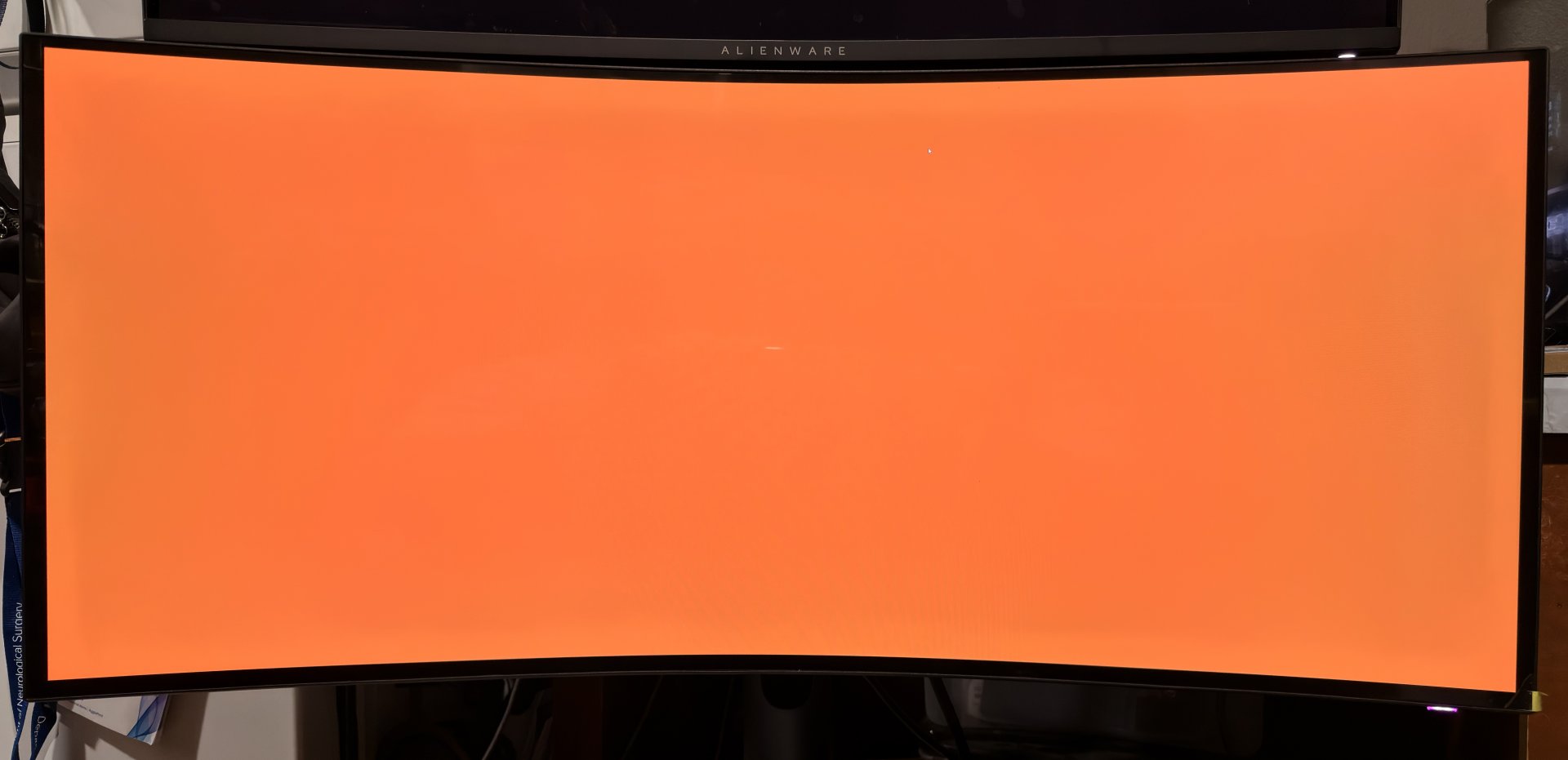
Blade-Runner
Supreme [H]ardness
- Joined
- Feb 25, 2013
- Messages
- 5,682
Sucks to be us.If its any consolation the 57" resale value is nearly worthless so your stuck with it forever..... like me
![[H]ard|Forum](/styles/hardforum/xenforo/logo_dark.png)
Follow along with the video below to see how to install our site as a web app on your home screen.
Note: This feature may not be available in some browsers.
Sucks to be us.If its any consolation the 57" resale value is nearly worthless so your stuck with it forever..... like me

There literally was a guy selling a mint one in Facebook marketplace. I watched it go from $1,100 asking all the way down to $450 over the course of a month and a half....finally sold at $400.Sucks to be us.
There literally was a guy selling a mint one in Facebook marketplace. I watched it go from $1,100 asking all the way down to $450 over the course of a month and a half....finally sold at $400.
I primarily use mine for work productivity and UW gaming novelty and it's priceless for that and not having to worry about burn in issues.
Back on topic.... seems like this Alienware is gonna have annoying ABL dimming.... ughhhh

Ranked Real-Scene HDR Brightness & Specs Table
Monitor & Test Configuration Size & Res Refresh Avg Bright Panel Dim Video Peak (Low / Mid / High) Game Peak (Low / Mid / High) LG G6
(Tandem OLED, Peak High)65" 4K 165Hz 820 nits -5% 1150 / 850 / 450 1200 / 950 / 510 LG C6
(Tandem OLED, Peak High)48" 4K 165Hz 785 nits -8% 1050 / 790 / 410 1100 / 880 / 460 LG 27GS95QE
(Gamer 1, Local Dim Med)27" 1440p 240Hz 711 nits -24% 648 / 1056 / 474 1107 / 856 / 685 LG 39GX950B
(Personalized Pic, High)39" 2160p 165Hz 633 nits 27% 889 / 667 / 330 1007 / 694 / 385 LG 39GX950B
(Personalized Pic, Low)39" 2160p 165Hz 581 nits 37% 789 / 670 / 331 753 / 694 / 385 LG 45GX950A
(Peak Brightness High)45" 5K2K 165Hz 556 nits -12% 673 / 550 / 260 810 / 580 / 315 Gigabyte MO27Q28GR
(APL Stabilize High)27" 1440p 360Hz 542 nits 3% 711 / 454 / 342 834 / 497 / 335 MSI MPG 341CQR X36
(EOTF Boost)34" 1440p 360Hz 532 nits -54% 983 / 495 / 207 1147 / 550 / 338 Asus ROG Swift PG34WCDM
(Console HDR)34" 1440p 240Hz 525 nits 0% 785 / 637 / 223 839 / 675 / 294 MSI MPG 341CQR X36
(Peak 1300 nits)34" 1440p 360Hz 507 nits -62% 924 / 578 / 167 958 / 578 / 347 Dell Alienware AW3426DW
(HDR Peak 1300)34" 1440p 360Hz 504 nits -56% 919 / 567 / 170 962 / 545 / 357 Asus ROG Strix XG32UCWMG
(Console HDR, Bright 100)32" 2160p 240Hz 470 nits 12% 710 / 300 / 253 754 / 618 / 247 Dell Alienware AW3425DW
(HDR Peak 1000)34" 1440p 240Hz 457 nits -55% 775 / 440 / 181 995 / 522 / 298 Dell Alienware AW3926QW
(HDR Peak 1300)39" 2160p 165Hz 427 nits -55% 802 / 474 / 142 808 / 478 / 289 MSI MPG 341CQR X36
(True Black 500)34" 1440p 360Hz 401 nits -13% 500 / 470 / 317 351 / 441 / 322 Dell Alienware AW3926QW
(Peak 1300 Bright)39" 2160p 165Hz 395 nits -21% 512 / 399 / 200 818 / 349 / 272 Dell Alienware AW3426DW
(True Black)34" 1440p 360Hz 389 nits -24% 491 / 482 / 243 450 / 466 / 330 Dell Alienware AW3425DW
(True Black)34" 1440p 240Hz 373 nits -3% 449 / 392 / 267 448 / 434 / 278 Dell Alienware AW3926QW
(True Black)39" 2160p 165Hz 330 nits -27% 467 / 347 / 220 484 / 372 / 264
Enhanced HDR Performance & Window Profile Table
Monitor & Test Configuration Avg Bright ABL/ASBL Aggressiveness
(1-10 Scale)Sustained Window Profile
(10% / 25% / 50% / 100% Window)Video Peak
(Low / Mid / High)Game Peak
(Low / Mid / High)LG G6
(Tandem OLED, Peak High)820 nits 1.5 (Minimal) 1350 / 950 / 650 / 450 nits 1150 / 850 / 450 1200 / 950 / 510 LG C6
(Tandem OLED, Peak High)785 nits 2.0 (Very Low) 1200 / 880 / 580 / 380 nits 1050 / 790 / 410 1100 / 880 / 460 LG 27GS95QE
(Gamer 1, Local Dim Med)711 nits 4.0 (Moderate) 1050 / 850 / 450 / 275 nits 648 / 1056 / 474 1107 / 856 / 685 LG 39GX950B
(Personalized Pic, High)633 nits 3.0 (Low) 1000 / 700 / 400 / 330 nits 889 / 667 / 330 1007 / 694 / 385 LG 39GX950B
(Personalized Pic, Low)581 nits 2.5 (Low) 850 / 700 / 400 / 330 nits 789 / 670 / 331 753 / 694 / 385 LG 45GX950A
(Peak Brightness High)556 nits 3.5 (Low-Med) 800 / 600 / 350 / 260 nits 673 / 550 / 260 810 / 580 / 315 Gigabyte MO27Q28GR
(APL Stabilize High)542 nits 3.0 (Low) 800 / 500 / 380 / 340 nits 711 / 454 / 342 834 / 497 / 335 MSI MPG 341CQR X36
(EOTF Boost)532 nits 8.5 (Very High) 1300 / 600 / 300 / 210 nits 983 / 495 / 207 1147 / 550 / 338 Asus ROG Swift PG34WCDM
(Console HDR)525 nits 3.5 (Low-Med) 850 / 650 / 350 / 230 nits 785 / 637 / 223 839 / 675 / 294 MSI MPG 341CQR X36
(Peak 1300 nits)507 nits 9.0 (Aggressive) 1300 / 550 / 260 / 170 nits 924 / 578 / 167 958 / 578 / 347 Dell Alienware AW3426DW
(HDR Peak 1300)504 nits 9.0 (Aggressive) 1300 / 545 / 250 / 170 nits 919 / 567 / 170 962 / 545 / 357 Asus ROG Strix XG32UCWMG
(Console HDR, Bright 100)470 nits 2.5 (Low) 750 / 600 / 300 / 250 nits 710 / 300 / 253 754 / 618 / 247 Dell Alienware AW3425DW
(HDR Peak 1000)457 nits 8.0 (High) 1000 / 500 / 260 / 180 nits 775 / 440 / 181 995 / 522 / 298 Dell Alienware AW3926QW
(HDR Peak 1300)427 nits 9.5 (Aggressive) 1300 / 480 / 200 / 140 nits 802 / 474 / 142 808 / 478 / 289 MSI MPG 341CQR X36
(True Black 500)401 nits 4.5 (Moderate) 500 / 450 / 350 / 250 nits 500 / 470 / 317 351 / 441 / 322 Dell Alienware AW3926QW
(Peak 1300 Bright)395 nits 7.5 (High) 1000 / 450 / 250 / 160 nits 512 / 399 / 200 818 / 349 / 272 Dell Alienware AW3426DW
(True Black)389 nits 5.0 (Moderate) 500 / 460 / 300 / 240 nits 491 / 482 / 243 450 / 466 / 330 Dell Alienware AW3425DW
(True Black)373 nits 4.0 (Moderate) 450 / 430 / 320 / 250 nits 449 / 392 / 267 448 / 434 / 278 Dell Alienware AW3926QW
(True Black)330 nits 5.5 (Moderate) 480 / 370 / 240 / 160 nits 467 / 347 / 220 484 / 372 / 264
Architectural Insights from the New Metrics
- The Tandem Advantage: The LG G6 and LG C6 score lowest on the ABL aggressiveness metric (1.5 and 2.0). Their multi-stacked design splits the luminescence workload, preventing the severe thermal spikes that force single-layer QD-OLED or WOLED panels to drop from 1300 nits down to ~170 nits in high window sizes.
- The QD-OLED "Peak 1300" Trap: Displays like the AW3426DW and MPG 341CQR achieve massive 10% short-term spikes, but register high aggressiveness scores (9.0+). The drastic drop to sub-200 nits on full screens creates noticeable, distracting shifts in brightness during desktop use or bright gameplay environments.
. .The Dell Alienware AW3926QW (39" Ultrawide) is listed multiple times in the charst because it was tested using three completely different internal firmware picture modes.
Manufacturers pack these distinct settings into the monitor to let you choose between maximizing short-term peak brightness or prioritizing a uniform, stable screen output.
The three tracking profiles used for the AW3926QW highlight these differences:
- Dell Alienware AW3926QW (HDR Peak 1300): This is the monitor's "unlocked" showcase mode. It pushes the panel's voltage limits to achieve intense 1300 nit highlights in small 10% windows. However, because this generates high thermal stress, the safety firmware forces an aggressive drop down to 140 nits on full-screen content, earning it the highest ABL aggressiveness rating on the chart (9.5).
- Dell Alienware AW3926QW (Peak 1300 Bright): This profile uses the monitor's internal Active Tone Mapping or a "Bright" color profile overlay. Instead of strictly following standard HDR tracking curves, it artificially lifts mid-tones and high-APL scenes (raising full-screen output to 160 nits) at the cost of capping maximum peak highlights at 1000 nits.
- Dell Alienware AW3926QW (True Black): This targets the official VESA DisplayHDR True Black standard. It clamps the small 10% window limits to roughly 480 nits. Because the highlights are heavily restricted, the screen runs much cooler, resulting in a far gentler, less distracting ABL experience when moving between dark and bright scenes.
. .The 1150 nit video peak listed for the LG G6 in the chart
** The 1150 nit video peak for the LG G6 in that specific real-scene test chart is the result of strict adherence to industry-standard accuracy targets during film playback, rather than a hardware limitation.
While the G6's Tandem OLED panel is hardware-capable of massive short-term bursts of 2500 to 3300+ nits in its Vivid or Game Optimizer modes, video playback modes function under tightly controlled processing parameters:
1. The Filmmaker Mode Target
When playing native cinematic video content in highly accurate presets like Filmmaker Mode, the TV's internal processing strictly targets standard industry EOTF mastering standards (usually 1000 nits). The processing engine deliberately scales back the maximum brightness of small 10% highlights to roughly 1150–1200 nits to prioritize color tracking accuracy, shadow detail preservation, and reference-grade accuracy over raw, blinding output.
2. Tone Mapping vs. Clip Limits
Many consumer video titles are mastered at a maximum content light level (MaxCLL) of 1000 nits. When the G6 detects this metadata, it engages a near-1:1 tracking profile instead of over-brightening the image via hard dynamic clip-shifting. Unless you manually turn on aggressive Dynamic Tone Mapping (DTM) or switch the TV to an uncalibrated mode, the processing keeps a ceiling on the highlights to ensure the director's intended vision isn't washed out.
3. Sustained Video Processing Safety
Video sequences often feature much longer continuous frame shots than rapid-fire gaming sequences. To ensure that thermal accumulation across the primary RGB tandem layers stays uniform and safe during prolonged bright video playback, the TV stabilizes tracking at a highly accurate, intermediate baseline—sacrificing immediate flash-bulb peaks in favor of a perfectly uniform, noise-free picture profile.
In short, 1150 nits is a deliberate software tuning choice for video fidelity, not a limit of what the display panel can physically push.
The 1200 nit gaming peak listed for the LG G6 in the chart
The 1200 nit peak brightness for the LG G6 in Game Optimizer mode on that specific chart points directly to an aggressive EOTF roll-off issue within LG's HGiG (HDR Gaming Interest Group) firmware processing rather than a hardware limitation.
While the raw Tandem OLED panel can push significantly higher output, the 1200 nit calculation is a product of specific gaming handshake barriers:
1. The HGiG Tone-Mapping "Roll-Off" Glitch
HGiG is supposed to completely disable the TV's internal tone mapping, letting the console or PC handle the metadata directly. However, early 2026 firmware testing for the LG G6 revealed that HGiG mode forces a massive, premature brightness roll-off. When real-world game scenes request hard highlight peaks, the processing aggressively clips or compresses those highlights, flattening out actual performance at roughly 1200 to 1300 nits instead of passing the full current through.
2. The Window-Size Metric Calibration Shift
The G6 behaves differently than older OLED generations. On older panels, the standard 10% window yielded the highest nits. On the G6’s Tandem 2.0 architecture, the peak brightness relies heavily on a hyper-concentrated 2% to 3% window size to achieve its full potential. When tested in Game Mode across a slightly larger, broader real-scene layout (like standard 10% blocks), the subpixel driving limits scale back quickly to protect the screen from power spikes, settling right near that 1200 nit wall.
3. The Broken Windows 11 / Console Handshake
A widespread software handshake issue affects the entire 2026 C6 and G6 lineup running the latest Alpha 11 processors. When utilizing console calibration screens or the Windows HDR Calibration app, the clip indicators do not register correctly. The app thinks the G6 can scale endlessly, which tricks game engines into passing down-scaled or skewed peak data that tops out well below the panel's absolute physical capabilities.
How to Bypass It and Hit True Peak
If you want to bypass this 1200 nit limiter, community calibrators have established a couple of clear workarounds:
- The Click Method: On a PS5 or Xbox calibration screen with HGiG on, ignore the invisible pattern. Move the selection slider up exactly 22 clicks from the baseline. This forces the system profile to recognize the true peak mapping point (~2700 nits).
- The Filmmaker Mode Override: You can switch the input preset to Filmmaker Mode and use a service remote or external app override (like ColorControl) to lock in low latency while bypassing Game Mode's harsh firmware caps.
. .
Using bypass/workaround to hit higher nit peak on the LG C6 than the peaks listed on the chart:
Applying the exact same bypass techniques shifts the peak numbers significantly:
1. The HGiG Gaming Bypass Result
- Out of the Box: Standard HGiG mode handshakes with consoles or PCs and hits an artificial roll-off wall at roughly 1,050 to 1,100 nits.
- Using the Bypass: Forcing the system past the HGiG tracking clip barrier (either via the 22-click manual trick on calibration screens or injecting HGiG overrides directly onto the low-latency Filmmaker Mode profile via the ColorControl App) unlocks the panel's true power. Specular highlights (sparks, explosions, neon) will shoot up from 1,100 nits to an actual hardware peak of ~1,440 to 1,500 nits in small 10% windows.
2. The Video Playback Preset Unlocking
- Out of the Box: Native film tracking limits itself to 1,050 nits to follow accurate reference targets strictly.
- Using the Bypass: By accessing the expert or service menus via third-party control software to force lock the "Peak Brightness: High" subpixel voltage driving logic across custom picture profiles, you bypass the Alpha 11 processor's content limiters. This pushes real-scene cinematic highlight flashes right past the standard 1,000-nit target up into that same 1,400+ nit territory.
The Core Difference: Heatsink Overhead
While the bypass methods unlock identical peak short-term burst capacity on both TVs, the G6 still maintains a clear real-scene advantage. Because the G6 features a physical hardware heatsink and the full Primary RGB Tandem 2.0 implementation, it can sustain those high-nit bursts without dropping. The C6 lacks that heavy thermal passive cooling layout; so while your initial game flash or video explosion will hit massive new heights using these bypass tricks, the C6's internal thermal tracking sensors will activate quicker, stepping in to drop those values back down faster than the flagship G6 would.
. .
. .G6 Heatsink vs other screens
1. Small Windows (1% to 10% Area)
- The LG G6: The heatsink allows the G6 to push small highlights up to 1350 nits sustainably without immediate drop-off. Because the dual tandem layers split the electrical current requirement to hit that luminance, heat generation per layer is drastically cut. The heatsink quickly pulls away what little localized heat accumulates, resulting in an exceptionally stable presentation of small, punchy HDR highlights.
- The Competitors (QD-OLED / Single WOLED): High-peak monitors like the Dell AW3426DW or MSI MPG 341CQR hit high bursts (~1300 nits) by pushing immense voltage through a single organic emissive layer. This generates rapid, intense heat. Even with a good heatsink, they cannot sustain these levels without the ABL firmware stepping in quickly to force a down-clamp.
2. Mid-Size Windows (25% to 50% Area)
- The LG G6: This is where the combination of architecture and cooling shines. In a 50% window, the G6 comfortably sustains 650 nits. Because its internal operating temperature remains low, the firmware reads the thermal baseline as completely safe. It records a nearly flat -5% Panel Dim spec, meaning it refuses to throttle your mid-window scenes.
- The Competitors: Standard panels drop like a stone here. The MSI MPG 341CQR and Dell AW3426DW suffer catastrophic -54% to -62% Panel Dim throttling. Their physical heatsinks reach a thermal saturation point across large areas, forcing the firmware to aggressively slash real-world output down into the 250–300 nit range to avoid internal heat tracking limits.
3. Full Screen Window (100% Area)
- The LG G6: The G6 hits an unprecedented 450 nits on a full 100% white field. On standard panels, a heatsink cannot help at 100% window size because total power limit (TPL) clamps down on the electrical current. On the G6, however, the tandem layers pull half the current per stack. The heatsink efficiently disperses this evenly distributed power across the massive panel profile, keeping full-screen panning stable.
- The Competitors: Without the tandem infrastructure, standard monitors hit a power supply wall. The Dell AW3926QW drops to a dim 140 nits at 100% screen area regardless of its physical backing—making full-screen ABL incredibly jarring by comparison.
Direct Impact on ASBL (Static Elements & Game HUDs)
The ultimate advantage for the LG G6 on your chart is how its low thermals affect ASBL (temporal dimming).
Standard aggressive screens (AW3926QW, AW3426DW) use algorithm timers that aggressively dim the whole panel if a static HUD is detected. They do this because their single-layer setups run consistently hot.
Because the LG G6 runs significantly cooler due to its architecture and heatsink package, its firmware baseline is highly permissive. It registers a near-perfect 1.5 (Minimal) Aggressiveness rating. It recognizes that the pixels are safe from rapid degradation, allowing you to display heavy static game elements or desktop layouts without the screen constantly and visibly fading to black.


It's for sure power consumption as what's holding them back
So RGB WOLED does have the potential to not dim like crazy in higher APL scenes when running high brightness HDR modes, it's just Dell for whatever reason decided to make it behave like a QD-OLED. PCMonitors is currently reviewing the Asus PG27UCWM which is a 27" 4K RGB striped WOLED with an even higher PPI and less area to dissipate heat compared to the Alienware and he confirmed twice that it does not have the craptastic dimming when using the higher HDR brightness modes:
View attachment 818679
View attachment 818680
Pretty disappointing the AW3926QW has QD-OLED style panel dimming. Maybe a firmware update can change that behavior but I'm not holding my breath.
LG's Alpha (α9 and α11) AI processors manage brightness via AI Brightness Control and Dynamic Tone Mapping, using ambient light sensors and frame-by-frame analysis to balance peak highlight output against power limits and thermal constraints without washing out shadow details.


There is a possibility Dell is gimping it to play it safe in terms of satisfying their 3 year warranty.
Asus offers the same but seems they are more care free about it due to whatever heatsink design and they want the sales push from being marketed brightest.
From chatting about it in forums things have been suggested like the load balancing thing, but also the form factor of the desktop displays possibly not being able to dissipate heat well enough compared to larger screens, and/or that the manufacturer might be playing it safe due to the included 2yr or 3yr burn-in warranties on screens where the majority of people are going to be using static desktop/app material a lot more often than buyers of gaming tvs, where pc use is still niche/low numbers overall.
I was at least hoping it could get pretty close to the LG 39 despite losing the white subpixel because the Asus PG32UCWM is pretty much at the same brightness level as it's RGWB counterpart, in fact the highlight gets brighter on the UCWM despite having no white subpixel.
View attachment 818800
Both are 2026 Tandem WOLEDs, just one is RGB and the other RGWB and there is practically no difference in HDR performance between the two so I was counting on the Alienware to be able to match the LG.
And funny enough, both of them lose out to the 2025 MLA WOLED
View attachment 818801
HDR Brightness, ABL, & Power Balancing
Monitor / Mode 10% Window 25% Window 50% Window 100% Window ABL Aggressiveness Rating Power & Heat Balancing Mechanism Asus PG32UCWM (Tandem RGB) ~780 nits ~450 nits ~300 nits ~250 nits Medium Splitting the current load across a two-layer stack allows it to maintain a high full-field floor (~250 nits) without triggering thermal panic. Asus XG32UCWMG (MLA+ WOLED) ~800 nits ~450 nits ~280 nits ~250 nits Medium-High (Abrupt) Utilizes a large custom heatsink. Power delivery is highly efficient due to micro-lenses, but the firmware cuts power instantaneously rather than smoothly stepping down. Alienware AW3926QW (Peak 1300) ~1,300 nits ~650 nits ~300 nits ~140 nits Extreme Shunts maximum power exclusively to small zones. To prevent overheating the 4-stack tandem structure, full-field power is aggressively starved, cratering full-screen brightness. Alienware AW3926QW (Peak 1300 Bright) ~1,000 nits ~600 nits ~380 nits ~160 nits High (Balanced) Evenly spreads thermal load. It limits the absolute peak spikes to headroom to allow higher sustained mid-tones (50% window) before thermal throttling steps in. Alienware AW3926QW (True Black) ~480 nits ~450 nits ~350 nits ~300 nits Minimal / Negligible Capped at a hard power ceiling. The display never draws enough simultaneous wattage to trigger severe thermal throttling, resulting in a near-uniform presentation.
In-Depth: ABL Dynamics & Thermal Constraints
1. Asus ROG Swift PG32UCWM (Tandem RGB Stripe OLED) [1]
- ABL Behavior: Smooth but Noticeable. The tandem layout prevents the dramatic "drop-off cliff" seen on older panels. Instead of a sudden clamp, it uses a linear power curve. However, because it lacks a white subpixel, displaying pure white at 100% window forces all three subpixels (R, G, B) to fire at maximum capacity, causing the ABL to trigger earlier than it would on a WOLED panel during mixed desktop/gaming workloads.
- Power/Heat Balancing: Excellent static distribution. By splitting the luminescence work across two organic tandem layers, the physical heat generation per square millimeter is lower than a single-layer panel pushed to the same brightness. This allows it to hold a strong 250-nit full-screen floor indefinitely without needing a loud active cooling fan.
2. Asus ROG Strix XG32UCWMG (MLA+ Glossy WOLED) [1]
- ABL Behavior: Jarring & Un-smoothed. The primary issue here isn't how much it dims, but how fast. The firmware uses steep step-downs. If a gaming scene transitions from a dark corridor to a bright outdoor field, the screen snaps down to its ~250-nit limit instantly. This produces a visible "pop" in overall scene exposure that can break immersion.
- Power/Heat Balancing: Passive prioritization. The panel relies heavily on the physical efficiency of its Micro Lens Array (MLA+) to bounce light forward rather than driving more raw voltage. The large passive internal heatsink handles the thermal dissipation easily, meaning the ABL triggers are purely a firmware choice to protect the organic material long-term, rather than a panic response to real-time temperature spikes.
3. Alienware AW3926QW (39" 4-Stack Tandem Ultrawide) [1]
- ABL Behavior: Volatile (Profile Dependent).
- Peak 1300 Mode: Features an incredibly steep drop-off curve. It aggressively clamps the moment a bright object occupies more than 15% of the screen area to protect the tight 1500R curved chassis from heat build-up.
- True Black Mode: Effectively disables aggressive ABL behavior entirely, keeping full-screen web browsing or bright gaming environments perfectly stable. [1, 2]
- Power/Heat Balancing: Severe structural limits. Because this monitor stacks four organic emission layers to achieve its massive 1,300-nit specular pop, the potential for internal heat trapping is massive. The power supply routing is heavily dynamic; it physically cannot feed maximum wattage across the entire 39" 5K2K canvas at once without violating safety limits. As a result, the firmware enforces a strict "zero-sum" power budget—if small highlights get blindingly bright, the rest of the canvas must immediately drop to dim levels to balance the thermal load.
That reply of yours got me curious. This is a google result so take it as you will :

I was at least hoping it could get pretty close to the LG 39 despite losing the white subpixel because the Asus PG32UCWM is pretty much at the same brightness level as it's RGWB counterpart, in fact the highlight gets brighter on the UCWM despite having no white subpixel.
View attachment 818800
Both are 2026 Tandem WOLEDs, just one is RGB and the other RGWB and there is practically no difference in HDR performance between the two so I was counting on the Alienware to be able to match the LG.
And funny enough, both of them lose out to the 2025 MLA WOLED
View attachment 818801
Just get the LG.... open box excellent condition are in the $1,300s at best buy. I have one and it's fantastic.
Larger panel probably does result in higher draw and thus more limitations on brightness. PCMonitors just reviewed the PG27UCWM which is a 27" RGB striped OLED and there is no ABL dimming in it's high brightness setting. Here's the medium shade measurements he did:
View attachment 819365
Console HDR with 100 brightness has the same medium shade brightness as TB400, while Gaming over-brightens medium shades by 15%. QD OLED for comparison ends up dimming by 50%. I always thought bigger panel means more area to dissipate heat so more brightness should be possible but I guess smaller panels can have the advantage of using less power and having less heat overall to begin with.
Monitor / Mode 10% Window 25% Window 50% Window 100% Window ABL Aggressiveness Rating Power & Heat Balancing Mechanism Asus PG32UCWM (Tandem RGB) ~780 nits ~450 nits ~300 nits ~250 nits Medium Splitting the current load across a two-layer stack allows it to maintain a high full-field floor (~250 nits) without triggering thermal panic. Asus XG32UCWMG (MLA+ WOLED) ~800 nits ~450 nits ~280 nits ~250 nits Medium-High (Abrupt) Utilizes a large custom heatsink. Power delivery is highly efficient due to micro-lenses, but the firmware cuts power instantaneously rather than smoothly stepping down. Alienware AW3926QW (Peak 1300) ~1,300 nits ~650 nits ~300 nits ~140 nits Extreme Shunts maximum power exclusively to small zones. To prevent overheating the 4-stack tandem structure, full-field power is aggressively starved, cratering full-screen brightness. Alienware AW3926QW (Peak 1300 Bright) ~1,000 nits ~600 nits ~380 nits ~160 nits High (Balanced) Evenly spreads thermal load. It limits the absolute peak spikes to headroom to allow higher sustained mid-tones (50% window) before thermal throttling steps in. Alienware AW3926QW (True Black) ~480 nits ~450 nits ~350 nits ~300 nits Minimal / Negligible Capped at a hard power ceiling. The display never draws enough simultaneous wattage to trigger severe thermal throttling, resulting in a near-uniform presentation.
The ASUS ROG Swift OLED PG27UCWM uses a custom passive heatsink design and does not have a fan for active cooling. [1, 2]
Cooling Design
- Custom Heatsink: Features a specialized passive heatsink combined with a graphene film layout behind the panel.
- No Fan: Relies completely on silent, fanless heat dissipation and natural airflow through rear vents.
- GaNFET Tech: Utilizes high-efficiency GaNFET power components to lower internal waste heat by roughly 35%. [1, 2, 3, 4]
You should check out the Pg32ucDM3. Its not ultrawide but that true black coating is very close to glossy. Its colors, brightness and lack of ABL are out of this world. I have one next to my LG39.... both are amazingNah I don't want matte or the white subpixel problems. At this point I'm just gonna be like Vega and wait for a 240Hz version that doesn't have crazy ABL.
You should check out the Pg32ucDM3. Its not ultrawide but that true black coating is very close to glossy. Its colors, brightness and lack of ABL are out of this world. I have one next to my LG39.... both are amazing


UCDM3 does dim as usual (Unless you use the Dynamic Brightness Boost mode which throws things way off): https://tftcentral.co.uk/reviews/asus-rog-swift-pg32ucdm3#HDR
View attachment 819501
The PG32UCWM RGB stripe OLED he just reviewed though, that actually doesn't dim high APL scenes.
https://tftcentral.co.uk/reviews/asus-rog-swift-pg32ucwm#HDR
View attachment 819502
Besides, UCDM3 is about to be succeeded by the UCDN out next year which is going to be RGB stripe, TB600, and 360Hz.
https://videocardz.com/newz/asus-pr...itors-including-4k-360hz-and-fhd-560hz-models
View attachment 819503

The reports of CPC more aggressive than LG's first 2 32" woled models on top of the green tint on corners is extremely concerning. Those LG's were unusable IMO.
The newer tandem stack panels—specifically the recently released Alienware AW3926QW 39" ultrawide—do feature Convex Power Control (CPC) along with built-in hardware power and thermal load balancing algorithms. [1, 2, 3]
Even though these screens employ a highly efficient 4-layer stacked tandem architecture that experiences significantly less electrical and thermal stress per layer compared to single-stack designs, manufacturers have kept these mitigation protocols actively running. [1, 2, 3]
1. Convex Power Control (CPC) Implementation
Reviewers from platforms like PC Gamer and early owners on the OLED Gaming Subreddit have verified that CPC remains permanently active on the Alienware AW3926QW. [1]
- The Vignette Effect: Users note that the classic CPC vignetting behavior—where all four outer edges and corners are slightly dimmed relative to a brighter central zone—is present.
- Behavior: It is most apparent during prolonged desktop use or when opening a full-screen white window. The aggressive edge-dimming algorithm takes about 30 seconds of bright-scene exposure to fully ramp up.
- Menu Control: Because the underlying panel logic is developed by LG Display, Alienware does not provide a setting in the standard OSD menus to toggle CPC off, prompting reviewers to ask Dell if a future firmware update might provide a bypass slider. [1, 2]
2. "Load Balancing" Chips and Real-Time Processing
Aside from standard edge-dimming, the panel relies on real-time hardware-level power tracking algorithms designed to maximize transient peak brightness without burning out the stacked emissive layers:
- Predictive Pixel Level Balancing: Alienware implements a machine-learning-driven optimization algorithm that dynamically calculates usage over time to adjust the energy distribution across individual pixels.
- Aggressive ABL Snap-Down: When running in its highest peak brightness HDR modes, the monitor's internal processing aggressively clamps sustained broad scenes. While it can easily push brief highlight bursts up to 1300 nits in small windows, moving from a dark scene to a full-screen bright environment triggers rapid power/heat load balancing. The internal processor steps down the screen brightness quickly to keep the total power output within stable operational parameters. [1, 2, 3, 4]
A normal mixed-content scene in a game world will actually end up looking dimmer in the two higher peak brightness modes than it does in the baseline mode.
The Alienware AW3926QW features three primary HDR configurations: DisplayHDR True Black (500), HDR Peak 1300, and HDR Peak 1300 Bright. [1, 2]
The way these three modes trade off baseline game world brightness for peak flash highlights creates distinct visual differences.
Directly Comparing the 3 HDR Modes
HDR Mode Max Baseline Scene Brightness Absolute Peak Highlights (Small Windows) Behavior of a "Normal" Game Scene DisplayHDR True Black Highest & Most Consistent (Appx. 500 nits) Capped at ~500 nits The overall game world stays bright, punchy, and uniformly lit. There is almost zero unexpected dimming when the camera pans. HDR Peak 1300 Dimmer Overall (Appx. 300–400 nits) Uncapped (Up to ~1,200+ nits) The overall game world is pulled down to create a strict "thermal ceiling." Small specular highlights (like stars or flashlights) look incredibly bright, but average scenes feel slightly more muted. HDR Peak 1300 Bright Artificially Boosted Uncapped (Up to ~1,200+ nits) The processing algorithm aggressively forces the midtones to look bright, but it destroys tracking accuracy and over-brightens shadow detail to compensate for panel dimming.
Why the Normal Scene Dims More in "Peak 1300"
The phenomenon where a standard game scene looks dimmer in the higher brightness modes is a well-known characteristic of aggressive Automatic Brightness Limiter (ABL) math. [1, 2]
- The Energy Budget Paradox: The monitor operates on a strict power and thermal budget. In True Black mode, the monitor knows it will never be asked to blast 1,300 nits. Because it doesn't need to save energy for massive highlight spikes, it can safely allow the normal, day-to-day game environment to sit at a higher, sustained level of brightness. [1]
- Reserving Power for Highlights: When you switch to HDR Peak 1300, you are granting the monitor permission to fire up individual pixels to their absolute maximum limit. To make sure the monitor has the power overhead to flash an explosion at 1,300 nits without overheating the tandem stack, the algorithm preemptively lowers the brightness of the rest of the scene. [1]
The Result in Actual Gameplay
If you are playing a game with mixed lighting—such as walking through a sunlit forest—and you are in HDR Peak 1300, the algorithm detects the total bright area on the screen and steps down the baseline brightness of the grass and trees to protect the panel. If you switch to True Black, that same forest will immediately look brighter, more vivid, and more naturally uniform, though you lose the blindingly intense flash of the sun breaking through the leaves. [1]
Why CPC is Less Noticeable in True Black 500
According to a consensus among users on the OLED Gaming Subreddit, the vignette effect becomes far more subtle in DisplayHDR True Black. This happens because of how the mode manages the panel's contrast and overall power distribution: [1, 2]
- Smaller Brightness Gap: In the Peak 1300 modes, the center of the monitor can wildly spike in brightness while the edges are aggressively pulled down to protect the screen, making the "vignette loop" highly visible. In True Black, the monitor caps absolute peak highlights to roughly 500 nits. Because the difference in brightness between the center of the screen and the edges is much smaller, the transition looks smoother and is harder for the human eye to track. [1, 2, 3]
- Balanced Full-Screen Luminance: True Black mode prioritizes keeping the full-screen brightness flat and stable. Since it avoids rapid shifts in panel power, the CPC doesn't need to aggressively snap down the edges during dynamic camera pans. [1]

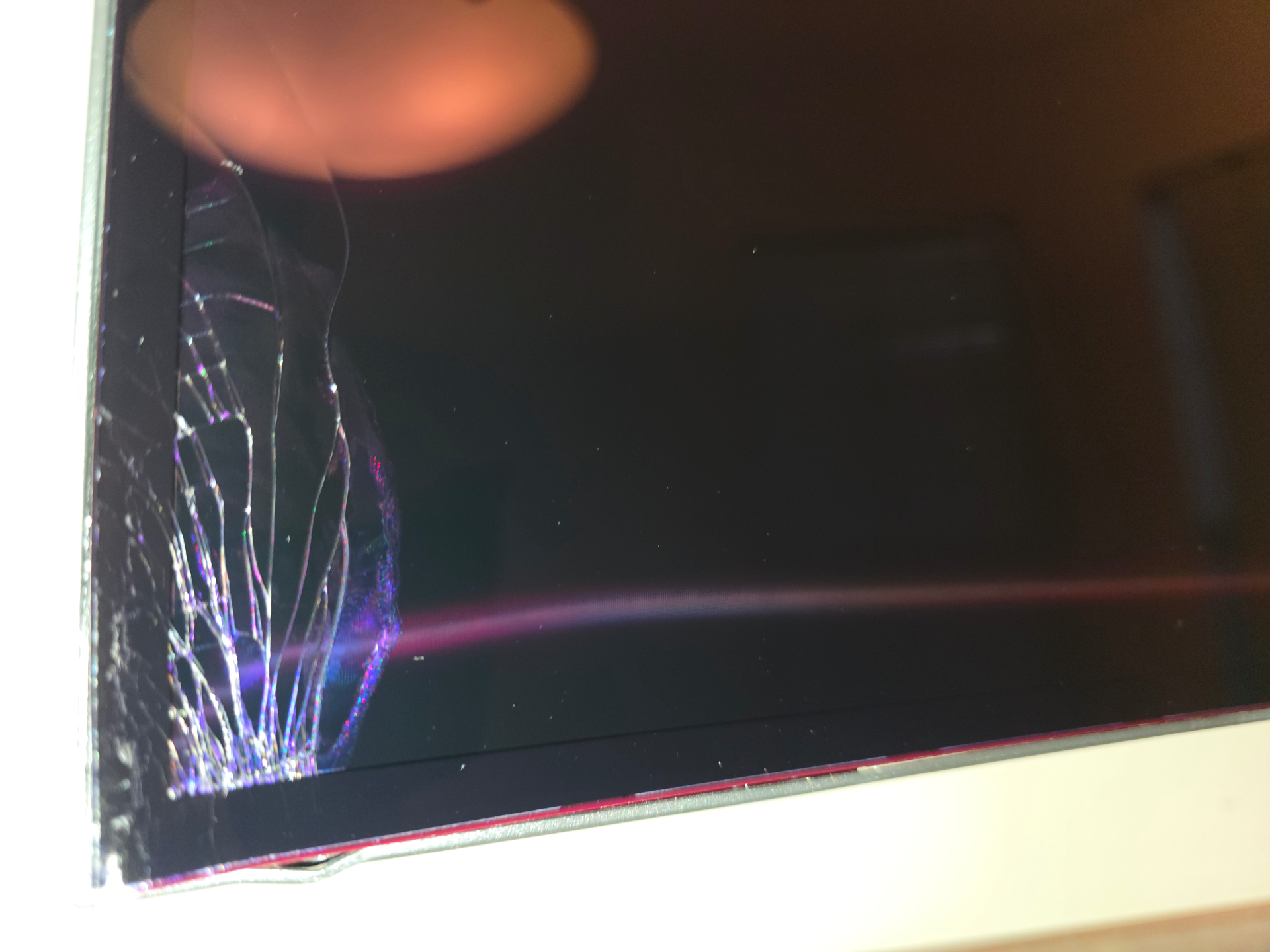
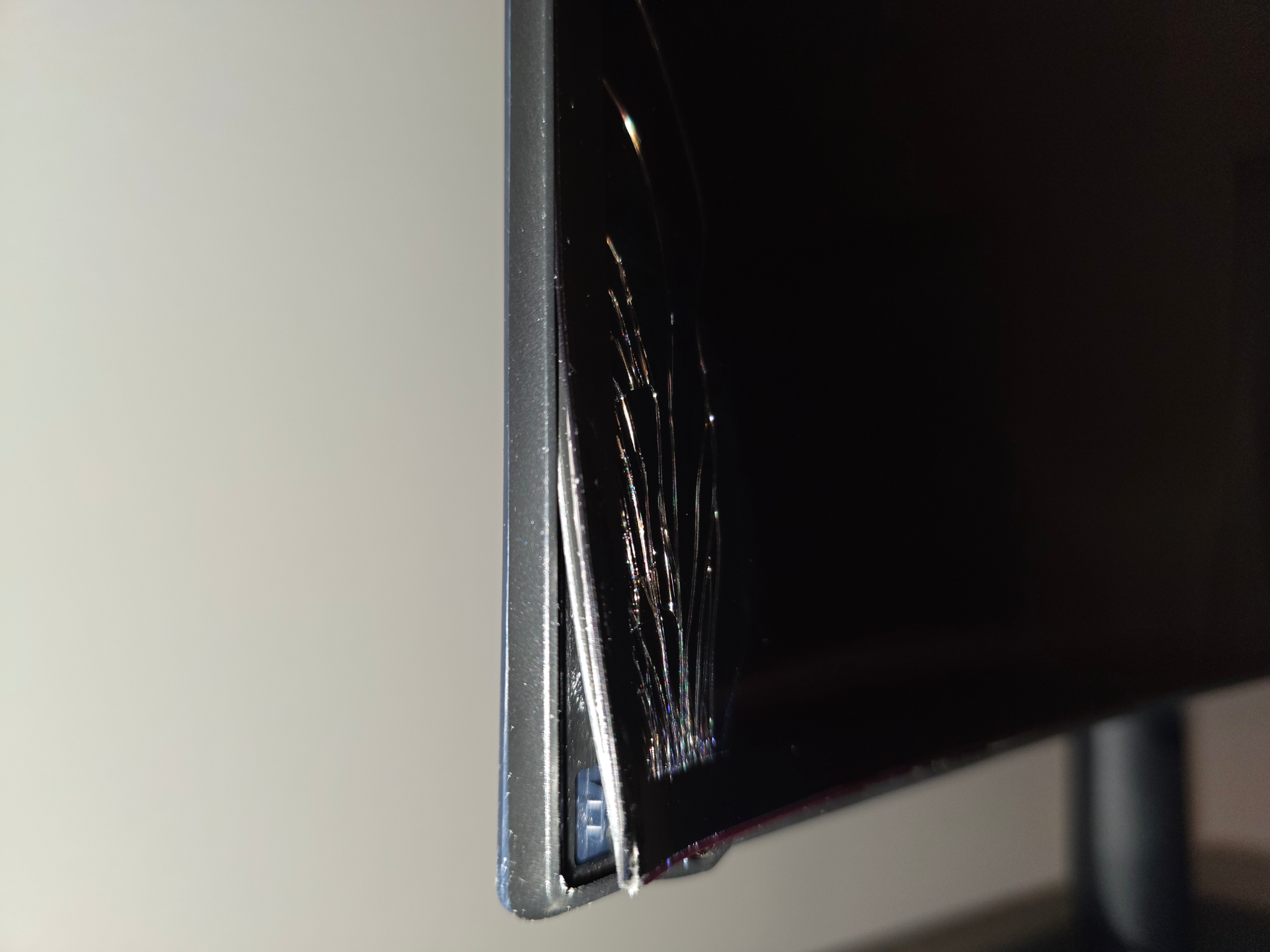
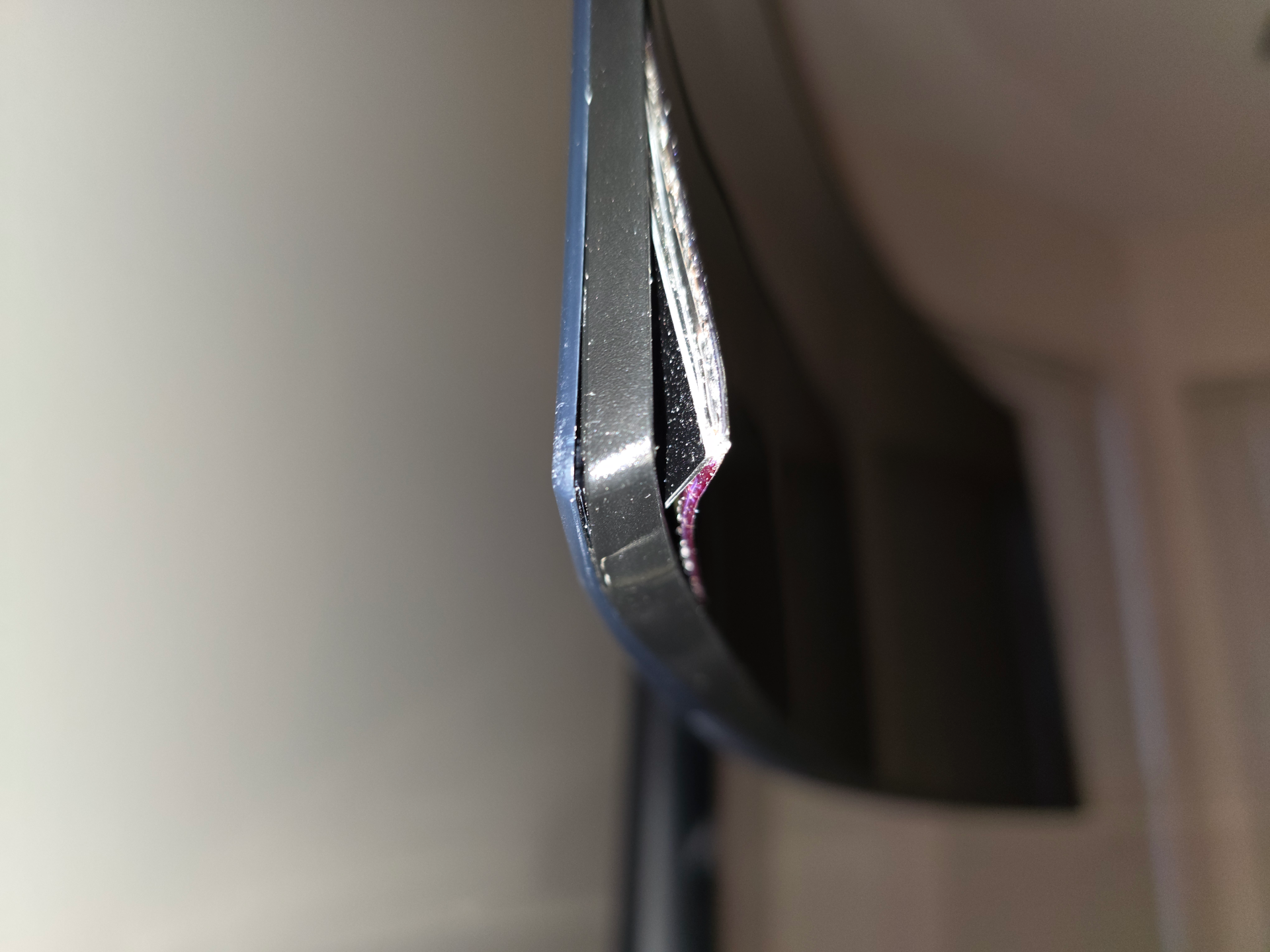
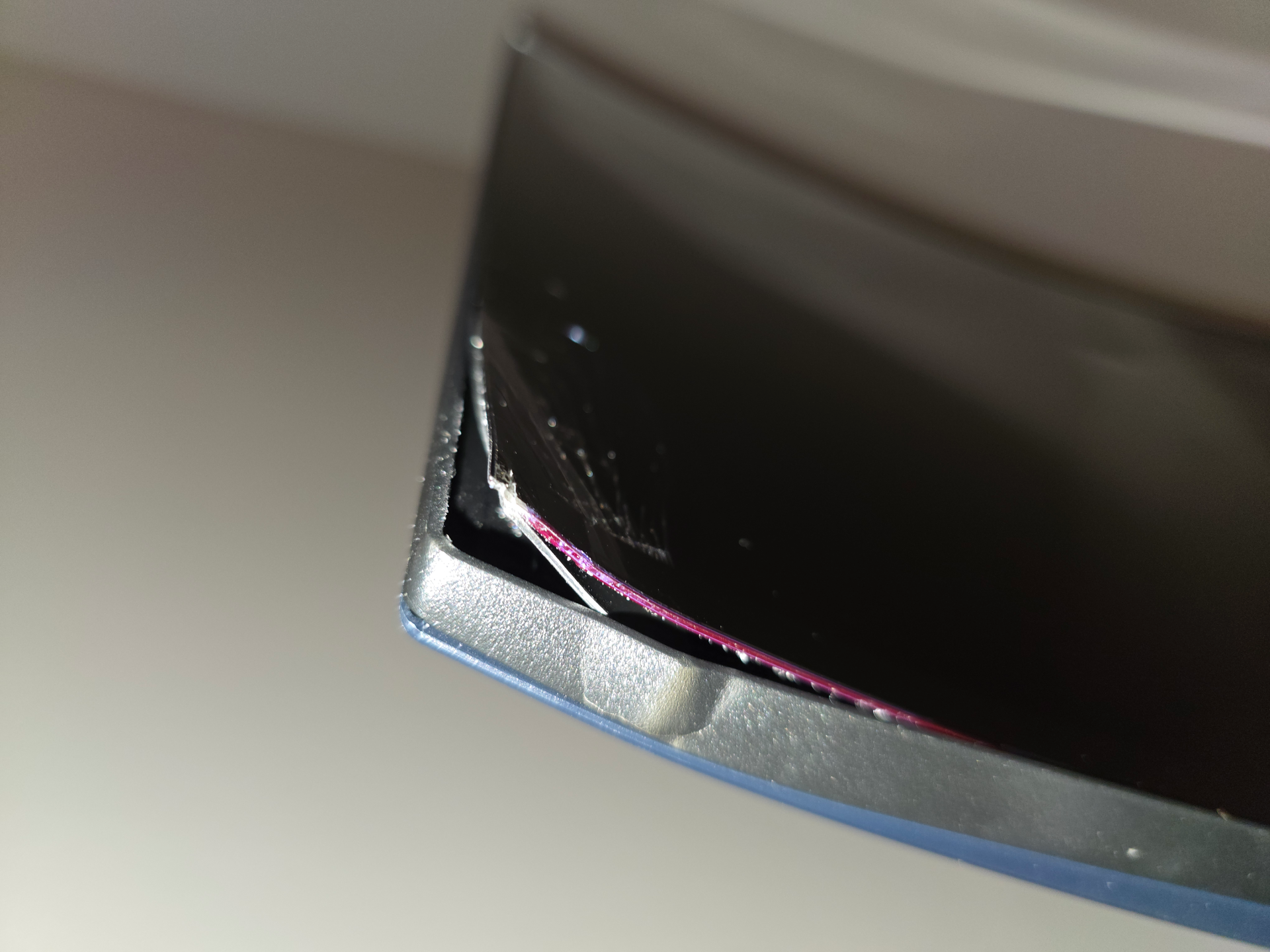

This is part of why I'm inclined to generally buy monitors and TVs from Best Buy. Shippers just do not treat them well.Monitor arrived today. I think it's a keeper.

Oh, that's just an optional feature for those who don't like the reflective coating on this one. Grab the tab on that corner and pull, and voila...no more glossy panel.Monitor arrived today. I think it's a keeper.
Perhaps this is a sign from the universe to give up and get a C6.
Ouch. An Alienware too. I don't have an Alienware monitor, but it's a Dell brand and I've gotten a couple high end Dell screens. What did the box look like? If that was packaged anywhere nearly as well as my Dell P4317Q or U5226KW there would have to be serious box damage to cause that.Monitor arrived today. I think it's a keeper.
Perhaps this is a sign from the universe to give up and get a C6.
View attachment 823311
View attachment 823312
View attachment 823313
View attachment 823314
View attachment 823315
Ouch. An Alienware too. I don't have an Alienware monitor, but it's a Dell brand and I've gotten a couple high end Dell screens. What did the box look like? If that was packaged anywhere nearly as well as my Dell P4317Q or U5226KW there would have to be serious box damage to cause that.
Foam isn't real flexible either. It's just cheap and easy. I suspect the Dell no foam boxes are Dell trying to be eco friendly rather than cheaping out. The box my U5226KW came in is all cardboard, but damn that box is a work of art. Bet it cost more than a foam insert. Bunch of carefully folded cardboard. The thing I don't get is how you can get that much damage without the box being visibly damaged. I'd at least expect a noticeable dent.That's the weird thing, I don't see any huge bumps or bruises on the box. One thing I noticed is that there's no foam in the box. The monitor is surrounded by pretty stiff cardboard so I think one good drop is all it would take.
At the end of the day it's all about what's more profitable. Take a few losses and replace them or spend more on packaging. I mean if they save $5 a screen on packaging and the average damaged in shipping costs only go up $4/unit that's a win, right?This type of packaging is done to reduce the width of the box which makes shipping cheaper and storage more efficient, but it doesn't protect the screen all that well. ASUS started doing the same a while back with similarly bad results.
Just subscribed to rtings so when the review comes out I can read it and decide.


There is, but you'd have to use more intense DLSS settings in some games and consider framegen. Something like this, even with high end cards, if very often going to be a "needs DLSS performance" kind of affair.This monitor is very tempting, but I really enjoy getting 100+ frames and very high quality settings.
Is there any hope to game at 90-100fps on this thing with a lowly 4090 using DLSS? If not, I'd rather have the 34".