jspinks231
n00b
- Joined
- Aug 31, 2026
- Messages
- 60
Some Advice..Think i should upgrade or just the board getting old, some good deals on the esports b450.
![[H]ard|Forum](/styles/hardforum/xenforo/logo_dark.png)
Follow along with the video below to see how to install our site as a web app on your home screen.
Note: This feature may not be available in some browsers.


not only that, the x470 is theoretically superior to a b450 board.^^
you will gain next to nothing swapping boards. ask me how i know....


could be as simple as a dying battery....his msi doesn't want to bo
yeah ive changed em engergizers are in it.. i'll be getting some more cmos batteries too...it boots after unplug everything and pull the battery after like a couple hours. But it could be board too and the Esports/Machinist board is something reasonable of quality. Never know could use a good backup board..x470s are known to quit tho too like anything else i guess.could be as simple as a dying battery....
k. did a good clearing before popping in a new one?yeah ive changed em engergizers are in it.. i'll be getting some more cmos batteries too...it boots after unplug everything and pull the battery after like a couple hours. But it could be board too and the Esports/Machinist board is something reasonable of quality. Never know could use a good backup board..x470s are known to quit tho too like anything else i guess.
I'm not sure what that board is, but my search attempts keep showing me bottom of the barrel designs with no VRM heatsinks. So low end. Could be totally wrong. Got a link to the specs for the board you actually bought?I got me a new modem though through my internet provider and some more parts, ordered the b450m Esports/Machinist Board to have a new board this msi doesn't want to boot sometimes. Good $70 deal on a new board should be here next week. I can still oc a bit if i like. this board is like 8-10 years old...
The b450 isn't exactly a down grade you can still do even some small overclocking on a b450.. the one i ordered is the shang like board known pretty good one. It has some ok reviews. should run my 2600x no problem.k. did a good clearing before popping in a new one?
got a spare psu to try for a bit?
did you look at b550? thats what i did. youre "downgrading" to a b450.
it is and not really. you can turn on pbo and set it to +200, thats it. there is no "overclocking" a 2600x....The b450 isn't exactly a down grade you can still do even some small overclocking on a b450.. the one i ordered is the shang like board known pretty good one. It has some ok reviews. should run my 2600x no problem.
https://www.ebay.com/itm/318066213973?_skw=b450+motherboard&itmmeta=01M1HV5SH7HEBTDM5PQV31BY4Q&hash=item4a0e394455:g:0eUAAeSwRqFoicd9&itmprp=enc:AQALAAAA0GfYFPkwiKCW4ZNSs2u11xB+8VZL/eRrW0CMVFtVGx+8YWa+zAtelRGP7c+f8J+IPOTuQyKBUC+0alvdrYCjNCeoFCORvzr/ID0eWy/L20HPSo5Biydv1uk436r43K+QSybYYD5OXzBfX42bWulYdj2n4X4Ynw+x9tU/fJMgATi5hVQ/WG8E9jqyL1x5BoHBwVRG6yFndLxZ8KL05Tqpzo0By6Wwsoe/AS4MjJJd7uz0C4k2qm5tQJjuqHYcQUROm/APHNtflAG5kdSai3cjDQU=|tkp:Bk9SR-SYl7uMaAit is and not really. you can turn on pbo and set it to +200, thats it. there is no "overclocking" a 2600x....
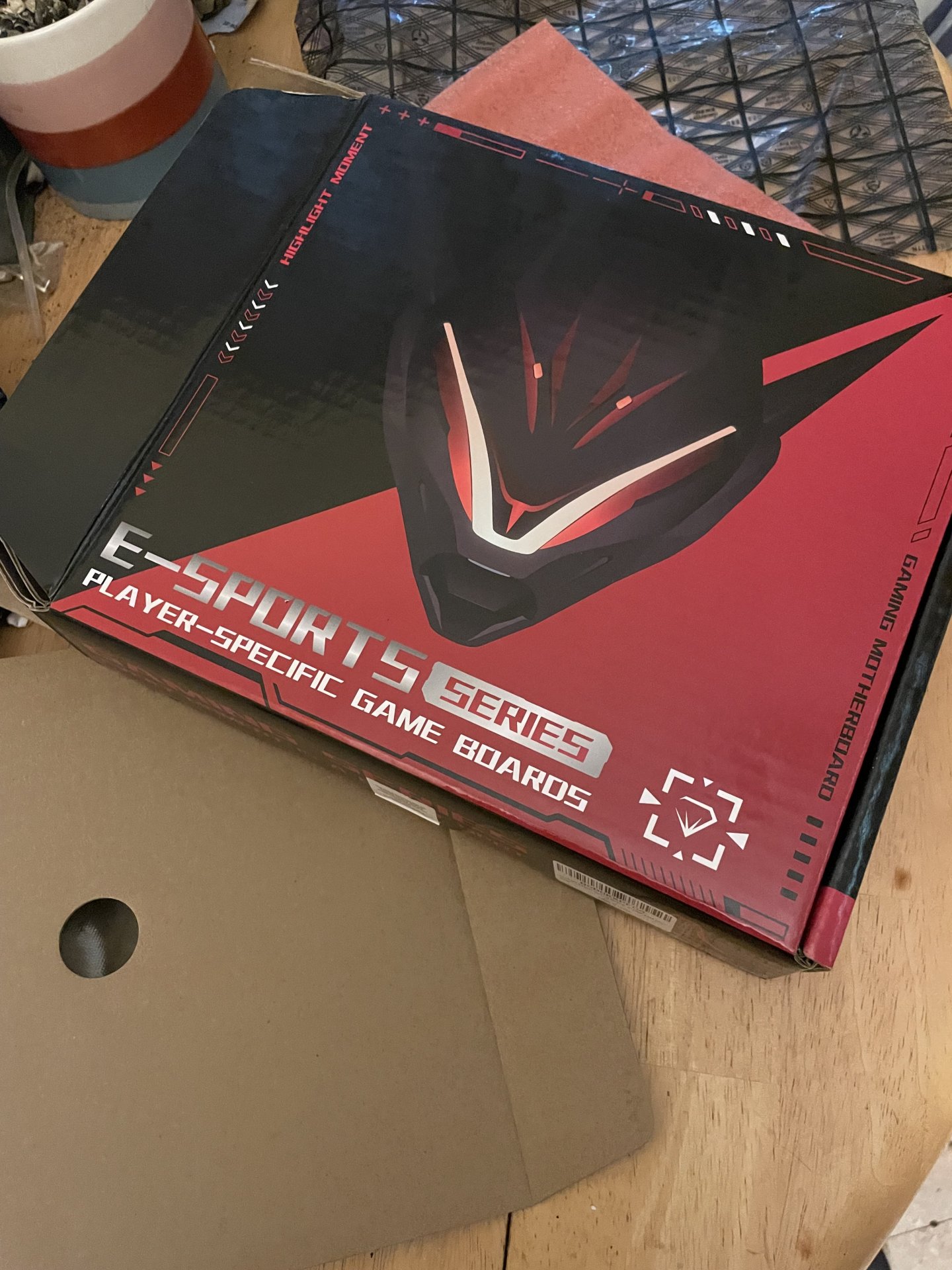
got a link to what you bought? never heard of this "esport/machinist/shang" model....
I like the good deals on parts i'm like aliexpress they got 750ti's for like $60..idk some like some of the cheaper world of it. Yes it is china.why would anyone waste money on that stuf
I don't know havent got around to it and the cases much..I'm anxious for the machinist b450 to review and check out though. I guess the bios is something similar and easy to use. By chance i do like it and get a case i can put it in. or both..I don't think my cmos batteries are entirely dead though but i can always go get more...idk its a board that don't come with a cmos battery or much..its gonna come with the I/O shield and about it maybe the backplate. IDK people have dropped a higher powered chip than mine in them before so its ready to rock nib out the box. Theres not too many deals on am5 yet its like $440 for a 7600x and a Gigabyte board cpu combo i was looking at that.Cheap cases can be ok as long as you wear gloves while working on one. Might also want long sleeves made of heavy fabric or long gloves. Biggest problem with cheap cases is they try to make you bleed. #2 is front I/O. Opps no USB-C, stuff like that. That may be acceptable. Not like I actually use mine. Cooling? Can be fine.
How they price AM4 they say a lot of the boards don't matter, reason why i purchased the Machinist B450-AM4-K, that is another alright board but I already have an msi i'm up for something a bit different. B450 does overclock and at least you can go over PBO on that board. That board the said specifically aimed at longer running sessions..so cool. My X470 is no different with the long gaming sessions and run time...but msi is known with a lot of 4+2 phase vrm's and its really better to back off the clockspeed with them..3700-3800mhz usually does it pretty well.
Sure you can; I'm not sure why you say you can't. I've done it myself. You probably won't get much if anything out of it (as opposed to a 2600), but you can try, and with luck you might be able to push it a bit. I won't dispute that there are better ways to push a 2600X, if that is what you meant.there is no overclocking a 2600x stop repeating that over and over...
It just mean that out of the box it already boost pretty much has well as it will do (i.e. the out of the box overclocking is pretty much what that type of CPU will do, that manual overclocking will almost never be worth the trouble).Sure you can; I'm not sure why you say you can't. I've done it myself. You probably won't get much if anything out of it (as opposed to a 2600), but you can try, and with luck you might be able to push it a bit. I won't dispute that there are better ways to push a 2600X, if that is what you meant.
Yeah i'm just getting something on sale and a replacement the quality is pretty good and not bad..The quality is just as good if not about the same as $120 boards...I spent the $120 on my x470 and to be honest saving the few dollars, won't bother me much or effect too much performance wise, kind of how iv'e reviewed it. The only real difference is its a micro board as long as some cases accept a micro itx board about all i can think of. I don't have or plan on needing a bios flash or nothing like that.It just mean that out of the box it already boost pretty much has well as it will do (i.e. the out of the box overclocking is pretty much what that type of CPU will do, that manual overclocking will almost never be worth the trouble).
As for the general thread a bit of a strange one, OP did seem quite set already on doing it (because the old board had issue so not really a upgrade situation)
That isnt too bad...may be after one myselfHow they price AM4 they say a lot of the boards don't matter, reason why i purchased the Machinist B450-AM4-K, that is another alright board but I already have an msi i'm up for something a bit different. B450 does overclock and at least you can go over PBO on that board. That board the said specifically aimed at longer running sessions..so cool. My X470 is no different with the long gaming sessions and run time...but msi is known with a lot of 4+2 phase vrm's and its really better to back off the clockspeed with them..3700-3800mhz usually does it pretty well.
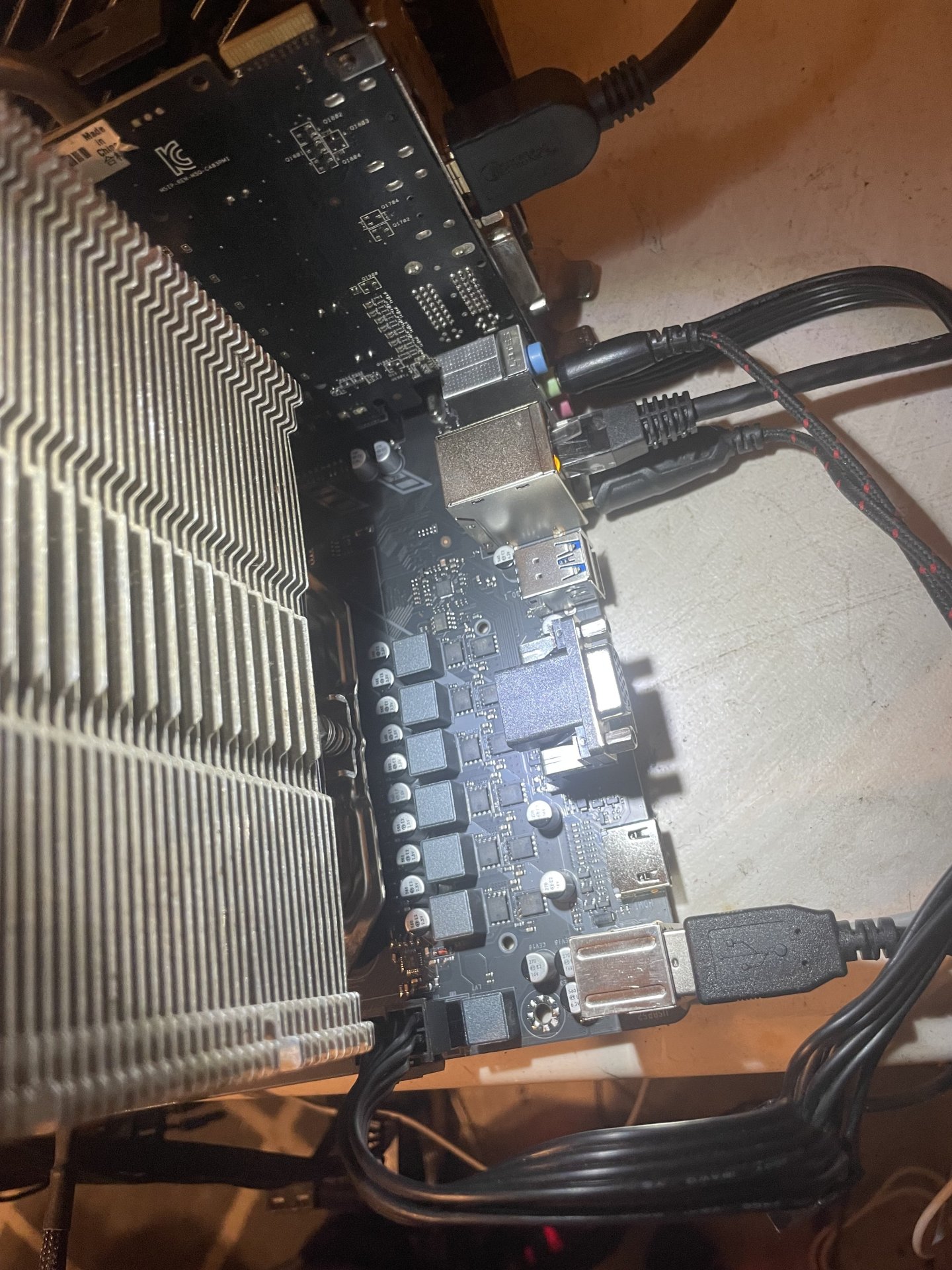
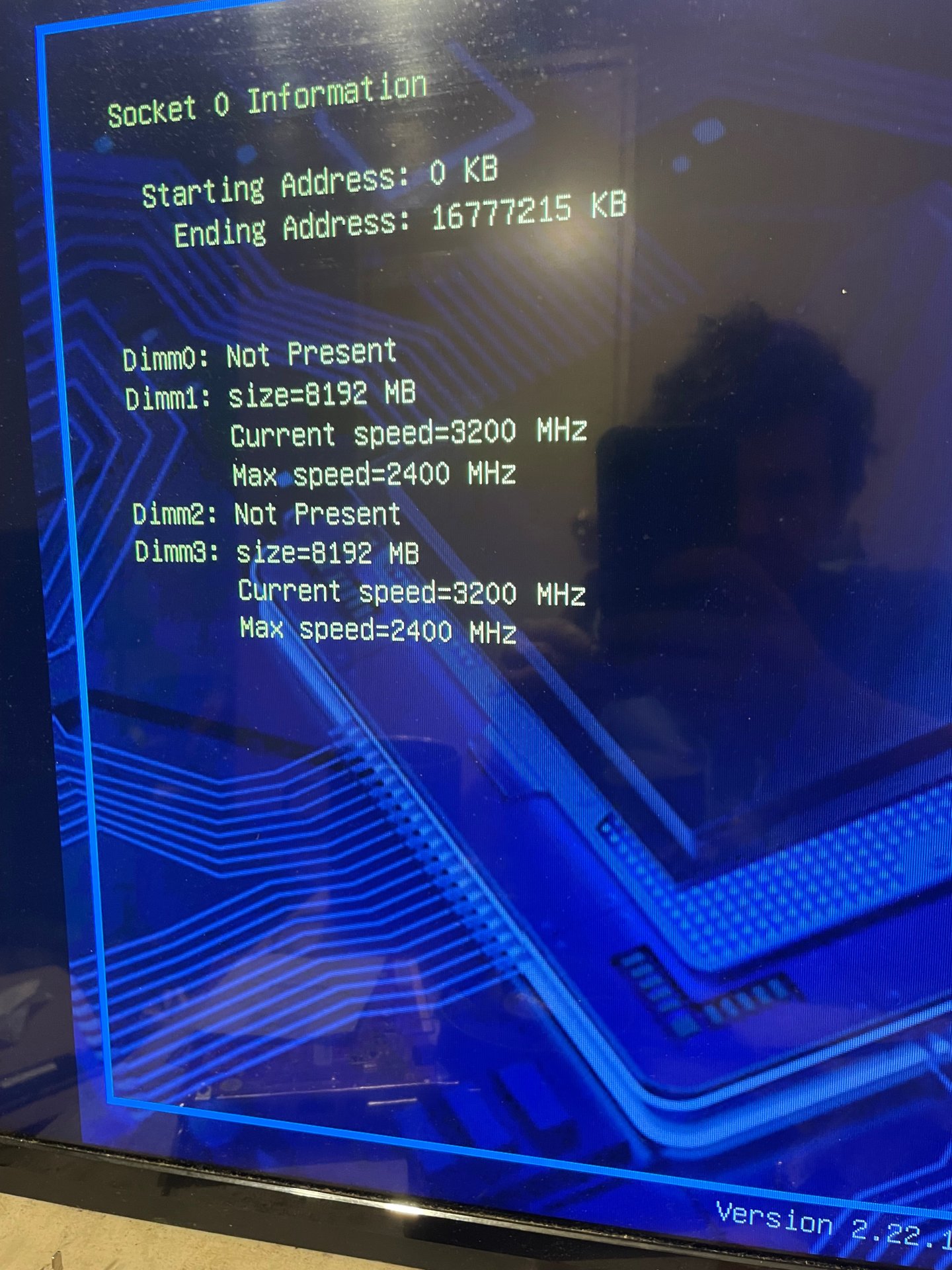
yup, looks like a cheap chinesium board. enjoy...This board is being dope don’t let the aliexpress cheap price scare ya away it’s just as good as $100-130 boards. The oversized chokes and capacitor quality is nice reminds me of an Asus or Gigabyte board..and some nice things like front top sata ports and tight fan headers. It does have to boot the dimms the right way to post though..the bios defaulted high cpu frequency and 2400mhz memory frequency. Check it out!

It is but its running pretty good id have to say and the quality isn't half bad.yup, looks like a cheap chinesium board. enjoy...
View attachment 824582
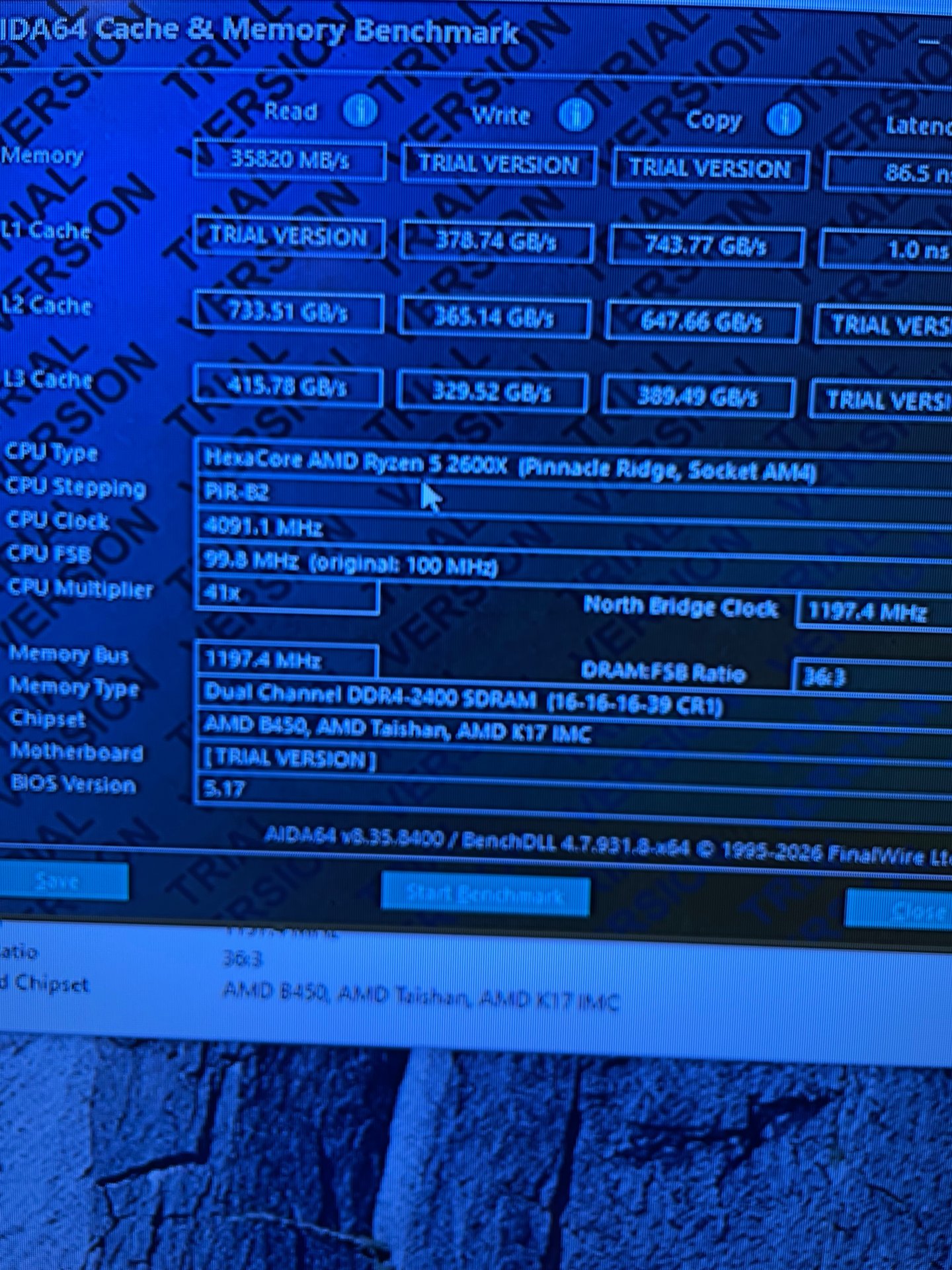
xmp is an intel spec. copy the settings and manually set it that way, it may work better. if not, loosen the timings by 2 for the top 5 settings and leave the rest on auto.While i got the china market my last purchase..this Juxieshi/machinist b450m..this Asus Gigabyte thing...it did post in the black slots and idk this a b450 where xmp is hard to get set and dimm picky the xmp profile with 17CAS resets the board/memory and no it doesn't oc it..and idk and couple wierd things on boot the Capacity string for the dimms changes or its stuck on 8gb but it does show 3 dimms populated further in the bios and the full 24gb...the spreader seperated on the g.skill Hynix microcenter kit and pulled a dim off etc...so idc run 3 dimms at 24gb.. The red kit is a newegg Micron ballstix kit thats been post manufacture discontinued i think. It is nice and mostly stable at the 24gb capacity though and i know streaming or more background tasks still running can benefit being i cant get xmp to work with these older kits. Its been good value but just another china board i agree..alot like some kit stuff at microcenter or frys. I did have to put a cmos battery in it and these premium child shield energizer 4pk some highest ive seen 3.43v with a dvom so that good...
My temps all look good and running cool so no this little micro board does have firepower with the 6phase vrm..Its been a good workbench build something Ultitarian I guess what i was thinking and trying to do. as you can see the Asus 270 is still in good shape and never been flashed or anything i put as5 on it though. But yeah its being neat on the project level..Well check it out I thank you for your Time, Jordan.
I tried both i manually set it too and tried to boot even a 19CAS it booted a couple times but it still reset by the time i got into and logged into windows...why i said this board just don't like my dimms..I been looking at new dimms anyways..looked at the CUSU kit or the ATECH 4x2gb kit for like 60 from newegg stuff like that may work and be supported..ATECH came back and made some stuff fairly newer it very well may be supported. being ddr4 is getting hit with inflation too agian.xmp is an intel spec. copy the settings and manually set it that way, it may work better. if not, loosen the timings by 2 for the top 5 settings and leave the rest on auto.

I don't have that option in the bios i can run auto or 1.20v or 1.25v or 1.35v and idk its running CL18 1.35v right now and been more stable and i guess fixed itself and i isolated the deffective stick in slot 4. its a 3600 kit but i don't even need 3600..3200 is still really fast. the qualities really good i don't see that much heat from the vrm or chokes yet at all. I don't know if juxieshi will ever realease a bios update for it or not it will probably will really never need one. nice stuff like the usbs and top mounted usb are nice and tight nvme port and screw. People were crazy not to pick one of these up being the quality is ok. really good on sale 20% off board or something. still feels like you have some higher end features and quality.try +3 on each to make them even numbers.
mine at 3600
View attachment 825601
and adding a bit of voltage may help too, up to 1.4v is fine for daily use.
yeah i guess a b450 thats kinda like that but maybe simple is ok sometimes. Yeah i'm sastisfied with it still..maybe this one won't die like the msi did..but still i was happy with it..but i guess no board is forever in that aspect or get what you pay for. Its still the lab though get it all acting up troubleshooting works ill unplug everything and pull the chip and cmos out and and wait 2 3 minutes try another cmos or the corrode stiff 24pin atx bend it and see if it past post agian like a new install. Nothing don't suprise me anymore if something don't burn blow off of boards it should still past post a lot bioses are ok. It's stable agian though for about 12 hours now agian at the 1.35v profile and yeah i manually put gear down mode on for the 2600x they suppose to drastically stress the memory controller less.it cant even control the ram voltage properly...
i guess if youre happy thats what counts.

No, not all B450's are like that. The ones I owned were pretty full featured. Your's seems really.... cheap.yeah i guess a b450 thats kinda like that but maybe simple is ok sometimes.