![[H]ard|Forum](/styles/hardforum/xenforo/logo_dark.png)
Navigation
Install the app
How to install the app on iOS
Follow along with the video below to see how to install our site as a web app on your home screen.
Note: This feature may not be available in some browsers.
More options
You are using an out of date browser. It may not display this or other websites correctly.
You should upgrade or use an alternative browser.
You should upgrade or use an alternative browser.
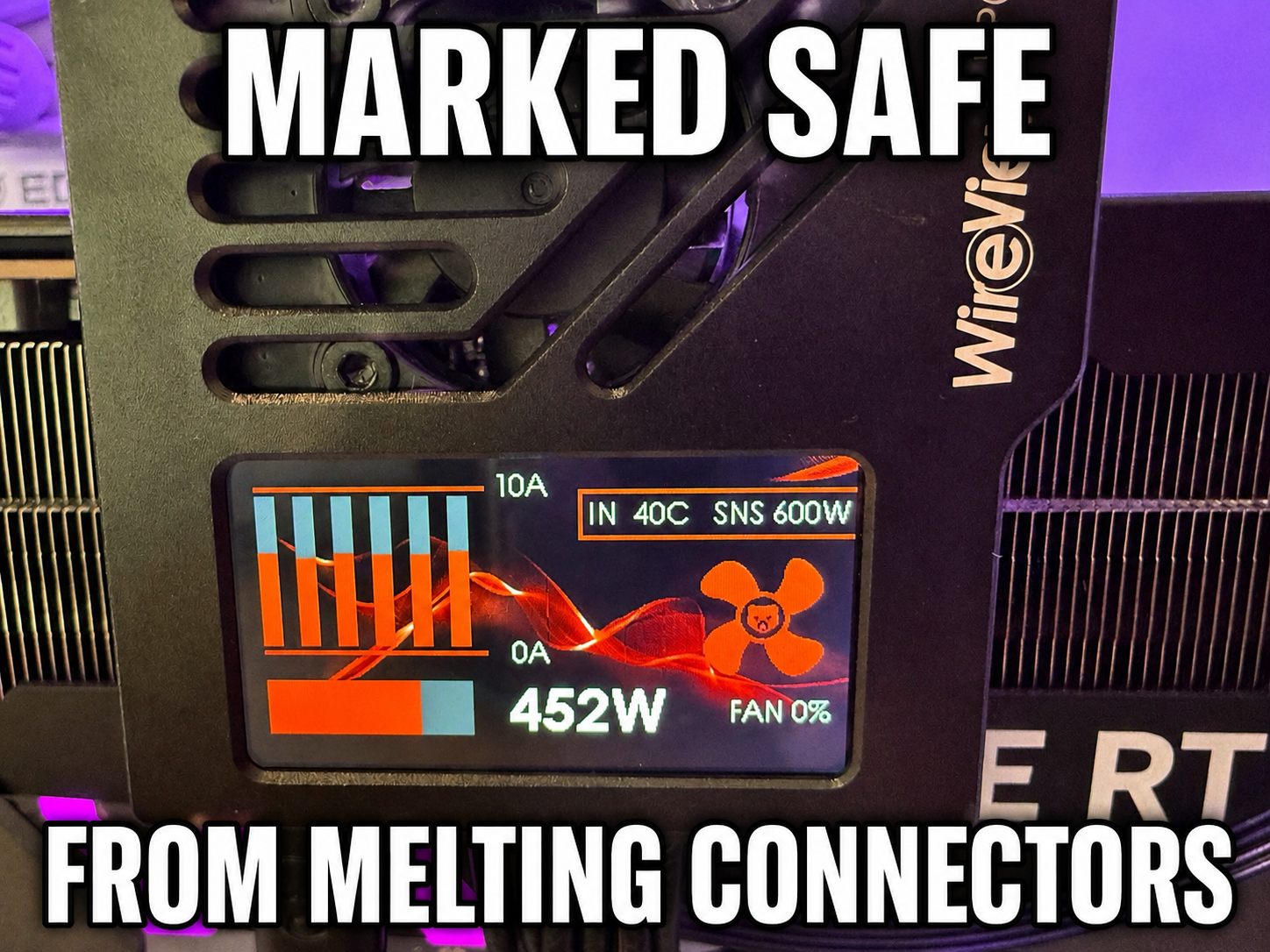
Thermal Grizzly Wire View Pro 2
- Thread starter WilyKit
- Start date

- Joined
- Jun 7, 2007
- Messages
- 14,510
Should have an alarm header so you can wire it to a siren for when shit gets spicy. lol

- Joined
- Oct 7, 2000
- Messages
- 79,217

no link to it or his vid?! pft...
View: https://www.youtube.com/watch?v=dAS9qZG0zTs
https://www.thermal-grizzly.com/en/wireview-pro-ii-gpu/s-tg-wv-p2-h19n
It’s got an interface to the power button which I believe turns the machine off if it goes too far out of spec but I haven't connected it.Should have an alarm header so you can wire it to a siren for when shit gets spicy. lol
Last edited:

Comixbooks
Fully [H]
- Joined
- Jun 7, 2008
- Messages
- 26,484
GPU checker? I own a PSU checker cost me like 7.00 on Amazon. 140.00 might be good for a Repair shop.
Last edited:
- Joined
- Jun 7, 2007
- Messages
- 14,510
GPU monitor, technically. It sits between the GPU and PSU, and you can monitor the load on each pin.
- Joined
- Oct 7, 2000
- Messages
- 79,217
yup, completely different things...
Not even close my dudeGPU checker? I own a PSU checker cost me like 7.00 on Amazon. 140.00 might be good for a Repair shop.
- Joined
- Oct 7, 2000
- Messages
- 79,217
that means you need onethat isn't not needed

If I only purchased things that aren’t not needed I’d be very bored$140? yea no thanks for something that isn't not needed.
It is funny. Now that I have money to burn I am less intrested in spending it on needless things unlike in my broke youth lol.If I only purchased things that aren’t not needed I’d be very bored
ZeroBarrier
[H]ard|Gawd
- Joined
- Mar 19, 2011
- Messages
- 1,487
If I only purchased things that aren’t not needed I’d be very bored

It is funny. Now that I have money to burn I am less intrested in spending it on needless things unlike in my broke youth lol.
Yeah I hear you. I don’t suffer from FOMO these days knowing I can buy something at any point, except for maybe GPUs since who knows when those will dry out. but the tinkerer in me likes to see what’s going on behind the scenes.
EDIT: Damn, my fat fingers combined with autocorrect really butchered my reply using a phone.
Last edited:

- Joined
- Mar 20, 2017
- Messages
- 447
So another cool feature if you connect the USB header to your board, it shows up in HWInfo
View attachment 807300
It's even possible to configure HWinfo to show the Wireview II telemetry in the in-game RTSS OSD.

I got mine in today, and found out that my 5090's pigtail adapter has quite the amperage imbalance on two pins. The lowest pin is at 6.5A max, and the highest pin hits over 10.6A max. Even adjusting the 8 pin PCIE cables around doesn't help, so I've got a new adapter cable on the way.
Yay for $150 tools to monitor shitty connectors!
Yay for $150 tools to monitor shitty connectors!
But but user error!!I got mine in today, and found out that my 5090's pigtail adapter has quite the amperage imbalance on two pins. The lowest pin is at 6.5A max, and the highest pin hits over 10.6A max. Even adjusting the 8 pin PCIE cables around doesn't help, so I've got a new adapter cable on the way.
Yay for $150 tools to monitor shitty connectors!
Joke aside though, I really should get one ASAP. The way things have turned out, hardware lasts a lot longer than it used to, and I'm clearly not even nearly done with the 4090 with how good DLSS is.
edit: ordered!
Last edited:
Yeah... I won't say that user error doesn't contribute to the overall crappiness of the connector (sideways torque being a big contributor), but it definitely isn't a good connector design for the power going through such a small area.But but user error!!
Joke aside though, I really should get one ASAP. The way things have turned out, hardware lasts a lot longer than it used to, and I'm clearly not even nearly done with the 4090 with how good DLSS is.
edit: ordered!
At this point I look at it as planned obsolescence, and the end users are stuck holding the short end if they don't always upgrade within the warranty period.
The upper end video cards that use this type of 12v connections should have exactly these types of functions as WireViewPro II. It is light weight enough that I don't worry about it being installed. Comes with pwr and reset switch Y cable which I did not hook up, assuming with their software you can have automatic shutdowns, plus two TC's for measuring temperature which I did not hook up yet, not sure where to measure. HWinfo indeed sees the device and gives per pin voltage and current, plus Temperature In and Out assuming Out is the graphics card plug and In is power into the WireViewPro II plug. There is not much information that comes in the box, most of it is self-explanatory which is exactly how things should be built.
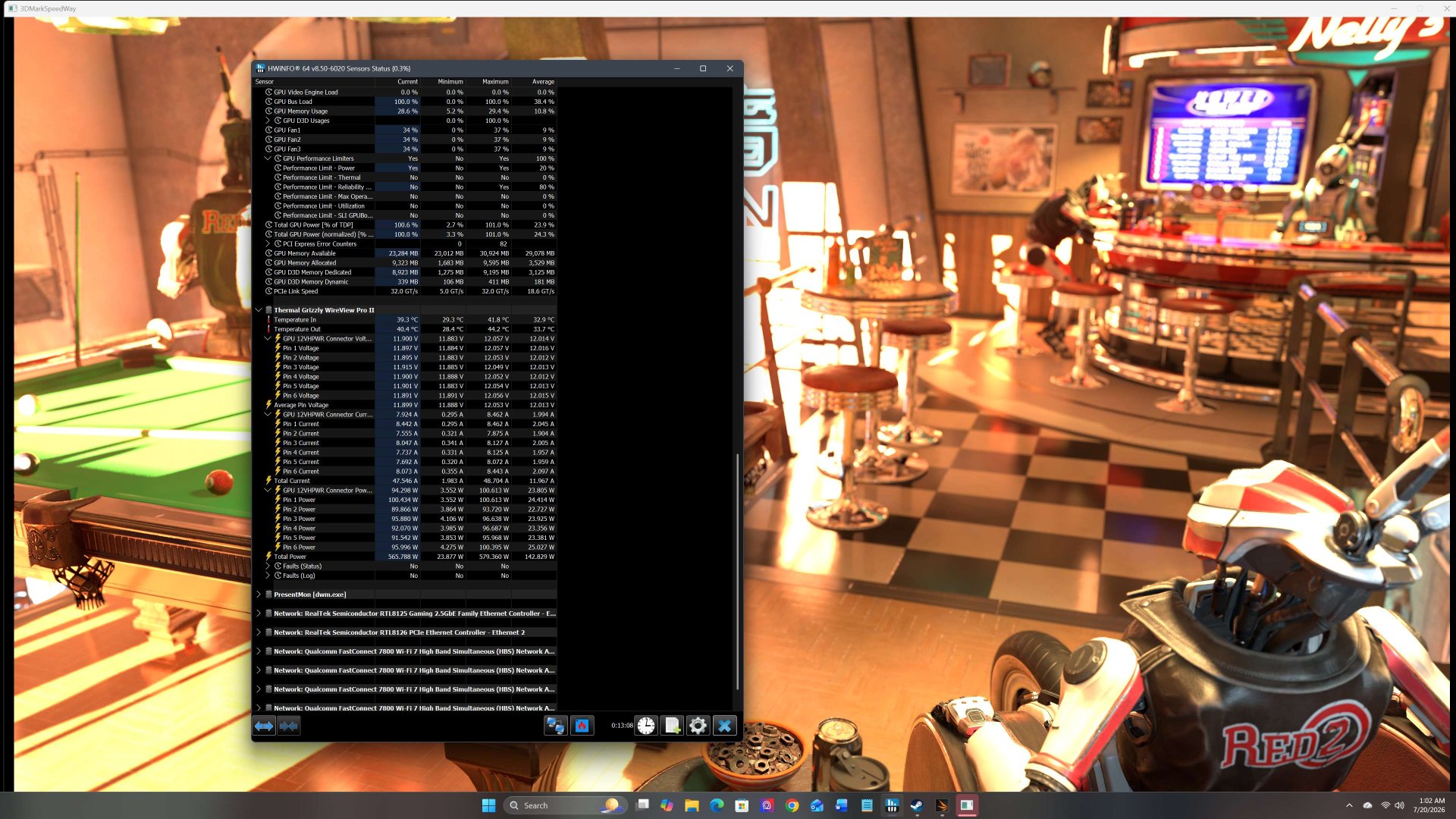
The Astral and Matrix cards by ASUS have this functionality built in. There's also a card by MSI, forget which model though. But that's it.The upper end video cards that use this type of 12v connections should have exactly these types of functions as WireViewPro II. It is light weight enough that I don't worry about it being installed. Comes with pwr and reset switch Y cable which I did not hook up, assuming with their software you can have automatic shutdowns, plus two TC's for measuring temperature which I did not hook up yet, not sure where to measure. HWinfo indeed sees the device and gives per pin voltage and current, plus Temperature In and Out assuming Out is the graphics card plug and In is power into the WireViewPro II plug. There is not much information that comes in the box, most of it is self-explanatory which is exactly how things should be built.
View attachment 815968
That is good, I think this should be a more Nvidia driven hardware requirement. What would it have on price, $30 additional to the cost? And then have Driver support for monitoring and protection as well as firmware level protection. Older cards had load balancing, fuses etc. to prevent issues.The Astral and Matrix cards by ASUS have this functionality built in. There's also a card by MSI, forget which model though. But that's it.